How to Track Job Changes for Sales, GTM, and Recruiting
When a champion moves companies, a placed candidate leaves, or a portfolio exec departs, you need to know within hours. Here is how to set up automated job change tracking.
Published
Written by
Manmohit Grewal
Reviewed by
Abhilash Chowdhary
Read time
7
minutes
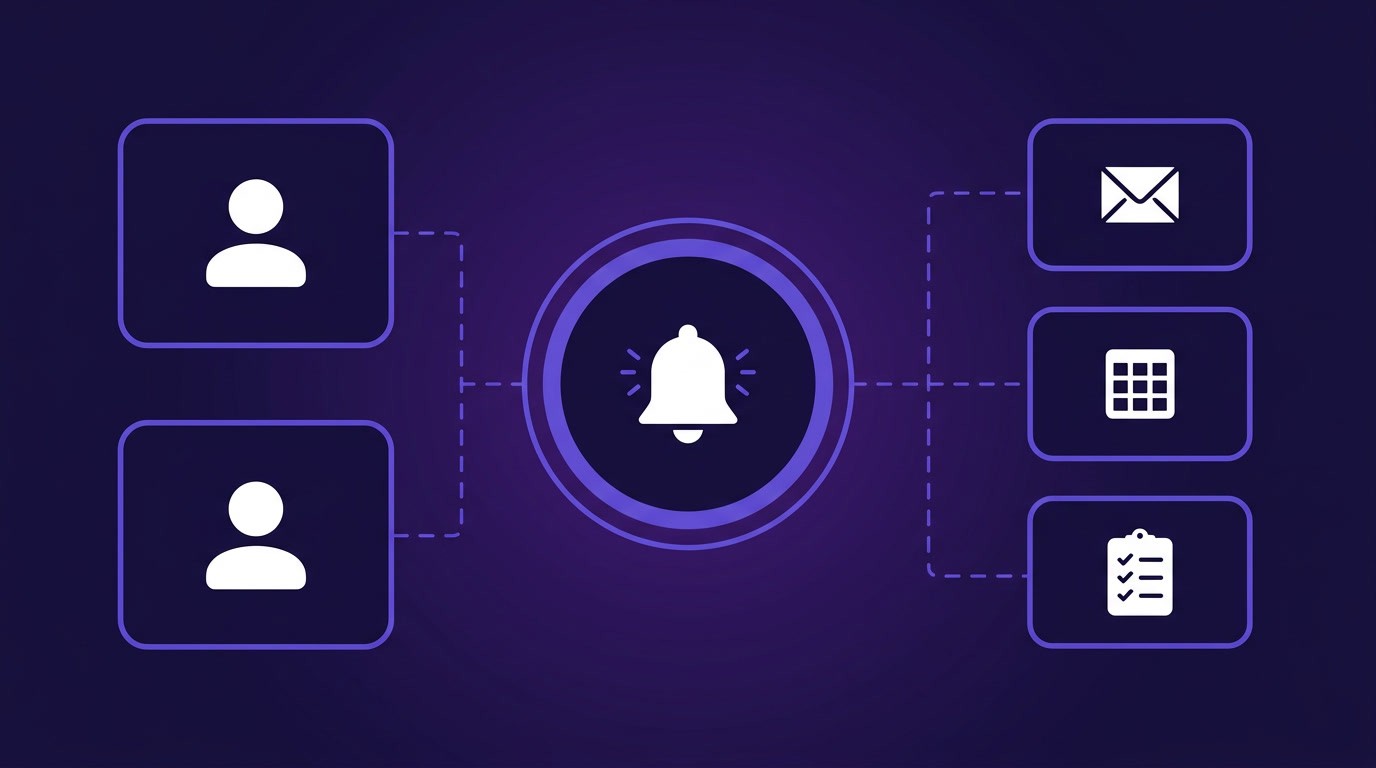
Job change tracking matters across sales, recruiting, and investment for different reasons, but the underlying problem is the same: contact databases decay fast, and manual LinkedIn checks do not scale.
For sales teams, the highest-value use case is champion tracking. When a buyer who championed your deal moves to a new company, that is a warm introduction at an account you had no relationship with yesterday. Sales teams we spoke with described champion departure as the single most actionable signal they could track, because the new company already has an internal advocate for your product. On the other side, when a key decision-maker at a target account leaves, your account strategy needs updating before the next touchpoint.
For recruiting teams, the core use case is database accuracy and backfill detection. One team tracked 15,000 candidates and found roughly 20% of those profiles were out of date within six months. When a placed candidate leaves a company, detecting that change surfaces a backfill opportunity at the company they left, often before the role is publicly posted.
For investment teams, job changes at portfolio companies are risk and opportunity signals. A CTO departure at a portfolio company is an early indicator that needs attention. A founder at a pipeline company moving to a different venture changes the investment thesis.
Webhook-based monitoring handles all three use cases through the same infrastructure. Instead of checking profiles manually, you create persistent watchers that push notifications to your endpoint when a tracked contact's profile changes. This article walks through how to build that system end to end, from creating watchers on your contact list to parsing change payloads to routing updates into your Slack, CRM, or ATS.
What Actually Changes on a Profile and Why It Matters
Before setting up monitoring, it helps to understand what the Watcher API actually detects and why each change type matters across sales, recruiting, and investment workflows.
The person-profile-updates event type monitors six categories of profile change:
Employer change. A contact starts a new position or leaves an existing one, making this the highest-signal change across all three use cases. For sales, a champion moving companies opens a new account. For recruiting, a placed candidate leaving creates a backfill opportunity. For investment, a C-suite departure at a portfolio company is a risk signal.
Title updates. A contact's title changes at their current employer, indicating a promotion or lateral move. For sales teams, a champion getting promoted to VP means they now have budget authority. For recruiting, internal promotions mean the candidate is valued and potentially harder to move.
Skills additions. A contact adds new technical skills or certifications. Tracking these keeps your records accurate for skill-based searches, and one recruiting SaaS builder we spoke with found that skill updates often preceded larger profile changes like job moves.
Headline changes. Updates to the professional tagline. A headline shift from "Senior Engineer at Company X" to "Open to opportunities" is an obvious signal, but subtler changes like adding a new specialization or dropping a company name also indicate shifting priorities.
Location changes. Geographic moves that change a contact's relevance for territory-based sales coverage, location-specific roles, or regional investment theses.
Summary updates. Edits to the "About" section, often reflecting a contact rethinking how they present themselves professionally.
When you create a watcher, you choose which of these fields to track using the FIELDS_TO_TRACK filter. Most teams start with employer_change alone, then expand to other fields once they have the routing infrastructure to handle higher signal volume.
How to Create a Watcher for a List of Contacts
Creating a watcher is a single API call. You pass a list of profile URLs, specify which fields to track, set a webhook endpoint for notifications, and choose a check frequency.
curl --location 'https://api.crustdata.com/watcher/watches' \
--header 'Content-Type: application/json' \
--header 'Authorization: Token $api_token' \
--data '{
    "event_type_slug": "person-profile-updates",
    "event_filters": [
        {
            "filter_type": "LINKEDIN_PROFILE_URL",
            "type": "in",
            "value": [
                "https://www.linkedin.com/in/candidate-1/",
                "https://www.linkedin.com/in/candidate-2/",
                "https://www.linkedin.com/in/candidate-3/"
            ]
        },
        {
            "filter_type": "FIELDS_TO_TRACK",
            "type": "in",
            "value": ["employer_change", "skills", "location"]
        }
    ],
    "account_filters": [],
    "notification_endpoint": "https://your-app.com/webhooks/job-changes",
    "frequency": 1,
    "expiration_date": "2026-09-01"
}'
curl --location 'https://api.crustdata.com/watcher/watches' \
--header 'Content-Type: application/json' \
--header 'Authorization: Token $api_token' \
--data '{
    "event_type_slug": "person-profile-updates",
    "event_filters": [
        {
            "filter_type": "LINKEDIN_PROFILE_URL",
            "type": "in",
            "value": [
                "https://www.linkedin.com/in/candidate-1/",
                "https://www.linkedin.com/in/candidate-2/",
                "https://www.linkedin.com/in/candidate-3/"
            ]
        },
        {
            "filter_type": "FIELDS_TO_TRACK",
            "type": "in",
            "value": ["employer_change", "skills", "location"]
        }
    ],
    "account_filters": [],
    "notification_endpoint": "https://your-app.com/webhooks/job-changes",
    "frequency": 1,
    "expiration_date": "2026-09-01"
}'
curl --location 'https://api.crustdata.com/watcher/watches' \
--header 'Content-Type: application/json' \
--header 'Authorization: Token $api_token' \
--data '{
    "event_type_slug": "person-profile-updates",
    "event_filters": [
        {
            "filter_type": "LINKEDIN_PROFILE_URL",
            "type": "in",
            "value": [
                "https://www.linkedin.com/in/candidate-1/",
                "https://www.linkedin.com/in/candidate-2/",
                "https://www.linkedin.com/in/candidate-3/"
            ]
        },
        {
            "filter_type": "FIELDS_TO_TRACK",
            "type": "in",
            "value": ["employer_change", "skills", "location"]
        }
    ],
    "account_filters": [],
    "notification_endpoint": "https://your-app.com/webhooks/job-changes",
    "frequency": 1,
    "expiration_date": "2026-09-01"
}'
The key parameters in this request:
event_type_slug: Useperson-profile-updatesfor tracking individual profiles.LINKEDIN_PROFILE_URL: The list of profiles to monitor. You can include as many as your credit budget supports.FIELDS_TO_TRACK: Which profile changes trigger a notification. Options areemployer_change,summary,headline,skills, andlocation. If you omit this filter, the watcher tracks all fields.frequency: How often the watcher checks for changes, in days. A frequency of 1 means daily checks.expiration_date: When the watcher stops running. More on time-limiting watchers in the compliance section below.notification_endpoint: The URL where the Watcher API sends POST requests when a change is detected.
Creating a watcher is free, but you pay 5 credits each time the watcher runs a check based on the frequency you set. A daily watcher on 100 contacts costs 500 credits per day.
Choosing What to Monitor Continuously
You cannot afford to put every contact in your database on daily watchers, so you need a framework to decide who gets continuous monitoring. The selection criteria differ by use case:
Sales teams typically prioritize closed-won champions (if they move, that is a new account opportunity), active deal contacts (if a decision-maker leaves mid-deal, you need to know immediately), and executive sponsors at strategic accounts. One sales team we spoke with found that champion departures were the most actionable signal they tracked, because the new company already had someone who understood and advocated for their product.
Recruiting teams prioritize placed candidates (backfill opportunity if they leave), active pipeline contacts, and candidates at companies showing growth signals like recent funding. One team ran 1,500 contacts on continuous daily watchers with everything else going through monthly batch enrichment using the People Enrichment API.
Investment teams prioritize portfolio company leadership (C-suite, founders, key technical hires) and executives at pipeline companies whose departure would change the thesis.
How to Configure Webhook Endpoints to Receive Alerts
When a tracked contact's profile changes, the Watcher API sends a POST request to your notification_endpoint with the change details in the request body. Your endpoint needs to validate the request signature, parse the payload, and return a 200 response.
Validating the Webhook Signature
Every webhook includes two headers for authentication:
x-webhook-time: Timestamp of when the webhook was sentx-webhook-signature: HMAC-SHA256 signature using your API token as the key
Validate these before processing any payload:
import hmac
import hashlib

def validate_webhook(request, api_token):
    request_time = request.headers.get("x-webhook-time")
    received_signature = request.headers.get("x-webhook-signature")
    if not request_time or not received_signature:
        return False
    message = request_time.encode()
    expected = hmac.new(
        api_token.encode(), message, hashlib.sha256
    ).hexdigest()
    return hmac.compare_digest(expected, received_signature)
import hmac
import hashlib

def validate_webhook(request, api_token):
    request_time = request.headers.get("x-webhook-time")
    received_signature = request.headers.get("x-webhook-signature")
    if not request_time or not received_signature:
        return False
    message = request_time.encode()
    expected = hmac.new(
        api_token.encode(), message, hashlib.sha256
    ).hexdigest()
    return hmac.compare_digest(expected, received_signature)
import hmac
import hashlib

def validate_webhook(request, api_token):
    request_time = request.headers.get("x-webhook-time")
    received_signature = request.headers.get("x-webhook-signature")
    if not request_time or not received_signature:
        return False
    message = request_time.encode()
    expected = hmac.new(
        api_token.encode(), message, hashlib.sha256
    ).hexdigest()
    return hmac.compare_digest(expected, received_signature)
Minimal Webhook Handler
A Flask endpoint that validates and stores incoming notifications:
from flask import Flask, request, jsonify

app = Flask(__name__)
API_TOKEN = "your_api_token"

@app.route("/webhooks/job-changes", methods=["POST"])
def handle_job_change():
    if not validate_webhook(request, API_TOKEN):
        return jsonify({"error": "invalid signature"}), 401

    payload = request.get_json()
    process_change(payload)
    return jsonify({"status": "received"}), 200
from flask import Flask, request, jsonify

app = Flask(__name__)
API_TOKEN = "your_api_token"

@app.route("/webhooks/job-changes", methods=["POST"])
def handle_job_change():
    if not validate_webhook(request, API_TOKEN):
        return jsonify({"error": "invalid signature"}), 401

    payload = request.get_json()
    process_change(payload)
    return jsonify({"status": "received"}), 200
from flask import Flask, request, jsonify

app = Flask(__name__)
API_TOKEN = "your_api_token"

@app.route("/webhooks/job-changes", methods=["POST"])
def handle_job_change():
    if not validate_webhook(request, API_TOKEN):
        return jsonify({"error": "invalid signature"}), 401

    payload = request.get_json()
    process_change(payload)
    return jsonify({"status": "received"}), 200
Testing Before Going Live
The Watcher API includes a simulation endpoint that sends a sample notification to your webhook instantly, without waiting for real profile changes and without consuming credits:
curl --location 'https://api.crustdata.com/watcher/simulation/watches' \
--header 'Content-Type: application/json' \
--header 'Authorization: Token $api_token' \
--data '{
    "event_type_slug": "linkedin-person-profile-updates",
    "event_filters": [
        {"filter_type": "LINKEDIN_PROFILE_URL", "type": "in", "value": ["https://www.linkedin.com/in/test-profile/"]}
    ],
    "notification_endpoint": "https://your-app.com/webhooks/job-changes",
    "frequency": 1,
    "expiration_date": "2026-09-01"
}'
curl --location 'https://api.crustdata.com/watcher/simulation/watches' \
--header 'Content-Type: application/json' \
--header 'Authorization: Token $api_token' \
--data '{
    "event_type_slug": "linkedin-person-profile-updates",
    "event_filters": [
        {"filter_type": "LINKEDIN_PROFILE_URL", "type": "in", "value": ["https://www.linkedin.com/in/test-profile/"]}
    ],
    "notification_endpoint": "https://your-app.com/webhooks/job-changes",
    "frequency": 1,
    "expiration_date": "2026-09-01"
}'
curl --location 'https://api.crustdata.com/watcher/simulation/watches' \
--header 'Content-Type: application/json' \
--header 'Authorization: Token $api_token' \
--data '{
    "event_type_slug": "linkedin-person-profile-updates",
    "event_filters": [
        {"filter_type": "LINKEDIN_PROFILE_URL", "type": "in", "value": ["https://www.linkedin.com/in/test-profile/"]}
    ],
    "notification_endpoint": "https://your-app.com/webhooks/job-changes",
    "frequency": 1,
    "expiration_date": "2026-09-01"
}'
Use this to verify your endpoint handles the payload structure correctly before creating production watchers.
How to Parse the Delta Payload
When a tracked contact changes jobs, the notification payload includes the full change context. Here is what arrives at your webhook when someone starts a new position:
{
    "profile_url": "https://www.linkedin.com/in/example-candidate",
    "person_title": "Senior Product Engineer",
    "person_location": "Bengaluru, Karnataka, India",
    "changes": {
        "position_changes": {
            "new_positions": [
                {
                    "details": {
                        "employer_name": "Fever",
                        "employee_title": "Senior Product Engineer",
                        "start_date": "2026-03-01T00:00:00+00:00",
                        "employee_location": "Bengaluru, Karnataka, India",
                        "employer_company_website_domain": ["feverup.com"]
                    },
                    "position_id": 2606661155
                }
            ],
            "changed_positions": [
                {
                    "changes": {
                        "end_date": {
                            "current": "2026-03-01T00:00:00+00:00",
                            "previous": null
                        }
                    },
                    "position_id": 2606651150
                }
            ]
        },
        "field_changes": {
            "skills": {
                "current": [],
                "previous": ["Software Design"]
            }
        }
    },
    "current_employers": [
        {
            "employer_name": "Fever",
            "employee_title": "Senior Product Engineer",
            "start_date": "2026-03-01T00:00:00+00:00"
        }
    ],
    "past_employers": [
        {
            "employer_name": "OpenText",
            "employee_title": "SDE-2",
            "end_date": "2026-03-01T00:00:00+00:00",
            "employee_position_id": 2606651150
        }
    ]
}
{
    "profile_url": "https://www.linkedin.com/in/example-candidate",
    "person_title": "Senior Product Engineer",
    "person_location": "Bengaluru, Karnataka, India",
    "changes": {
        "position_changes": {
            "new_positions": [
                {
                    "details": {
                        "employer_name": "Fever",
                        "employee_title": "Senior Product Engineer",
                        "start_date": "2026-03-01T00:00:00+00:00",
                        "employee_location": "Bengaluru, Karnataka, India",
                        "employer_company_website_domain": ["feverup.com"]
                    },
                    "position_id": 2606661155
                }
            ],
            "changed_positions": [
                {
                    "changes": {
                        "end_date": {
                            "current": "2026-03-01T00:00:00+00:00",
                            "previous": null
                        }
                    },
                    "position_id": 2606651150
                }
            ]
        },
        "field_changes": {
            "skills": {
                "current": [],
                "previous": ["Software Design"]
            }
        }
    },
    "current_employers": [
        {
            "employer_name": "Fever",
            "employee_title": "Senior Product Engineer",
            "start_date": "2026-03-01T00:00:00+00:00"
        }
    ],
    "past_employers": [
        {
            "employer_name": "OpenText",
            "employee_title": "SDE-2",
            "end_date": "2026-03-01T00:00:00+00:00",
            "employee_position_id": 2606651150
        }
    ]
}
{
    "profile_url": "https://www.linkedin.com/in/example-candidate",
    "person_title": "Senior Product Engineer",
    "person_location": "Bengaluru, Karnataka, India",
    "changes": {
        "position_changes": {
            "new_positions": [
                {
                    "details": {
                        "employer_name": "Fever",
                        "employee_title": "Senior Product Engineer",
                        "start_date": "2026-03-01T00:00:00+00:00",
                        "employee_location": "Bengaluru, Karnataka, India",
                        "employer_company_website_domain": ["feverup.com"]
                    },
                    "position_id": 2606661155
                }
            ],
            "changed_positions": [
                {
                    "changes": {
                        "end_date": {
                            "current": "2026-03-01T00:00:00+00:00",
                            "previous": null
                        }
                    },
                    "position_id": 2606651150
                }
            ]
        },
        "field_changes": {
            "skills": {
                "current": [],
                "previous": ["Software Design"]
            }
        }
    },
    "current_employers": [
        {
            "employer_name": "Fever",
            "employee_title": "Senior Product Engineer",
            "start_date": "2026-03-01T00:00:00+00:00"
        }
    ],
    "past_employers": [
        {
            "employer_name": "OpenText",
            "employee_title": "SDE-2",
            "end_date": "2026-03-01T00:00:00+00:00",
            "employee_position_id": 2606651150
        }
    ]
}
The three fields that matter most:
changes.position_changes.new_positions: The contact started a new job. This tells you who they joined, what title they hold, and when they started. For sales, a champion at a new company is a warm intro opportunity. For recruiting, the company they left may need a backfill.changes.position_changes.changed_positions: An existing position was modified. Whenend_datechanges fromnullto a date, the contact left that role. When the title changes, they were likely promoted internally, which matters for sales teams tracking decision-maker authority.changes.field_changes: Non-position changes like skill additions, summary edits, or location updates. These are softer signals that indicate the contact is actively managing their profile.
Here is how to extract the key fields in Python:
def find_company_by_position_id(position_id, past_employers):
    for employer in past_employers:
        if employer.get("employee_position_id") == position_id:
            return employer["employer_name"]
    return None

def process_change(payload):
    profile_url = payload["profile_url"]
    changes = payload.get("changes", {})

    new_positions = changes.get("position_changes", {}).get("new_positions", [])
    if new_positions:
        for position in new_positions:
            new_company = position["details"]["employer_name"]
            new_title = position["details"]["employee_title"]
            start_date = position["details"]["start_date"]
            update_crm_record(profile_url, new_company, new_title)
            route_champion_change(profile_url, new_company, new_title, start_date)

    changed_positions = changes.get("position_changes", {}).get("changed_positions", [])
    for position in changed_positions:
        if "end_date" in position.get("changes", {}):
            departed_company = find_company_by_position_id(
                position["position_id"], payload["past_employers"]
            )
            route_backfill_alert(profile_url, departed_company)
def find_company_by_position_id(position_id, past_employers):
    for employer in past_employers:
        if employer.get("employee_position_id") == position_id:
            return employer["employer_name"]
    return None

def process_change(payload):
    profile_url = payload["profile_url"]
    changes = payload.get("changes", {})

    new_positions = changes.get("position_changes", {}).get("new_positions", [])
    if new_positions:
        for position in new_positions:
            new_company = position["details"]["employer_name"]
            new_title = position["details"]["employee_title"]
            start_date = position["details"]["start_date"]
            update_crm_record(profile_url, new_company, new_title)
            route_champion_change(profile_url, new_company, new_title, start_date)

    changed_positions = changes.get("position_changes", {}).get("changed_positions", [])
    for position in changed_positions:
        if "end_date" in position.get("changes", {}):
            departed_company = find_company_by_position_id(
                position["position_id"], payload["past_employers"]
            )
            route_backfill_alert(profile_url, departed_company)
def find_company_by_position_id(position_id, past_employers):
    for employer in past_employers:
        if employer.get("employee_position_id") == position_id:
            return employer["employer_name"]
    return None

def process_change(payload):
    profile_url = payload["profile_url"]
    changes = payload.get("changes", {})

    new_positions = changes.get("position_changes", {}).get("new_positions", [])
    if new_positions:
        for position in new_positions:
            new_company = position["details"]["employer_name"]
            new_title = position["details"]["employee_title"]
            start_date = position["details"]["start_date"]
            update_crm_record(profile_url, new_company, new_title)
            route_champion_change(profile_url, new_company, new_title, start_date)

    changed_positions = changes.get("position_changes", {}).get("changed_positions", [])
    for position in changed_positions:
        if "end_date" in position.get("changes", {}):
            departed_company = find_company_by_position_id(
                position["position_id"], payload["past_employers"]
            )
            route_backfill_alert(profile_url, departed_company)
The process_change function checks for two scenarios: a new job (update the CRM record and notify the account owner) and a departure with no new position yet (flag as a backfill opportunity at the former employer). The update_crm_record, route_champion_change, and route_backfill_alert functions referenced here are defined in the routing section below.
How to Route Alerts to Slack, CRM, or ATS
Once you can parse the payload, the next step is routing the right signals to the right team. The routing logic differs by use case.
Sales: Champion Tracking and New Account Alerts
When a closed-won champion moves to a new company, that is one of the highest-value signals in B2B sales. The new company already has an internal advocate who knows your product. Route these alerts directly to the account owner with the champion's new company and title:
import requests

def route_champion_change(profile_url, new_company, new_title, start_date):
    slack_webhook = "https://hooks.slack.com/services/YOUR/WEBHOOK/URL"
    message = {
        "text": (
            f"Champion moved companies\n"
            f"*Profile*: {profile_url}\n"
            f"*New role*: {new_title} at {new_company}\n"
            f"*Started*: {start_date}\n"
            f"_Check CRM for deal history with this contact_"
        )
    }
    requests.post(slack_webhook, json=message)
import requests

def route_champion_change(profile_url, new_company, new_title, start_date):
    slack_webhook = "https://hooks.slack.com/services/YOUR/WEBHOOK/URL"
    message = {
        "text": (
            f"Champion moved companies\n"
            f"*Profile*: {profile_url}\n"
            f"*New role*: {new_title} at {new_company}\n"
            f"*Started*: {start_date}\n"
            f"_Check CRM for deal history with this contact_"
        )
    }
    requests.post(slack_webhook, json=message)
import requests

def route_champion_change(profile_url, new_company, new_title, start_date):
    slack_webhook = "https://hooks.slack.com/services/YOUR/WEBHOOK/URL"
    message = {
        "text": (
            f"Champion moved companies\n"
            f"*Profile*: {profile_url}\n"
            f"*New role*: {new_title} at {new_company}\n"
            f"*Started*: {start_date}\n"
            f"_Check CRM for deal history with this contact_"
        )
    }
    requests.post(slack_webhook, json=message)
Sales teams we spoke with treated champion departures as higher priority than inbound leads, because the trust and product knowledge already existed. The same alert also triggers a CRM update so the contact record reflects their new company before anyone reaches out with outdated context.
CRM Record Updates for Data Accuracy
Whether you are tracking sales contacts, candidates, or portfolio executives, keeping the CRM record up to date is the baseline action for every job change alert:
from datetime import datetime

def update_crm_record(profile_url, new_company, new_title):
    contact = crm_client.find_contact_by_linkedin(profile_url)
    if contact:
        crm_client.update_contact(contact["id"], {
            "company": new_company,
            "job_title": new_title,
            "last_signal_date": datetime.now().isoformat(),
            "signal_type": "job_change"
        })
from datetime import datetime

def update_crm_record(profile_url, new_company, new_title):
    contact = crm_client.find_contact_by_linkedin(profile_url)
    if contact:
        crm_client.update_contact(contact["id"], {
            "company": new_company,
            "job_title": new_title,
            "last_signal_date": datetime.now().isoformat(),
            "signal_type": "job_change"
        })
from datetime import datetime

def update_crm_record(profile_url, new_company, new_title):
    contact = crm_client.find_contact_by_linkedin(profile_url)
    if contact:
        crm_client.update_contact(contact["id"], {
            "company": new_company,
            "job_title": new_title,
            "last_signal_date": datetime.now().isoformat(),
            "signal_type": "job_change"
        })
Recruiting: Backfill Detection and ATS Tagging
When a placed candidate leaves a company, tag them in the ATS and flag the backfill opportunity at their former employer. You already have the hiring manager relationship and context for that role:
def route_backfill_alert(profile_url, departed_company):
    candidate = ats_client.find_by_linkedin(profile_url)
    if candidate:
        ats_client.add_tag(candidate["id"], "backfill-opportunity")
        ats_client.add_note(
            candidate["id"],
            f"Left {departed_company}. Backfill opportunity at their former employer."
        )
def route_backfill_alert(profile_url, departed_company):
    candidate = ats_client.find_by_linkedin(profile_url)
    if candidate:
        ats_client.add_tag(candidate["id"], "backfill-opportunity")
        ats_client.add_note(
            candidate["id"],
            f"Left {departed_company}. Backfill opportunity at their former employer."
        )
def route_backfill_alert(profile_url, departed_company):
    candidate = ats_client.find_by_linkedin(profile_url)
    if candidate:
        ats_client.add_tag(candidate["id"], "backfill-opportunity")
        ats_client.add_note(
            candidate["id"],
            f"Left {departed_company}. Backfill opportunity at their former employer."
        )
Teams we spoke with found that this automated routing eliminated manual LinkedIn checks entirely. Instead of individual team members periodically searching their contact lists, a single integration kept the entire database up to date and flagged opportunities as they appeared.
How to Filter Signal from Noise
Not every profile change requires attention. When a watcher fires, the change could mean the contact moved to a new company (update the record and route accordingly), was promoted internally (update the title), or simply fixed a typo. Before routing a signal to a team member, filter through quality indicators that separate changes worth acting on from noise.
Contact-Level Quality Filters
The People Enrichment API returns fields that help you qualify contacts before routing alerts:
curl -X GET 'https://api.crustdata.com/screener/person/enrich?linkedin_profile_url=https://www.linkedin.com/in/example-candidate/&fields=linkedin_joined_date,linkedin_verifications,num_of_connections' \
--header 'Authorization: Token $api_token' \
--header 'Content-Type: application/json'
curl -X GET 'https://api.crustdata.com/screener/person/enrich?linkedin_profile_url=https://www.linkedin.com/in/example-candidate/&fields=linkedin_joined_date,linkedin_verifications,num_of_connections' \
--header 'Authorization: Token $api_token' \
--header 'Content-Type: application/json'
curl -X GET 'https://api.crustdata.com/screener/person/enrich?linkedin_profile_url=https://www.linkedin.com/in/example-candidate/&fields=linkedin_joined_date,linkedin_verifications,num_of_connections' \
--header 'Authorization: Token $api_token' \
--header 'Content-Type: application/json'
Three fields that teams we spoke with valued most for filtering:
Profile creation date (
linkedin_joined_date). Profiles created recently may indicate a junior professional or a fake profile. Profiles created five or more years ago with consistent activity are generally more reliable records worth keeping up to date. One talent quality platform running 15,000 to 20,000 enrichments per month used creation date as a first-pass filter to remove low-legitimacy profiles before human review.Exact connection count (
num_of_connections). LinkedIn publicly displays "500+" for any profile above 500 connections, which tells you nothing about whether a contact has 501 or 15,000 connections. The enrichment API returns the actual number. Connection count works as a proxy for how networked and engaged someone is in their industry, which helps prioritize which job change alerts deserve attention.Verification status (
linkedin_verifications). Whether the profile holder has verified their identity through email, phone, or government ID. Verified profiles are more likely to be legitimate and actively maintained.
Company-Context Filters
Cross-referencing a contact's job change with company-level data adds another qualifying layer. For recruiting, if a placed candidate left a company that is now posting backfill roles in the same function, that confirms a placement opportunity worth pursuing. For sales, checking whether the champion's new company is in your ICP (right size, right industry, right tech stack) determines whether the new account is worth pursuing immediately or just worth a relationship touchpoint.
The Job Listing API lets you check whether the departed company is actively backfilling:
curl -X POST 'https://api.crustdata.com/screener/job/search' \
--header 'Authorization: Token $api_token' \
--header 'Content-Type: application/json' \
--data '{
    "filters": {
        "op": "and",
        "conditions": [
            {
                "field": "company.basic_info.name",
                "type": "(.)",
                "value": "OpenText"
            },
            {
                "field": "metadata.date_added",
                "type": ">",
                "value": "2026-04-01"
            }
        ]
    },
    "limit": 20
}'
curl -X POST 'https://api.crustdata.com/screener/job/search' \
--header 'Authorization: Token $api_token' \
--header 'Content-Type: application/json' \
--data '{
    "filters": {
        "op": "and",
        "conditions": [
            {
                "field": "company.basic_info.name",
                "type": "(.)",
                "value": "OpenText"
            },
            {
                "field": "metadata.date_added",
                "type": ">",
                "value": "2026-04-01"
            }
        ]
    },
    "limit": 20
}'
curl -X POST 'https://api.crustdata.com/screener/job/search' \
--header 'Authorization: Token $api_token' \
--header 'Content-Type: application/json' \
--data '{
    "filters": {
        "op": "and",
        "conditions": [
            {
                "field": "company.basic_info.name",
                "type": "(.)",
                "value": "OpenText"
            },
            {
                "field": "metadata.date_added",
                "type": ">",
                "value": "2026-04-01"
            }
        ]
    },
    "limit": 20
}'
If the departed company has recent job postings in the same function, a recruiting team likely has a backfill opportunity worth pursuing. For sales teams, checking the new company's headcount and funding status through the Company Enrichment API helps determine whether this is a high-priority new account or a lower-value touchpoint.
These filters reduce the volume of alerts that reach team members rather than replacing judgment, so their time goes to the changes that actually warrant action.
Compliance Considerations for Continuous Monitoring
Compliance requirements differ by use case. Recruiting has the strictest constraints, particularly in the EU, while sales and investment monitoring are generally covered under legitimate business interest with fewer prescriptive rules.
Recruiting-specific: data retention limits. Under EU recruiting regulations, candidate data collected through monitoring must be deleted within a defined window (typically four weeks) unless the candidate is actively engaged in a recruiting process. One EU-based recruiting SaaS builder we spoke with designed their entire system around this constraint, with candidate profiles automatically purged if no outreach was initiated within the retention window.
Recruiting-specific: human-in-the-loop requirements. Automated signal detection can identify candidates, but automated outreach is where regulations tighten. The workflow that satisfies most jurisdictions routes detected signals to a recruiter dashboard where a human reviews the profile and approves the outreach before any message is sent.
All use cases: time-limited watchers. Setting a watcher on a profile and receiving notifications when it changes is a form of ongoing personal data processing. In GDPR jurisdictions, this requires a lawful basis, most commonly legitimate interest with a documented assessment. Teams we spoke with handled this by limiting watcher durations to 90 days without renewal and maintaining opt-out mechanisms. The expiration_date parameter on the watcher creation call enforces this limit at the API level.
For sales and investment use cases, the compliance bar is lower since you are monitoring professional contacts in a business context rather than job candidates. Legitimate interest typically covers this use case, but teams operating in the EU should still document their basis and offer opt-out mechanisms.
Keeping Your Contact Database Accurate Automatically
This article covered the full round trip from watcher creation through payload parsing, quality filtering, and routing across sales, recruiting, and investment workflows.
Continuous monitoring runs through the Watcher API, while the People Enrichment API adds quality context like profile creation date, connection count, and verification status. For company-level context on new accounts or backfill detection, the Job Listing API surfaces recent postings at departed companies. One AI recruiting platform built on this stack keeps 100,000 candidate profiles fresh and accurate using continuous enrichment rather than periodic batch refreshes, and sales teams use the same infrastructure to track champion movement across their pipeline.
If you are building job change tracking into your workflow, explore the API documentation or book a demo to walk through the monitoring setup with our team.



Products
Popular Use Cases
Competitor Comparisons
95 Third Street, 2nd Floor, San Francisco,
California 94103, United States of America
© 2026 Crustdata Inc.
Products
Popular Use Cases
Competitor Comparisons
95 Third Street, 2nd Floor, San Francisco,
California 94103, United States of America
© 2026 CrustData Inc.
Products
Popular Use Cases
Competitor Comparisons
95 Third Street, 2nd Floor, San Francisco,
California 94103, United States of America
© 2026 Crustdata Inc.
🎉 We hit $10M ARR!
$600k to $10m in 1.5 years. Our entire GTM is powered by our own APIs.
🎉 We hit $10M ARR in 1.5 years!
