How to Build Multi-Layer Candidate Filtering with Claude
Build a four-stage candidate filtering pipeline with Claude: structured retrieval, keyword checks, semantic search, and an LLM judge. Dual-path guide for recruiters and technical teams.
Published
Written by
Abhilash Chowdhary
Reviewed by
Chris Pisarski
Read time
7
minutes
How to Build Multi-Layer Candidate Filtering with Claude
Every recruiter has opened a sourcing tool, run a search for "senior firmware engineer," and scrolled through a list where half the results are project managers who once mentioned firmware in a meeting summary. The tools promise precision. The results say otherwise.
The problem is that most sourcing platforms run one search, apply one filter, and hand you everything that matched. That single pass cannot distinguish between a candidate who designed ASIC chips for five years and one whose profile mentions "ASIC" because they attended a conference panel.
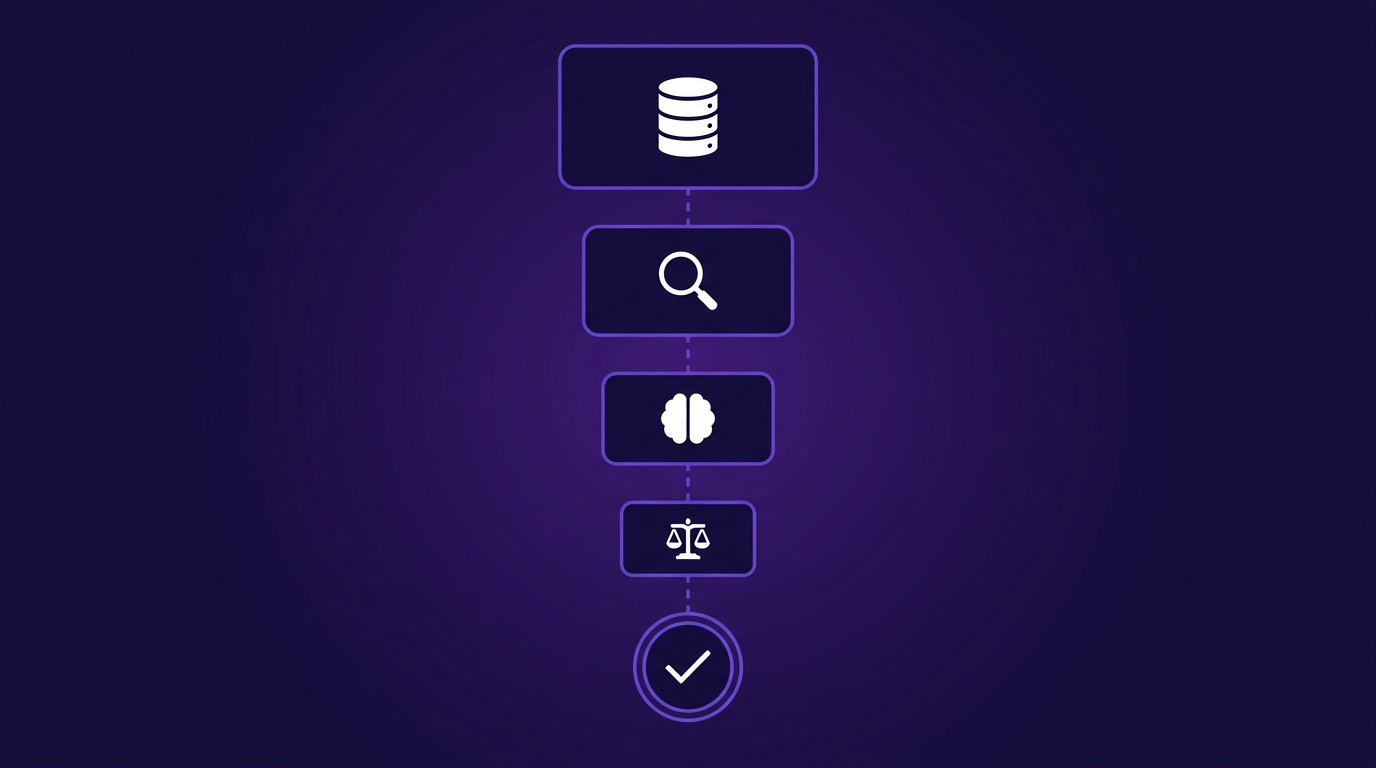
Multi-layer candidate filtering with Claude solves this. Instead of one pass, you run four: structured retrieval through Crustdata's People Search API, keyword checks, semantic search, and a final LLM judge. Each layer catches what the previous one missed, so only high-signal candidates reach your inbox. This guide shows how to build that pipeline in Claude for recruiters who want a conversational workflow, and in Claude Code for technical teams who want to automate it.
Why a single search step is not enough for high-signal recruiting
Most candidate sourcing workflows still operate on one search, one filter, one pass through a database. That approach produces two failure modes.
The first is over-filtering. Harvard Business School research found that 88% of employers' screening systems filter out qualified candidates who do not precisely match job description wording, excluding roughly 27 million workers in the U.S. alone who could do the job but describe their experience differently. A firmware engineer who writes "embedded systems development" instead of "firmware engineering" never surfaces.
The second is under-filtering. A single keyword pass returns anyone who mentions the term anywhere in their profile. A QA engineer whose summary says "embedded systems testing" shows up in an embedded systems engineer search. A project manager who "collaborated with the firmware team on AirPods development" gets flagged for a firmware engineer role. The keyword matched, but the experience did not.
One team building an AI-powered talent intelligence platform said they had been "plugging [the API] into the agent and just saying go, bring me this," without any staged filtering. The result was low-signal candidate lists and wasted API credits.
Each filtering method catches what the others miss. Structured search through Crustdata's People Search API produces broad recall without judgment about role fit. Keyword matching narrows with precision but misses candidates who describe the same skills in different language. Semantic search finds those lateral matches but has no way to evaluate career trajectory or recency.
An LLM can reason through all of that context, but running it on every unfiltered candidate is too expensive to be practical. Layering all four in cost-efficiency order, cheapest filters first, means the LLM only processes candidates that survived every prior stage.
Stage 1: Start with structured candidate retrieval
Structured filters are the cheapest and fastest way to narrow the candidate universe. Use them first to go from millions of profiles to a focused pool of hundreds. Crustdata's People Search API supports 60+ filters across job title, seniority level, geography, company size, years of experience, and more.
Claude (chat) path
If you use Claude with an MCP connection to Crustdata's People Search API, the structured search is conversational. Describe the role in natural language and Claude translates it into API filters.
Example prompt:
Find senior firmware engineers in the San Francisco Bay Area with at least 5 years of experience at companies with 50-500 employees. Exclude anyone currently at [our company].
Claude sends the structured query through the MCP connection, applies the filters (title, seniority, region, company size, experience), and returns a list of matching profiles. You can refine from there with follow-up prompts like "narrow to people who changed jobs in the last 6 months" or "add candidates with embedded systems in their skills."
Claude Code path
In Claude Code, you can connect to Crustdata through MCP (just like Claude chat) or call the People Search API directly. The direct API route gives you full control over filter logic and is easier to integrate into automated pipelines.
import requests

response = requests.post(
    "https://api.crustdata.com/screener/persondb/search",
    headers={"Authorization": "Token YOUR_API_KEY"},
    json={
        "filters": {
            "op": "and",
            "conditions": [
                {"filter_type": "current_title", "type": "(.)", "value": "firmware engineer"},
                {"filter_type": "seniority", "type": "in", "value": ["Senior", "Staff"]},
                {"filter_type": "region", "type": "in", "value": ["San Francisco Bay Area"]},
                {"filter_type": "total_experience_years", "type": ">", "value": 5},
                {"filter_type": "current_company_employee_count", "type": "between",
                 "value": {"min": 50, "max": 500}}
            ]
        },
        "limit": 100
    }
)
candidates = response.json()["people"]
import requests

response = requests.post(
    "https://api.crustdata.com/screener/persondb/search",
    headers={"Authorization": "Token YOUR_API_KEY"},
    json={
        "filters": {
            "op": "and",
            "conditions": [
                {"filter_type": "current_title", "type": "(.)", "value": "firmware engineer"},
                {"filter_type": "seniority", "type": "in", "value": ["Senior", "Staff"]},
                {"filter_type": "region", "type": "in", "value": ["San Francisco Bay Area"]},
                {"filter_type": "total_experience_years", "type": ">", "value": 5},
                {"filter_type": "current_company_employee_count", "type": "between",
                 "value": {"min": 50, "max": 500}}
            ]
        },
        "limit": 100
    }
)
candidates = response.json()["people"]
import requests

response = requests.post(
    "https://api.crustdata.com/screener/persondb/search",
    headers={"Authorization": "Token YOUR_API_KEY"},
    json={
        "filters": {
            "op": "and",
            "conditions": [
                {"filter_type": "current_title", "type": "(.)", "value": "firmware engineer"},
                {"filter_type": "seniority", "type": "in", "value": ["Senior", "Staff"]},
                {"filter_type": "region", "type": "in", "value": ["San Francisco Bay Area"]},
                {"filter_type": "total_experience_years", "type": ">", "value": 5},
                {"filter_type": "current_company_employee_count", "type": "between",
                 "value": {"min": 50, "max": 500}}
            ]
        },
        "limit": 100
    }
)
candidates = response.json()["people"]
This returns structured profile data including headline, summary, work history, education, and skills. Each result costs 1 credit per profile returned, and no credits are charged when zero results match.
Filter broadly enough at this stage that you do not lose qualified candidates, but narrowly enough that you are not paying to process thousands of profiles through the more expensive downstream stages. Start with 3-5 hard constraints (title, seniority, geography) and leave skill-level filtering for Stage 2.
Stage 2: Apply keyword and syntactic filtering to the results
After structured retrieval, you have a pool of candidates who match the basic job parameters. The next pass checks for specific skills, certifications, tools, or domain markers that structured filters cannot express.
Teams building these pipelines emphasize searching keywords across every available profile field rather than job titles alone. A candidate's headline, summary, current job description, and past job descriptions all contain signal. Someone with "RTOS" in their summary but not in their title is still a relevant firmware candidate. Checking only the title field would miss them.
Claude (chat) path
Paste or reference your candidate list from Stage 1 and ask Claude to check each profile for required and disqualifying keywords.
Example prompt:
Review these candidates. Flag anyone whose profile mentions RTOS, Verilog, or ASIC design in any field (headline, summary, job descriptions, skills). Also flag and remove anyone whose primary experience is in consumer electronics QA rather than hardware engineering.
Claude reads through each profile, highlights matches across all fields, and separates candidates into a "keep" group and a "remove" group with reasoning for each decision.
Claude Code path
Script the keyword check to run against each profile's text fields:
required_keywords = ["rtos", "verilog", "asic", "fpga", "embedded c"]
disqualifiers = ["qa engineer", "test automation", "quality assurance"]

filtered = []
for candidate in candidates:
    text = " ".join([
        candidate.get("headline", ""),
        candidate.get("summary", ""),
        candidate.get("current_job_description", ""),
        " ".join(candidate.get("past_job_descriptions", []))
    ]).lower()

    has_required = any(kw in text for kw in required_keywords)
    has_disqualifier = any(kw in text for kw in disqualifiers)

    if has_required and not has_disqualifier:
        filtered.append(candidate)
required_keywords = ["rtos", "verilog", "asic", "fpga", "embedded c"]
disqualifiers = ["qa engineer", "test automation", "quality assurance"]

filtered = []
for candidate in candidates:
    text = " ".join([
        candidate.get("headline", ""),
        candidate.get("summary", ""),
        candidate.get("current_job_description", ""),
        " ".join(candidate.get("past_job_descriptions", []))
    ]).lower()

    has_required = any(kw in text for kw in required_keywords)
    has_disqualifier = any(kw in text for kw in disqualifiers)

    if has_required and not has_disqualifier:
        filtered.append(candidate)
required_keywords = ["rtos", "verilog", "asic", "fpga", "embedded c"]
disqualifiers = ["qa engineer", "test automation", "quality assurance"]

filtered = []
for candidate in candidates:
    text = " ".join([
        candidate.get("headline", ""),
        candidate.get("summary", ""),
        candidate.get("current_job_description", ""),
        " ".join(candidate.get("past_job_descriptions", []))
    ]).lower()

    has_required = any(kw in text for kw in required_keywords)
    has_disqualifier = any(kw in text for kw in disqualifiers)

    if has_required and not has_disqualifier:
        filtered.append(candidate)
This pass is fast and free because it runs entirely on data you already retrieved in Stage 1, with no additional API calls or credits. The output is a shorter list where every candidate has at least one verified domain marker and none of the disqualifying signals that structured filters could not catch.
Stage 3: Use semantic search to widen the pool without losing relevance
Keyword filtering catches candidates who use the exact terms you specified. Semantic search catches the ones who describe the same capabilities in different language. A candidate who writes "built scalable microservices" instead of "distributed systems architecture" is doing the same work, but a keyword check misses them entirely.
This matters because the majority of the workforce are passive candidates who are not actively optimizing their profiles for recruiter searches. They describe what they built rather than which buzzwords to include, and keyword search has no way to bridge that gap. A 2025 study tested both approaches on Software Engineer profiles and found that semantic matching scored 0.74 on similarity to the actual role requirements, while keyword matching scored 0.35. The difference comes down to whether the search understands what the candidate did or just whether they used the right words.
Claude (chat) path
Ask Claude to evaluate your remaining candidates for semantic similarity to the role specification, looking for equivalent experience described in different language.
Example prompt:
Compare each remaining candidate's full profile against this job spec: [paste spec]. Score each on a 1-5 scale for semantic relevance. I'm looking for people who have done this type of work even if they use different terminology. Include candidates who describe equivalent experience.
Claude Code path
Loop through filtered candidates and use Claude to evaluate each profile against the job requirements:
import anthropic

client = anthropic.Anthropic()
job_spec = "Senior firmware engineer with RTOS experience, ASIC/FPGA design..."

semantically_matched = []
for candidate in filtered:
    profile_text = format_profile(candidate)

    response = client.messages.create(
        model="claude-sonnet-4-6",
        max_tokens=200,
        messages=[{
            "role": "user",
            "content": f"""Rate this candidate's semantic relevance to the job spec
on a 1-5 scale.

Job spec: {job_spec}

Candidate profile: {profile_text}

Return JSON: {{"score": <1-5>, "reasoning": "<one sentence>"}}"""
        }]
    )

    result = parse_json(response.content[0].text)
    if result["score"] >= 3:
        semantically_matched.append({
import anthropic

client = anthropic.Anthropic()
job_spec = "Senior firmware engineer with RTOS experience, ASIC/FPGA design..."

semantically_matched = []
for candidate in filtered:
    profile_text = format_profile(candidate)

    response = client.messages.create(
        model="claude-sonnet-4-6",
        max_tokens=200,
        messages=[{
            "role": "user",
            "content": f"""Rate this candidate's semantic relevance to the job spec
on a 1-5 scale.

Job spec: {job_spec}

Candidate profile: {profile_text}

Return JSON: {{"score": <1-5>, "reasoning": "<one sentence>"}}"""
        }]
    )

    result = parse_json(response.content[0].text)
    if result["score"] >= 3:
        semantically_matched.append({
import anthropic

client = anthropic.Anthropic()
job_spec = "Senior firmware engineer with RTOS experience, ASIC/FPGA design..."

semantically_matched = []
for candidate in filtered:
    profile_text = format_profile(candidate)

    response = client.messages.create(
        model="claude-sonnet-4-6",
        max_tokens=200,
        messages=[{
            "role": "user",
            "content": f"""Rate this candidate's semantic relevance to the job spec
on a 1-5 scale.

Job spec: {job_spec}

Candidate profile: {profile_text}

Return JSON: {{"score": <1-5>, "reasoning": "<one sentence>"}}"""
        }]
    )

    result = parse_json(response.content[0].text)
    if result["score"] >= 3:
        semantically_matched.append({
Run semantic search on the pre-filtered pool from Stage 2 rather than on the raw results from Stage 1. Semantic evaluation costs more per candidate because each one requires an LLM call. Running it on 50 pre-filtered candidates instead of 500 raw results cuts your Claude API costs by 90% while producing the same ranked output.
Stage 4: Use an LLM judge to rank, score, and explain each candidate
The first three stages narrow the pool. This one evaluates what remains. An LLM judge scores each surviving candidate against a structured rubric, produces a ranking, and explains every decision so a recruiter can review reasoning without re-reading profiles.
Design the rubric
Before scoring, define what "good" looks like for this role. A strong rubric has 5-7 dimensions, each with a clear definition and scale.
Dimension | What to evaluate | Scale |
|---|---|---|
Technical fit | Do their skills and tools match the role requirements? | 1-10 |
Experience depth | Years and scope in the relevant domain | 1-10 |
Career trajectory | Are they progressing in seniority and responsibility? | 1-10 |
Recency | How recent is their relevant experience? | 1-10 |
Domain match | Have they worked in the same or adjacent industry? | 1-10 |
Culture signals | Background indicators that align with team composition | 1-10 |
Red flags | Gaps, frequent short tenures, misaligned trajectory | -5 to 0 |
Claude (chat) path
Paste your remaining candidates along with the job spec and rubric, then ask Claude to score each one.
Example prompt:
Score each candidate against this rubric [paste rubric]. For each candidate, provide:
A score for each dimension (1-10, except red flags which are -5 to 0)
A total weighted score
A one-paragraph explanation of the scoring rationale
A final recommendation: Strong Match, Possible Match, or Not Recommended
Claude Code path
Automate the evaluation by looping through each candidate with a structured prompt:
rubric = """Score this candidate for a Senior Firmware Engineer role.
Dimensions (1-10 each):
- Technical fit: RTOS, ASIC/FPGA, embedded C/C++
- Experience depth: 5+ years hardware engineering
- Career trajectory: progression from IC to senior/staff
- Recency: relevant work within last 2 years
- Domain match: semiconductor, AI hardware, or adjacent
- Red flags: deduct up to 5 points for gaps or misalignment

Return JSON with scores, total, and one-sentence rationale."""

scored = []
for candidate in semantically_matched:
    profile = format_profile(candidate)

    response = client.messages.create(
        model="claude-sonnet-4-6",
        max_tokens=500,
        messages=[{
            "role": "user",
            "content": f"{rubric}\n\nCandidate:\n{profile}"
        }]
    )

    evaluation = parse_json(response.content[0].text)
    scored.append({**candidate, "evaluation": evaluation})

ranked = sorted(scored, key=lambda x: x["evaluation"]["total"], reverse=True)
rubric = """Score this candidate for a Senior Firmware Engineer role.
Dimensions (1-10 each):
- Technical fit: RTOS, ASIC/FPGA, embedded C/C++
- Experience depth: 5+ years hardware engineering
- Career trajectory: progression from IC to senior/staff
- Recency: relevant work within last 2 years
- Domain match: semiconductor, AI hardware, or adjacent
- Red flags: deduct up to 5 points for gaps or misalignment

Return JSON with scores, total, and one-sentence rationale."""

scored = []
for candidate in semantically_matched:
    profile = format_profile(candidate)

    response = client.messages.create(
        model="claude-sonnet-4-6",
        max_tokens=500,
        messages=[{
            "role": "user",
            "content": f"{rubric}\n\nCandidate:\n{profile}"
        }]
    )

    evaluation = parse_json(response.content[0].text)
    scored.append({**candidate, "evaluation": evaluation})

ranked = sorted(scored, key=lambda x: x["evaluation"]["total"], reverse=True)
rubric = """Score this candidate for a Senior Firmware Engineer role.
Dimensions (1-10 each):
- Technical fit: RTOS, ASIC/FPGA, embedded C/C++
- Experience depth: 5+ years hardware engineering
- Career trajectory: progression from IC to senior/staff
- Recency: relevant work within last 2 years
- Domain match: semiconductor, AI hardware, or adjacent
- Red flags: deduct up to 5 points for gaps or misalignment

Return JSON with scores, total, and one-sentence rationale."""

scored = []
for candidate in semantically_matched:
    profile = format_profile(candidate)

    response = client.messages.create(
        model="claude-sonnet-4-6",
        max_tokens=500,
        messages=[{
            "role": "user",
            "content": f"{rubric}\n\nCandidate:\n{profile}"
        }]
    )

    evaluation = parse_json(response.content[0].text)
    scored.append({**candidate, "evaluation": evaluation})

ranked = sorted(scored, key=lambda x: x["evaluation"]["total"], reverse=True)
Scoring best practices
Three techniques improve LLM judge consistency. First, use chain-of-thought prompting by asking Claude to reason through each dimension before assigning a score. In LLM-as-judge benchmarks, chain-of-thought rubrics increased scoring consistency from 65% to 77.5%. Second, include 2-3 few-shot examples in your prompt showing what a 9/10 technical fit looks like versus a 4/10, so Claude calibrates against your standards rather than its own defaults.
Third, evaluate each candidate independently against the rubric rather than comparing them to each other, then sort by total score. If you ask Claude to compare two candidates side by side, it tends to rate whichever profile it reads first more favorably. Scoring each candidate on their own against the rubric avoids this entirely.
The recruiting team that originally described this architecture to us put it simply: whatever makes it through the funnel "lands in our inbox or our Slack channel" as a ranked shortlist ready for review.
How to prevent duplicate candidates and wasted credits
When you run this pipeline repeatedly for evergreen roles, you need to exclude candidates you have already evaluated. Without exclusion, you pay to retrieve the same profiles and waste LLM judge calls re-scoring them.
The same team raised a practical concern early in their build: "Do we pay to find the same candidate over and over again? How do we make sure that when we're doing the sourcing process, we're not just pulling up the same people every time?" The worry gets worse over time, because four or five months in, after evaluating hundreds of thousands of profiles, the cost of re-retrieving known candidates compounds.
Exclusion filters
The People Search API supports an exclude_profiles parameter. Pass previously found profile IDs or profile URLs into the next search so they are excluded from results.
previously_found = [
    "https://linkedin.com/in/candidate-1",
    "https://linkedin.com/in/candidate-2",
    # ... all previously evaluated profiles
]

response = requests.post(
    "https://api.crustdata.com/screener/persondb/search",
    headers={"Authorization": "Token YOUR_API_KEY"},
    json={
        "filters": { ... },
        "exclude_profiles": previously_found,
        "limit": 100
    }
)
previously_found = [
    "https://linkedin.com/in/candidate-1",
    "https://linkedin.com/in/candidate-2",
    # ... all previously evaluated profiles
]

response = requests.post(
    "https://api.crustdata.com/screener/persondb/search",
    headers={"Authorization": "Token YOUR_API_KEY"},
    json={
        "filters": { ... },
        "exclude_profiles": previously_found,
        "limit": 100
    }
)
previously_found = [
    "https://linkedin.com/in/candidate-1",
    "https://linkedin.com/in/candidate-2",
    # ... all previously evaluated profiles
]

response = requests.post(
    "https://api.crustdata.com/screener/persondb/search",
    headers={"Authorization": "Token YOUR_API_KEY"},
    json={
        "filters": { ... },
        "exclude_profiles": previously_found,
        "limit": 100
    }
)
In Claude, tell the agent to "exclude the profiles found in the first round for the next round." Claude tracks the profile IDs from previous searches and includes them in the exclusion filter automatically.
The exclude_profiles parameter accepts up to 50,000 entries per request. For pipelines that run longer and exceed that threshold, add more structured filters to narrow each search so the exclusion list stays manageable.
Guardrails for agent-driven pipelines
If the pipeline runs as an autonomous agent, set three guardrails:
Credit budget: Cap the total credits per search run so the agent stops before overspending.
Quality threshold: If the LLM judge scores drop below a minimum (for example, no candidate scoring above 5/10), stop the pipeline rather than continuing to process diminishing returns.
Loop limit: Set a maximum number of search iterations to prevent infinite agent loops on roles with small candidate pools.
Net-new candidate discovery
For roles where you have already exhausted the existing candidate pool, the Watcher API sends webhook notifications when new candidates matching your criteria enter the database. Set up a watcher with your filters and a daily or weekly notification frequency, and the system pushes net-new candidates to your pipeline without requiring repeated searches.
Conclusion
A single search query produces noise. Four filtering stages, each catching what the prior stage missed, produce a ranked shortlist where every candidate is worth a recruiter's time.
Structured retrieval narrows the universe by facts while keyword filtering removes false positives. Semantic search recovers candidates who describe equivalent experience in different language, and the LLM judge evaluates trajectory, fit, and context in ways no filter can.
A recruiter using Claude can run this pipeline as a conversation with Crustdata connected through MCP, refining at each stage with follow-up prompts. A technical team using Claude Code can automate the full process with direct API calls so it runs on every new role, outputs a ranked list to Slack or an ATS, and excludes previously evaluated candidates automatically.
Try Crustdata's People Search API to test the structured retrieval stage, then build out the full pipeline as your volume grows.



Products
Popular Use Cases
Competitor Comparisons
95 Third Street, 2nd Floor, San Francisco,
California 94103, United States of America
© 2026 Crustdata Inc.
Products
Popular Use Cases
Competitor Comparisons
95 Third Street, 2nd Floor, San Francisco,
California 94103, United States of America
© 2026 Crustdata Inc.
Products
Popular Use Cases
Competitor Comparisons
95 Third Street, 2nd Floor, San Francisco,
California 94103, United States of America
© 2026 CrustData Inc.
🎉 We hit $10M ARR!
$600k to $10m in 1.5 years. Our entire GTM is powered by our own APIs.
🎉 We hit $10M ARR in 1.5 years!
