B2B Data Building: How to Build a HQ Company & Contact Data
Learn how to build a quality B2B company and contact data & understand data structure, enrichment strategies, and how to keep records accurate.
Published
Written by
Chris P.
Reviewed by
Nithish A.
Read time
7
minutes
Building a B2B company and contact data is rarely the problem. Keeping it accurate, current, and usable over time is where most teams struggle. Records look complete when they first enter a system, then slowly drift out of date as companies grow, people change roles, and key details stop reflecting reality.
High-quality B2B data requires more than one-time enrichment. It depends on how data is collected, how it is structured, and how often it is updated as things change. For teams relying on company and contact data to drive prospecting, routing, and automation, even small gaps can compound into missed opportunities and wasted effort.
This guide focuses on B2B data building. You’ll learn how to build high-quality B2B data, what data matters most, and how to design a system that supports both scale and freshness.
Key Takeaways
High-quality B2B data is a system, not a one-time task
Reliable company and contact data depend on how records are defined, structured, and updated over time. One-off enrichment or periodic cleanups are not enough to maintain accuracy as people and companies change.
Company data and contact data must be managed differently
Organizations and individuals change at different rates. Treating company records and contact records as separate entities helps prevent duplication, reduces errors, and makes updates easier to manage.
Coverage and freshness serve different purposes
Batch enrichment is effective for maintaining baseline coverage across large datasets, while real-time enrichment is better suited for active workflows where timing affects decisions. Strong data systems use both approaches intentionally.
Validation and merge rules protect data quality at scale
Clear standards for required fields, source priority, and record merging prevent incomplete or conflicting data from spreading through downstream systems as volume increases.
Crustdata supports B2B data building with flexible enrichment and live updates
By combining real-time and batch data enrichment at the moment of request and event-based webhooks, Crustdata helps teams maintain broad coverage while keeping active company and contact records current as they change.
What High-Quality B2B Data Includes
High-quality B2B data is measured by how well it holds up in real workflows. A record only matters if it stays accurate when you use it to make decisions.
B2B data falls into two distinct categories: company data and contact data. Treating them the same creates most data quality problems.
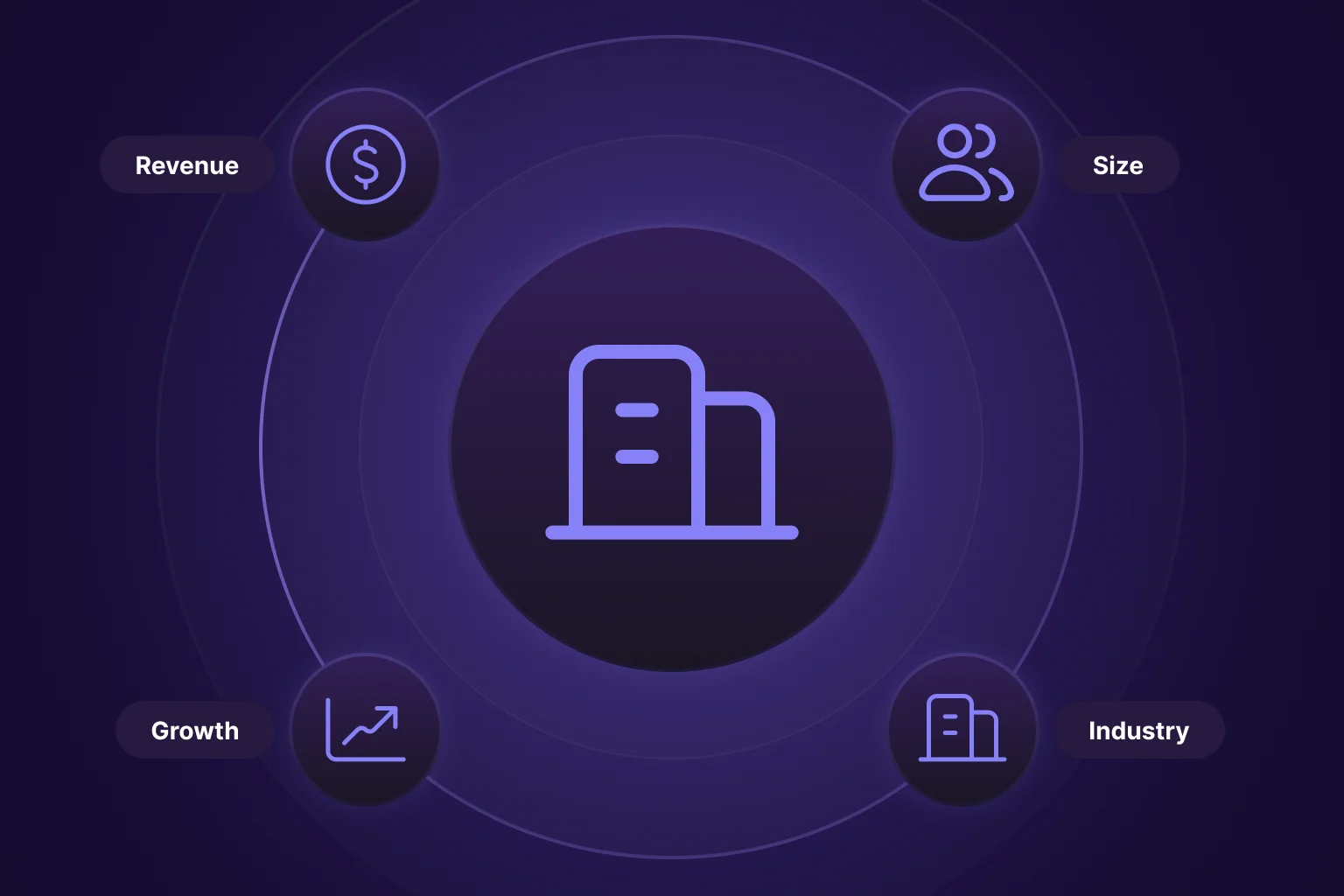
Company data describes the organization and how it evolves over time. Common elements include:
Industry classification
Company size and revenue range
Geographic location
Hiring activity, which signals growth
Funding events
Growth indicators
In some workflows, additional context, such as technographic data, helps explain how a company operates. Knowing which tools and platforms a company relies on can support segmentation, prioritization, and account research, especially when firmographic details alone are not enough.
Contact data, also known as people data, describes the individual. Role, seniority, department, and work history change more frequently than company details. A contact can remain valid as a person while becoming outdated as a prospect.
Across both categories, high-quality data shares 3 traits:
Accuracy: Does the information reflect current reality?
Completeness: Are the required fields filled in consistently
Freshness: Are the records updated when meaningful changes occur?
When any of these break down, problems follow. Leads route incorrectly, segmentation misses qualified accounts, and automation triggers at the wrong time. Clear separation between company and contact data, along with defined standards for accuracy and updates, is what keeps B2B data reliable as systems scale.
Why B2B Data Breaks Down Over Time
Most B2B data issues aren’t caused by bad inputs. They happen as systems scale and because systems aren’t built to handle ongoing changes. Common causes include:
Unclear data standards: Teams define “complete” records differently, leading to inconsistent fields and unreliable reporting.
Stale contact information: Roles, teams, and employers change faster than most systems update records.
Duplicate records: Slight variations in names or domains create fragmented views of the same company or contact.
Manual data handling: Spreadsheets and one-off imports introduce errors that are hard to track or correct.
Infrequent updates: Periodic refreshes improve coverage but miss changes that matter in the moment.
These issues often overlap and compound. Fixing them requires a data-building approach that assumes change is constant, not occasional.
7 Steps to Build High-Quality Company and Contact Data
High-quality B2B data does not come from a single enrichment pass or a one-time cleanup. It comes from putting a system in place that defines what data matters, how it is structured, and how it evolves as companies and people change. The steps below outline a practical approach that balances scale, accuracy, and long-term maintainability.
1. Define the Outcomes Your Data Must Support
Before collecting or enriching anything, clarify what decisions the data needs to support. Prospecting, lead routing, scoring, monitoring, and reporting all rely on different signals, and not every field is equally important for each use case.
Start by listing the actions your teams take based on company and contact data. Then work backward to identify which attributes are truly required.
For example, if a lead-routing rule assigns enterprise accounts to senior reps, the data must reliably include company size and revenue range. If those fields are missing or inconsistent, routing breaks. In this case, size and revenue become required fields, while less critical attributes can remain optional.
This approach keeps records focused, reduces unnecessary fields, and makes it easier to maintain consistency as data volumes grow.
2. Separate Company Data From Contact Data
Company data and contact data behave differently over time and should be treated as separate entities. Company data describes the organization, such as industry, size, revenue range, and growth indicators. Contact data describes the individual, including role, seniority, department, and work history.
Keeping company data and contact data separate makes updates easier to manage and helps avoid confusion when one changes but the other does not.
For example, a company can remain a good target even after several contacts leave, while an individual contact can stay relevant as they move to a new employer. If company and contact data are stored in the same record, role changes or job moves often overwrite useful history or create duplicates.
To avoid this, teams typically store companies and contacts as distinct records linked by a stable identifier, such as a company ID or domain. Company records hold firmographic and growth data, while contact records track role, seniority, and work history. When a contact changes jobs, the contact record updates and links to a new company record, without altering the original company data.
3. Standardize Identifiers and Schemas Early
Inconsistent identifiers are one of the most common causes of long-term data issues. Decide upfront how companies are identified, how contacts are linked to companies, and how naming conventions are handled across systems.
Use the website domain as your company identifier and your work email as your contact identifier. These stay consistent when names, titles, or phone numbers change.
Start with these core identifiers:
Company identifier: Website domain (lowercase, no http/www). "acme.com" stays the same whether the company name appears as "Acme Corp," "Acme Inc," or "ACME Corporation" in different systems.
Contact identifier: Work email address (lowercase). More stable than phone numbers and creates cleaner deduplication.
Once your identifiers are set, define which fields are actually required versus nice-to-have. This keeps your data structure focused and prevents teams from defining "complete" differently.
Essential fields to standardize include:
Companies need: domain (required, unique), company name, industry, employee count, location, and funding stage.
Contacts need: email (required, unique), first and last name, company domain that links to the company record, job title, seniority level, and department.
Most CRMs handle standardization through field settings and validation rules. Here's how to set this up:
If you’re using Salesforce:
Create a custom "Domain" field under Setup > Object Manager > Account > Fields.
Set it as required and unique.
Add a validation rule to ensure domains are properly formatted without http:// or www.
Set up a workflow that auto-links contacts to accounts when their email domain matches the account domain.
If you're using HubSpot, you're mostly covered. HubSpot automatically uses "Company domain name" for deduplication. Here’s what to do:
Create custom properties for seniority and department with dropdown values to keep these fields standardized.
Enable "Automatically create and associate companies" in settings so contacts link to companies by domain automatically.
The point is preventing fragmentation. Without standardized identifiers, "ABC Corp," "abc.com," and "ABC Inc" become three separate company records in your system.
A standardized schema allows data to merge cleanly, reduces duplication, and makes integrations more reliable. It also prevents small inconsistencies from turning into larger problems as data flows through multiple tools.
Step 4: Use Batch Enrichment For Coverage and Real-Time Enrichment For Relevance
Different workflows require different enrichment approaches. Batch enrichment is useful for maintaining broad coverage across large datasets and keeping dormant data usable at scale.
Real-time enrichment is better suited for active workflows where timing matters. Pulling current data at the moment of request ensures that routing, scoring, and outreach decisions are based on what is happening now, not on outdated snapshots.
Combining both approaches allows you to maintain coverage without sacrificing relevance.
5. Validate Data Before It Enters Core Workflows
Not all data should immediately drive decisions. Build validation checks that confirm key fields before records are used for automation, routing, or prioritization.
Validation helps prevent incomplete or conflicting data from triggering the wrong actions. In practice, this means enforcing basic checks before records enter core workflows.
Manual validation works for low volumes, if you're handling fewer than 50 new records weekly, create a holding queue in your CRM. Review records daily and mark them "validated" before they enter active workflows. This doesn't scale, but it catches issues early when you're starting out.
You need automated validation if you’re handling records at scale. Set up validation rules in your CRM to block incomplete records before they're saved. Here's what validation typically checks:
Required field validation: Email exists and is properly formatted, domain exists, first and last name are present, and the company name is filled in.
Format validation: Email contains the "@" symbol, domain has no http:// or www., phone numbers match the expected format for the region.
Duplicate detection: Email doesn't already exist in the system and the domain doesn't match an existing company record.
Here’s how to set this up in your CRM if you use Salesforce:
Navigate to Setup > Object Manager > Lead/Contact/Account.
Create validation rules like ISBLANK(Email) to block records without email, or NOT(CONTAINS(Email, "@")) to catch malformed emails. Records failing validation can't be saved until fixed.
Third-party validation tools add another layer. Email verification services, like ZeroBounce, check if email addresses are deliverable before records enter your CRM. These integrate via API to validate emails automatically on import.
Crustdata's real-time enrichment validates and fills missing company data at the point of entry. Upload partial records, get back validated profiles with standardized, complete fields.
The goal is to identify bad data before it breaks routing rules or triggers wrong automation.
6. Handle Duplicates with Clear Merge Rules
Duplicates are unavoidable as systems grow and data flows in from multiple entry points. What matters is having clear rules for how duplicates are detected and resolved.
Prevention is easier than cleanup. Check if the domain (for companies) or email (for contacts) already exists before creating new records.
In Salesforce, enable duplicate rules under Setup > Duplicate Management. Create a rule matching on the "Website" field for companies or the "Email" field for contacts. Set the action to "Block" when duplicates are detected.
In HubSpot, domain-based and email-based deduplication happen automatically. The system updates existing records on import rather than creating duplicates.
Handling existing duplicates:
For under 100 duplicates, manual merging works. In Salesforce, run a report showing duplicate domains or emails, then use the "Merge" button. In HubSpot, navigate to Contacts/Companies > Actions > Manage Duplicates to review and merge suggested duplicates.
For 1,000+ duplicates, use automation tools. Salesforce options include Cloudingo, DemandTools, or Duplicate Check. HubSpot's Operations Hub includes automated duplicate management with custom rules and scheduled runs.
You can also use Crustdata for deduplication. Upload your lists through Crustdata's Company enrichment API (for companies) or People enrichment API (for contacts). For instance, when you upload "ABC Corp," "ABC INC," and "ABC Corporation," Crustdata returns all three with the standardized domain "abc.com," revealing they're duplicates you can merge.
Once you identify duplicates, establish clear merge rules:
For company records:
Domain match = same company (merge regardless of name variation)
Most recent data wins for timestamp fields
Most complete record wins when timestamps are equal
For contact records:
Email match = same person (merge records)
Work email takes priority over personal email
Most recent employer wins for the current company
Set up automated checks weekly or monthly. Tools scan for duplicates, auto-merge records matching your rules, and flag conflicts for manual review. This prevents duplicates from accumulating without daily intervention.
7. Keep Data Current Through Event-Based Updates
Data quality declines fastest when updates rely only on fixed schedules. Changes such as role changes, promotions, company growth, or funding events often matter most when they occur.
Event-based updates allow records to stay aligned with real-world changes without constant manual intervention. They also enable workflows to respond at the right moment rather than after data has already gone stale.
How Different Teams Apply Company and Contact Data
Once a strong data foundation is in place, the way it is applied depends on the team using it. While the underlying company and contact data remain consistent, different teams rely on different signals and have different timing requirements.
Sales Teams
Sales teams use company and contact data to identify prospects, prioritize accounts, and route leads correctly. At this stage, accuracy and relevance matter more than volume.
Batch enrichment helps maintain broad coverage across the CRM, ensuring core firmographic and role data are present for most records. Real-time enrichment becomes important when a lead enters the pipeline or an account becomes active, so routing, scoring, and outreach are based on current information rather than outdated details.
Recruiting Teams
Recruiting workflows depend heavily on changes over time. Roles, employers, and seniority shift frequently, which makes static contact data unreliable.
Recruiting teams typically use structured searches to identify potential candidates, then rely on up-to-date work history and role changes to decide when and how to engage. Event-based updates are especially useful here, as they help surface candidates at moments when they are more likely to be open to new opportunities.
Investment and Research Teams
Investment and research teams rely on a combination of company-level signals and data from founders or executives to identify opportunities and assess risk. Their workflows often involve monitoring companies alongside the people behind them to understand growth, traction, and market positioning.
Batch data supports broad visibility across large sets of companies and founders, while real-time data is used to investigate specific events such as funding activity, hiring trends, or leadership changes. This combination allows teams to move from wide monitoring to deeper analysis without switching tools or data models.
Product and Automation Teams
Product and automation teams focus on building systems that react to change without manual intervention. For them, consistency and structure are critical.
These teams integrate company and contact data directly into internal tools, workflows, and models. Batch enrichment supports baseline coverage, while real-time data and event-driven updates enable systems to respond when meaningful changes occur, such as role moves or company growth signals.
How Crustdata Supports B2B Data Building
Building reliable B2B data requires 2 things that are often treated separately: broad coverage across your systems and timely updates when records change. Crustdata supports this by combining real-time and batch data enrichment, allowing teams to maintain a strong baseline while keeping active records current.
Instead of relying on static datasets that refresh on fixed schedules, Crustdata crawls data at the moment of request and aggregates information from multiple sources into a single structured response. This makes it easier to build and maintain company and contact data that stays accurate as conditions change.
Crustdata supports B2B data building through the following core capabilities:
Batch enrichment for baseline coverage: Supports flat file delivery in CSV or JSON formats to populate and maintain large datasets across CRMs and internal systems.
Real-time enrichment at the moment of request: Pulls current company and people data in seconds for workflows where accuracy and timing matter.
Multi-source aggregation: Combines data from 16+ sources into a unified data layer, reducing reliance on any single source and improving consistency.
Company data depth: Provides 250+ company data points per record, including firmographic data, funding information, web traffic indicators, job postings, and growth signals.
People data depth: Provides 90+ people data points per record, including role, seniority, department, work history, education, and live role change updates.
API-first architecture: Designed for direct integration into CRMs, internal tools, and data pipelines without manual imports.
Event-based webhooks through the Watcher API: Delivers updates when meaningful changes occur, such as role changes, funding events, hiring activity, and company growth signals.
Together, these capabilities support a data-building approach that balances scale with freshness. Batch enrichment maintains consistency across large systems, while real-time enrichment and event-driven updates ensure active records reflect what is happening now.
Want to see how batch and real-time enrichment work together to keep your company and contact data current as it changes?
Book a demo to see Crustdata’s real-time enrichment in action.
FAQs
How Do You Decide Which Data Changes Actually Matter?
Not every change should trigger an update. Teams usually focus on changes that affect decisions, such as role moves, company growth signals, or major organizational events. Filtering updates based on impact helps avoid noise while keeping records relevant.
How Do You Prevent Good Data From Being Overwritten by Weaker Inputs?
This comes down to validation rules and field-level priority. Strong systems define which sources or update methods can modify specific fields and which ones cannot. This prevents newer but less reliable data from replacing trusted information.
What is The Biggest Mistake Teams Make When Scaling B2B Data?
Trying to fix data quality after systems are already fragmented. Without consistent identifiers and schemas early on, duplication and inconsistencies become much harder to resolve as volume grows.
Can B2B Data Building Support Multiple Teams Without Duplication?
Yes, if the company and contact records are treated as shared assets. A single, well-structured data foundation can support sales, recruiting, research, and automation workflows without each team maintaining its own version of the data.


Products
Popular Use Cases
Competitor Comparisons
95 Third Street, 2nd Floor, San Francisco,
California 94103, United States of America
© 2026 Crustdata Inc.
Products
Popular Use Cases
Competitor Comparisons
95 Third Street, 2nd Floor, San Francisco,
California 94103, United States of America
© 2026 CrustData Inc.
Products
Popular Use Cases
Competitor Comparisons
95 Third Street, 2nd Floor, San Francisco,
California 94103, United States of America
© 2026 Crustdata Inc.
🎉 We hit $10M ARR!
$600k to $10m in 1.5 years. Our entire GTM is powered by our own APIs.
🎉 We hit $10M ARR in 1.5 years!
