B2B Data Enrichment: Best Practices for Sales & RevOps
Explore B2B data enrichment best practices so you can keep records accurate, automate workflows, and help your sales team focus on the right accounts.
Published
Written by
Chris P.
Reviewed by
Nithish A.
Read time
7
minutes
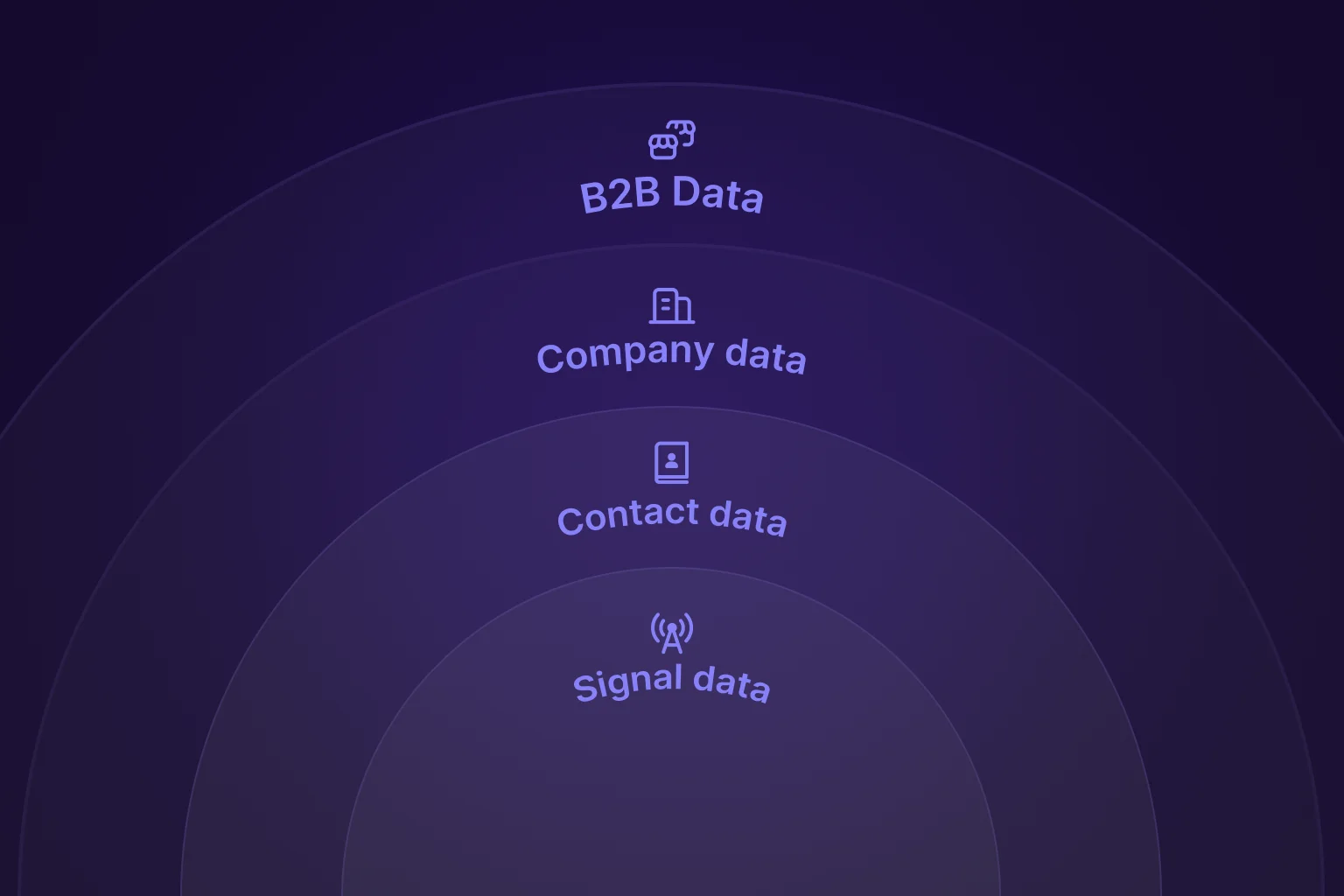
According to Gartner research, poor data quality costs organizations an average of $12.9 million annually. The problem compounds as job titles change, companies grow, and contacts switch roles faster than CRMs can track manually.
B2B data enrichment can fix this, but only when it’s applied deliberately. Done wrong, enrichment wastes budget and overwrites good data. Done right, it keeps records accurate, workflows automated, and revenue teams focused on the right accounts.
This guide shows you how to implement B2B data enrichment best practices that improve your team's data quality, control costs, and prove ROI.
Key Takeaways
Audit before enriching to avoid wasting credits
Clean duplicates and measure baseline completeness rates before adding new data. Enriching dirty data multiplies problems instead of solving them.
Set field-level rules to protect verified information
Never overwrite manually confirmed data with provider information. Use age thresholds to enrich only stale fields, not fresh ones.
Automate enrichment triggers for consistent data quality
Connect APIs to your CRM to automatically enrich when leads enter or when contacts change jobs. Automation prevents manual work and keeps data current.
Monitor provider performance monthly to catch quality drops
Track match rates, accuracy, and credit consumption. Set alerts when performance falls below thresholds so you can fix issues fast.
Choose between batch and real-time enrichment based on your workflow Crustdata offers both options: batch processing for cost-effective database maintenance and real-time crawling for time-sensitive workflows where timing matters.
5 Common B2B Data Enrichment Types You Need to Know
B2B Data enrichment adds external information to existing CRM records. Instead of manually researching each contact, enrichment pulls details from third-party sources to complete incomplete profiles.
B2B data enrichment tools provide different data types to fill your CRM records, including:
Firmographics (company size, revenue, industry)
Contact details (phone numbers, email addresses)
Professional information (job titles, seniority, department)
Technographics (software and technology stack)
Intent signals (funding, hiring activity, web traffic)
Enrichment happens in three ways:
Append adds missing information to empty fields.
Update refreshes outdated information with current data.
Verification validates existing data for accuracy.
This differs from data cleansing, which fixes errors and removes duplicates. Enrichment adds new information. Cleansing corrects what you already have.
8 Best Practices for B2B Data Enrichment for Sales & RevOps
Most teams buy enrichment tools and immediately start filling in fields. This approach burns the budget fast and creates data quality problems that take months to fix.
Enrichment works when you prepare first. Clean your CRM before entering new data. Your team needs rules about what gets enriched and what stays protected. Also, make sure to monitor your workflows to catch problems early.
The practices below show you how to set up enrichment the right way.
1. Audit Your Data Before Enrichment
Enriching dirty data makes things worse. Duplicate records mean paying twice for the same contact. Overwriting verified information with vendor data ruins the accuracy you already had.
Start by auditing your CRM's current state. Identify fields critical to your sales process - this typically includes job title, industry, company size, revenue, and contact information, though your priorities may differ based on your ICP and sales motion.
For each critical field, measure:
Completeness rate: Percentage of records with data populated
Data age: When fields were last updated
Obvious errors: Placeholder text, formatting issues, or inconsistencies
This audit reveals which fields need enrichment and establishes baseline metrics to measure improvement.
Sort records into three buckets:
Missing data: Empty fields that need enrichment
Outdated data: Information older than 90 days
Incorrect data: Obvious errors or typos
Clean duplicates before enriching anything. Find records with matching emails or phone numbers and merge them. Enriching duplicates burns credits on the same person twice.
Write down your baseline numbers. Count how many records have empty job titles or missing company sizes. You’ll need these numbers later to prove enrichment actually worked.
2. Define Clear Data Quality Standards
Auditing shows what you have. Standards define what you want. Without clear targets, your team can’t tell if enrichment is working.
Set specific thresholds for each field type based on how you use them. Job titles and industry classification need higher completeness because they drive lead scoring and targeting. Revenue data matters for enterprise accounts but less for SMB prospects.
Here's what completeness targets look like in practice:
Job title: High priority (drives lead scoring)
Company size: High priority (determines account tier)
Industry: High priority (used for segmentation)
Direct phone: Lower priority (not all reps need it)
Tech stack: Lower priority (needed for specific campaigns only)
Fast-changing fields need frequent updates. Stable fields can wait longer between refreshes.
Note: Mark fields as verified when a rep confirms them during a conversation. Enrichment should never overwrite these manually confirmed details.
Document these standards in your CRM. Sales and RevOps need to agree on what good data looks like before enrichment starts filling fields.
3. Choose Strategic Enrichment Trigger Points
Enriching every record constantly drains your budget. Enriching too rarely leaves reps working with stale data. The right triggers balance freshness with cost.
Set up enrichment at four specific points in your workflow:
New lead entry: Enrich immediately when leads come in from forms, events, or list uploads so your reps can get complete profiles before first contact.
Job change detection: Re-enrich when contacts switch companies or get promoted. Set up webhooks from your enrichment vendor to catch these changes automatically.
Pre-outreach for high-value accounts: Enrich on-demand before launching campaigns to enterprise prospects. Accuracy matters most when deal sizes are large.
Quarterly bulk refresh: Schedule automated enrichment for records untouched in 90+ days. This catches changes your other triggers missed.
Avoid enriching the same record twice within 30 days unless a job change happened. Repeated enrichment without changes wastes credits. Focus on active opportunities and engaged prospects first. Cold leads that never respond don’t need fresh data.
4. Set Field-Level Enrichment Rules
Field-level rules protect good data from being overwritten with vendor-supplied information. Without rules, enrichment destroys accuracy instead of improving it.
Establish one absolute rule first: never overwrite manually verified fields. When a rep confirms an email, mark that field as verified. Enrichment should skip it completely.
Next, set age thresholds for batch enrichment: job titles (90 days), company size (180 days), contact info (60 days). For time-sensitive workflows, use real-time enrichment to pull current data at the moment of request rather than waiting for scheduled refreshes. Fresh data doesn't need enrichment, so these thresholds prevent wasting credits.
Build vendor fallback sequences for fields that need multiple attempts. If your primary vendor fails, try your secondary vendor. Still nothing? Leave the field empty. Bad data causes more problems than missing data.
Track where data comes from by adding two fields to every enriched record: source (which provider) and date (when enriched). This shows which vendors provide bad data and when fields need refreshing. When sources do not match, use the most recently updated one. For critical accounts, cross-reference with a third source.
5. Automate Enrichment Workflows
Manual enrichment stops working around 1,000 contacts. Automation manages databases with 50,000+ records without hiring additional staff.
Connect enrichment APIs directly to your CRM through native integrations. HubSpot, Salesforce, and Pipedrive support major enrichment providers like Crustdata. If you don’t have a native option, use Zapier or Make as middleware.
Once connected, set up these automation components:
Set up webhooks for real-time triggers: When a contact gets promoted, the webhook fires and enrichment runs automatically. Configure webhooks for job changes, funding rounds, acquisitions, and executive hires.
Build conditional logic that controls when enrichment runs: For instance, you can enrich if the field is empty AND lead score above 50. Re-enrich if the last update is over 90 days AND the deal stage is “Qualified.” This prevents wasting credits on low-value leads.
Schedule monthly batch jobs for dormant records: Run these overnight or on weekends when your team isn't actively using the CRM to prevent performance issues.
Add error handling for failures: Retry once after 7 days. After two failures, mark the record as unenrichable. Alert your team when error rates go above 15%.
6. Optimize Enrichment Costs with Tiered Strategies
Balance enrichment costs by matching data freshness to lead priority. Not every contact needs real-time enrichment.
Use tiered enrichment based on deal value:
High-value active deals: Real-time enrichment for current data when timing matters
Qualified leads: Standard API enrichment for complete profiles
Cold database maintenance: Batch processing for cost-effective baseline quality
Layer specialized tools for specific functions:
Primary enrichment: Contact data, firmographic data, job information
Email verification: Deliverability checking before campaigns
Intent monitoring: Buying signals and engagement tracking
This approach reserves premium real-time enrichment for opportunities where fresh data drives revenue while maintaining baseline quality across your entire database cost-effectively.
7. Monitor and Measure Enrichment Performance
Track enrichment performance monthly to catch quality drops early. Focus on these four metrics:
Match rate: This shows the percentage of records successfully enriched. Low match rates mean your provider lacks coverage for your target market. Add a secondary source to fill gaps.
Accuracy rate: Pull a sample of enriched records monthly and verify them. Consistent inaccuracies signal bad provider data.
Credit consumption: Set spending alerts before you hit your monthly budget to prevent overages.
Time saved: Calculate hours saved on manual research. Multiply by the hourly rate to prove ROI.
Compare provider performance if using multiple sources. Monitor match rates and accuracy to identify which provides value. Set automated alerts when match rates drop noticeably or error rates spike.
8. Calculate and Optimize Enrichment ROI
A sales team enriching 10,000 contacts monthly at $0.50 per record spends $60,000 annually. Proving ROI justifies this spend.
Measure time saved per rep. Multiply hours saved weekly by the hourly rate for dollar value. Example: 10 reps save 5 hours weekly at $50/hour = $130,000 annually.
Track revenue impact from better targeting. Measure close rates before and after enrichment.
Optimize costs through:
Selective enrichment (active opportunities only, not entire database)
Archiving inactive contacts (exclude from automated enrichment)
Volume pricing negotiations
Annual contracts
Calculate the cost of stale data. Deals stall when you contact people who left. Campaigns fail with outdated job titles. The ROI comes from reaching contacts while they are still in the right role.
Why Use Crustdata For B2B Data Enrichment
Most B2B data enrichment providers force you to choose between batch and real-time data enrichment. Crustdata offers both through a single platform.
Use batch processing to maintain your database cost-effectively across your entire CRM. Use real-time crawling when timing matters for active deals and high-value accounts.
Here’s what Crustdata delivers:
Instant job change alerts: Watcher API sends webhooks when contacts update profiles
Live data crawling: Pull current information from 16+ sources at the moment of request
Unified data layer: Access SEC filings, product reviews, employee ratings, and web traffic through one API
Flexible deployment: Switch between batch and real-time based on lead score or deal stage
Native integrations: Connect directly with HubSpot, Salesforce, and other CRMs
Use Crustdata as your primary enrichment solution for time-sensitive workflows.
Book a demo to see both options in action.
FAQs
How Do I Choose Between Append, Update, And Verification Enrichment?
Use append for net-new leads with mostly empty fields. Use update for existing contacts who haven't been touched in 90+ days. Use verification for high-value accounts before major campaigns to confirm phone numbers and emails still work. Most teams need all three for different scenarios.
How Do I Prevent Enrichment From Creating Duplicate Records?
Run deduplication before enrichment, not after. Use email address as your primary matching key since it's the most reliable unique identifier. Set up your CRM to block duplicate creation on email match. If your enrichment tool returns a different company name or job title for an existing contact, update the existing record instead of creating a new one.
Should I Enrich Contacts Who Unsubscribed From Email?
You can enrich firmographic data for unsubscribed contacts since this helps with reporting and segmentation. Avoid enriching or updating contact details, such as email addresses and phone numbers, for unsubscribed records, since you can't use them for outreach anyway. This saves credits for contacts you can actually reach.


Products
Popular Use Cases
Competitor Comparisons
95 Third Street, 2nd Floor, San Francisco,
California 94103, United States of America
© 2026 Crustdata Inc.
Products
Popular Use Cases
Competitor Comparisons
95 Third Street, 2nd Floor, San Francisco,
California 94103, United States of America
© 2026 CrustData Inc.
Products
Popular Use Cases
Competitor Comparisons
95 Third Street, 2nd Floor, San Francisco,
California 94103, United States of America
© 2026 Crustdata Inc.
🎉 We hit $10M ARR!
$600k to $10m in 1.5 years. Our entire GTM is powered by our own APIs.
🎉 We hit $10M ARR in 1.5 years!
