How to Build a B2B Prospecting Workflow with Claude Code
Published
Written by
Chris P.
Reviewed by
Nithish A.
Read time
7
minutes
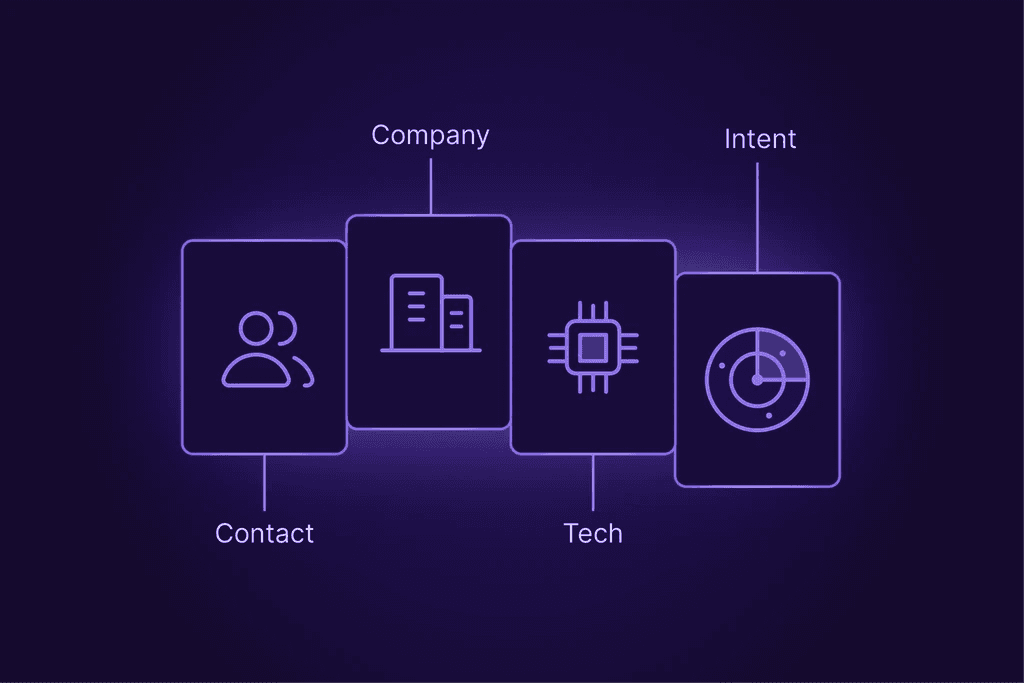
Claude Code seems to be the most disruptive technology created in recent years. And for us GTM folks, it gives us the power to do something we could never do before. Write code. From just natural language.
Claude Code, combined with enrichment APIs or MCPs is a powerful combination you should learn to utilize. You describe your workflow once in plain language. Claude handles the list building, enrichment lookups, qualification logic, and outreach drafting, without someone stitching it together manually each time.
This guide walks through how to build that pipeline step by step: from writing your ICP definition in CLAUDE.md to running live API calls against a company and people database, to generating personalized outreach the moment a signal fires.
What This Workflow Actually Does
Before the steps, the architecture. The pipeline has four stages:
Find, search a company database for accounts that match your ICP
Enrich, pull decision-maker profiles at those accounts (current role, email, recent activity)
Qualify, score and filter based on signals (hiring patterns, funding, LinkedIn posts)
Outreach, generate a personalized first message using the enriched context
Claude Code handles the orchestration. An enrichment API, connected via MCP, handles the data. You write the logic once in plain language and Claude executes it every time flawlessly.
Why Claude Code, not Claude.ai? Claude.ai runs in a browser and has no persistent state between sessions. Claude Code runs in your terminal with access to your local file system, your project context, and, critically, MCP servers that connect it to external APIs. That's what makes it useful here. It can call your enrichment API, read a CSV of accounts, write results to a file, and keep state across a multi-step workflow.
Who this is for: Sales folks, GTM operators, founders running BD themselves, RevOps engineers building internal tooling. You don't need to write code from scratch, but you do need to be comfortable running Claude Code from a terminal and editing a config file or two.
Step 1: Write Your CLAUDE.md, The Prospecting Brain
Every Claude Code project starts with a CLAUDE.md file. This is the persistent instruction set Claude reads at the start of every session. For prospecting, it's your ICP definition, your constraints, and your product context, all in one place that Claude actually uses.
A generic CLAUDE.md won't work here. You need one written specifically for prospecting. Here's what to include:
ICP Definition, in buyer signal language, not job titles
Don't write "VP of Sales at B2B SaaS companies." Write how the problem actually presents:
## ICP

Target companies:

- B2B SaaS, 50–500 employees, US-based

- Raised Series A or B in the last 18 months

- Hiring for SDR, AE, or Revenue Operations roles (signals active GTM build-out)

- Tech stack includes HubSpot or Salesforce (signals organized pipeline)

Target contacts:

- VP of Sales, Head of Sales, CRO, or Director of Revenue Operations

- Currently in role (not recently changed, verify before outreach)

Exclusion list:

- Companies where we have an active deal or existing customer

- Companies with fewer than 10 employees in Sales function

- Agencies, consultancies, and non-SaaS businesses
## ICP

Target companies:

- B2B SaaS, 50–500 employees, US-based

- Raised Series A or B in the last 18 months

- Hiring for SDR, AE, or Revenue Operations roles (signals active GTM build-out)

- Tech stack includes HubSpot or Salesforce (signals organized pipeline)

Target contacts:

- VP of Sales, Head of Sales, CRO, or Director of Revenue Operations

- Currently in role (not recently changed, verify before outreach)

Exclusion list:

- Companies where we have an active deal or existing customer

- Companies with fewer than 10 employees in Sales function

- Agencies, consultancies, and non-SaaS businesses
## ICP

Target companies:

- B2B SaaS, 50–500 employees, US-based

- Raised Series A or B in the last 18 months

- Hiring for SDR, AE, or Revenue Operations roles (signals active GTM build-out)

- Tech stack includes HubSpot or Salesforce (signals organized pipeline)

Target contacts:

- VP of Sales, Head of Sales, CRO, or Director of Revenue Operations

- Currently in role (not recently changed, verify before outreach)

Exclusion list:

- Companies where we have an active deal or existing customer

- Companies with fewer than 10 employees in Sales function

- Agencies, consultancies, and non-SaaS businesses
Outreach constraints
## Outreach Rules

- One personalized detail per message, enough to show research, not enough to feel surveilled

- Never reference salary, headcount, or revenue estimates directly

- Always include a specific reason for reaching out tied to a signal (job posting, funding, post)

- Review gate: draft messages to a file first; do not send without human approval
## Outreach Rules

- One personalized detail per message, enough to show research, not enough to feel surveilled

- Never reference salary, headcount, or revenue estimates directly

- Always include a specific reason for reaching out tied to a signal (job posting, funding, post)

- Review gate: draft messages to a file first; do not send without human approval
## Outreach Rules

- One personalized detail per message, enough to show research, not enough to feel surveilled

- Never reference salary, headcount, or revenue estimates directly

- Always include a specific reason for reaching out tied to a signal (job posting, funding, post)

- Review gate: draft messages to a file first; do not send without human approval
Product context
Two or three sentences about what you sell and who it's for. Claude will use this to write outreach that connects the prospect's signal to your product, rather than sending something generic.
The CLAUDE.md takes 20-30 minutes to write well. It compounds. Every session after that, Claude starts with full context about your market, your rules, and your constraints.
Step 2: Connect Your Enrichment API via MCP
MCP (Model Context Protocol) is the standard that lets Claude Code call external APIs as tools, the same way a developer would import a library. Once an MCP server is configured, Claude can call it mid-conversation without you writing any API code yourself.
To add an MCP server to Claude Code, edit your .claude/settings.json (or run claude mcp add from the terminal):
{

  "mcpServers": {

    "crustdata": {

      "command": "npx",

      "args": ["-y", "@crustdata/mcp-server"],

      "env": {

        "CRUSTDATA_API_TOKEN": "your_token_here"

      }

    }

  }

}
{

  "mcpServers": {

    "crustdata": {

      "command": "npx",

      "args": ["-y", "@crustdata/mcp-server"],

      "env": {

        "CRUSTDATA_API_TOKEN": "your_token_here"

      }

    }

  }

}
{

  "mcpServers": {

    "crustdata": {

      "command": "npx",

      "args": ["-y", "@crustdata/mcp-server"],

      "env": {

        "CRUSTDATA_API_TOKEN": "your_token_here"

      }

    }

  }

}
Restart Claude Code and verify the server is connected:
/mcp/mcp/mcpYou should see crustdata listed as an available tool. If it's not there, check that your API token is set correctly in the environment.
Other options: Crustdata is the worked example throughout this guide, but the architecture works with any enrichment provider that offers an MCP server. Apollo has a native MCP connector. Databar's unified SDK covers 100+ providers through a single integration. The steps below work the same regardless of which data source you connect, only the filter names and field schemas will differ.
Step 3: Build Your ICP Company List
With CLAUDE.md written and MCP connected, you're ready to run your first search. Open Claude Code and describe what you want in plain language:
Build me a list of B2B SaaS companies in the US with 50–500 employees that raised

a Series A or B in the last 18 months and are currently hiring for SDR or AE roles.

Return the top 50 by headcount growth over the last 6 months
Build me a list of B2B SaaS companies in the US with 50–500 employees that raised

a Series A or B in the last 18 months and are currently hiring for SDR or AE roles.

Return the top 50 by headcount growth over the last 6 months
Build me a list of B2B SaaS companies in the US with 50–500 employees that raised

a Series A or B in the last 18 months and are currently hiring for SDR or AE roles.

Return the top 50 by headcount growth over the last 6 months
Claude translates this into an API call against the company database. Under the hood, using Crustdata's Company Discovery API, that looks like:
curl --request POST \ --url 'https://api.crustdata.com/screener/companydb/search' \ --header 'Authorization: Token $CRUSTDATA_API_TOKEN' \ --header 'Content-Type: application/json' \ --data '{ "filters": { "op": "and", "conditions": [ {"filter_type": "hq_country", "type": "=", "value": "USA"}, {"filter_type": "industries", "type": "(.)", "value": "Software Development"}, {"filter_type": "employee_metrics.latest_count", "type": ">", "value": 50}, {"filter_type": "employee_metrics.latest_count", "type": "<", "value": 500}, {"filter_type": "last_funding_round_type", "type": "in", "value": ["series_a", "series_b"]}, {"filter_type": "last_funding_date", "type": ">", "value": "2024-09-01"} ] }, "sorts": [{"column": "employee_metrics.growth_6m_percent", "order": "desc"}], "limit": 50 }'
curl --request POST \ --url 'https://api.crustdata.com/screener/companydb/search' \ --header 'Authorization: Token $CRUSTDATA_API_TOKEN' \ --header 'Content-Type: application/json' \ --data '{ "filters": { "op": "and", "conditions": [ {"filter_type": "hq_country", "type": "=", "value": "USA"}, {"filter_type": "industries", "type": "(.)", "value": "Software Development"}, {"filter_type": "employee_metrics.latest_count", "type": ">", "value": 50}, {"filter_type": "employee_metrics.latest_count", "type": "<", "value": 500}, {"filter_type": "last_funding_round_type", "type": "in", "value": ["series_a", "series_b"]}, {"filter_type": "last_funding_date", "type": ">", "value": "2024-09-01"} ] }, "sorts": [{"column": "employee_metrics.growth_6m_percent", "order": "desc"}], "limit": 50 }'
curl --request POST \ --url 'https://api.crustdata.com/screener/companydb/search' \ --header 'Authorization: Token $CRUSTDATA_API_TOKEN' \ --header 'Content-Type: application/json' \ --data '{ "filters": { "op": "and", "conditions": [ {"filter_type": "hq_country", "type": "=", "value": "USA"}, {"filter_type": "industries", "type": "(.)", "value": "Software Development"}, {"filter_type": "employee_metrics.latest_count", "type": ">", "value": 50}, {"filter_type": "employee_metrics.latest_count", "type": "<", "value": 500}, {"filter_type": "last_funding_round_type", "type": "in", "value": ["series_a", "series_b"]}, {"filter_type": "last_funding_date", "type": ">", "value": "2024-09-01"} ] }, "sorts": [{"column": "employee_metrics.growth_6m_percent", "order": "desc"}], "limit": 50 }'
The response comes back as structured JSON: company name, domain, LinkedIn URL, headcount, funding details, HQ location. Claude saves this to a file in your project directory: accounts-[date].json.
You don't need to write that API call yourself. You describe the criteria, Claude writes and executes it. What you do need to verify: the filters match your actual ICP. Read the first 10 results and check them. If you're getting agencies or non-SaaS businesses, tighten the industry filter. The first run is rarely perfect, because naturally software obeys you only after a mild fight.
Step 4: Enrich Decision-Maker Contacts
A company list gets you to the door. You still need to know who to talk to and whether their contact data is up to date.
Ask Claude:
For each company in accounts.json, find the VP of Sales, Head of Sales, or CRO

currently in role. Return their name, current title, current employer, LinkedIn URL,

and business email if available
For each company in accounts.json, find the VP of Sales, Head of Sales, or CRO

currently in role. Return their name, current title, current employer, LinkedIn URL,

and business email if available
For each company in accounts.json, find the VP of Sales, Head of Sales, or CRO

currently in role. Return their name, current title, current employer, LinkedIn URL,

and business email if available
Claude runs a People Discovery search against each company domain, then enriches the matched profiles. The two-step API flow:
Step i: Find the right people at each company
curl --request POST \

  --url 'https://api.crustdata.com/screener/people/search' \

  --header 'Authorization: Token $CRUSTDATA_API_TOKEN' \

  --header 'Content-Type: application/json' \

  --data '{

  "filters": {

    "op": "and",

    "conditions": [

      {"filter_type": "current_company_domain", "type": "=", "value": "targetcompany.com"},

      {"filter_type": "title", "type": "(.)", "value": "VP Sales"},

      {"filter_type": "seniority", "type": "in", "value": ["vp", "director", "c_suite"]}

    ]

  },

  "limit": 5

}'
curl --request POST \

  --url 'https://api.crustdata.com/screener/people/search' \

  --header 'Authorization: Token $CRUSTDATA_API_TOKEN' \

  --header 'Content-Type: application/json' \

  --data '{

  "filters": {

    "op": "and",

    "conditions": [

      {"filter_type": "current_company_domain", "type": "=", "value": "targetcompany.com"},

      {"filter_type": "title", "type": "(.)", "value": "VP Sales"},

      {"filter_type": "seniority", "type": "in", "value": ["vp", "director", "c_suite"]}

    ]

  },

  "limit": 5

}'
curl --request POST \

  --url 'https://api.crustdata.com/screener/people/search' \

  --header 'Authorization: Token $CRUSTDATA_API_TOKEN' \

  --header 'Content-Type: application/json' \

  --data '{

  "filters": {

    "op": "and",

    "conditions": [

      {"filter_type": "current_company_domain", "type": "=", "value": "targetcompany.com"},

      {"filter_type": "title", "type": "(.)", "value": "VP Sales"},

      {"filter_type": "seniority", "type": "in", "value": ["vp", "director", "c_suite"]}

    ]

  },

  "limit": 5

}'
Step ii: Enrich the matched profile
curl --request GET \

  --url 'https://api.crustdata.com/screener/people?url=https://profile.com/example' \

  --header 'Authorization: Token $CRUSTDATA_API_TOKEN'
curl --request GET \

  --url 'https://api.crustdata.com/screener/people?url=https://profile.com/example' \

  --header 'Authorization: Token $CRUSTDATA_API_TOKEN'
curl --request GET \

  --url 'https://api.crustdata.com/screener/people?url=https://profile.com/example' \

  --header 'Authorization: Token $CRUSTDATA_API_TOKEN'
The enriched profile returns current employer, title, work history, skills, location, and, where available, a verified business email. Claude writes this to a contacts-[date].json file alongside the accounts.
The key thing to check: current employer. One of the most common complaints from sales teams using batch-enrichment tools is that job changes from three to six months ago haven't propagated, they're still sending email to someone's old address at a company they left. Real-time enrichment looks up the profile at the moment of the call, not from a cached copy that's months old. Verify a handful of results against LinkedIn before you trust the batch at scale.
Step 5: Set Up Signal-Triggered Outreach
Here's where most prospecting workflows fail to live up to their full potential. You have the list, you have the contacts. But the best moment to reach out is when something changes at the account.
Most workflows fail to use signals to trigger end to end activity. They need a human in the loop slowing down the process.
The alternative is a Watcher: a persistent monitor on the accounts and contacts you care about that pushes a webhook payload when a trigger fires.
Set up a Watcher on your account list
curl --request POST \

  --url 'https://api.crustdata.com/watcher/watch' \

  --header 'Authorization: Token $CRUSTDATA_API_TOKEN' \

  --header 'Content-Type: application/json' \

  --data '{

  "entity_type": "company",

  "entity_identifiers": [

    {"domain": "targetcompany.com"},

    {"domain": "anothercompany.com"}

  ],

  "triggers": [

    {"event_type": "job_posting", "filter": {"title_keyword": "SDR OR Account Executive"}},

    {"event_type": "funding_round"},

    {"event_type": "headcount_growth", "filter": {"threshold_percent": 20, "period_months": 3}}

  ],

  "webhook_url": "https://your-endpoint.com/webhook"

}'
curl --request POST \

  --url 'https://api.crustdata.com/watcher/watch' \

  --header 'Authorization: Token $CRUSTDATA_API_TOKEN' \

  --header 'Content-Type: application/json' \

  --data '{

  "entity_type": "company",

  "entity_identifiers": [

    {"domain": "targetcompany.com"},

    {"domain": "anothercompany.com"}

  ],

  "triggers": [

    {"event_type": "job_posting", "filter": {"title_keyword": "SDR OR Account Executive"}},

    {"event_type": "funding_round"},

    {"event_type": "headcount_growth", "filter": {"threshold_percent": 20, "period_months": 3}}

  ],

  "webhook_url": "https://your-endpoint.com/webhook"

}'
curl --request POST \

  --url 'https://api.crustdata.com/watcher/watch' \

  --header 'Authorization: Token $CRUSTDATA_API_TOKEN' \

  --header 'Content-Type: application/json' \

  --data '{

  "entity_type": "company",

  "entity_identifiers": [

    {"domain": "targetcompany.com"},

    {"domain": "anothercompany.com"}

  ],

  "triggers": [

    {"event_type": "job_posting", "filter": {"title_keyword": "SDR OR Account Executive"}},

    {"event_type": "funding_round"},

    {"event_type": "headcount_growth", "filter": {"threshold_percent": 20, "period_months": 3}}

  ],

  "webhook_url": "https://your-endpoint.com/webhook"

}'
When the trigger fires, the webhook delivers a structured payload to your endpoint, the same pattern AI SDRs use to time outreach precisely rather than polling on a schedule. From there, you pass it to Claude Code with a prompt:
A target account just triggered an outreach signal. Here's the enriched context:

Company: [name], [industry], [headcount], raised [round] in [month]

Signal: Just posted 3 SDR roles in the last 2 weeks

Contact: [name], VP of Sales, in role since [date]

Using the product context and outreach rules in CLAUDE.md, write a first-touch

email from our team. One specific detail from the signal. No more than 5 sentences.

Save to outbox/[company]-[date].txt for review
A target account just triggered an outreach signal. Here's the enriched context:

Company: [name], [industry], [headcount], raised [round] in [month]

Signal: Just posted 3 SDR roles in the last 2 weeks

Contact: [name], VP of Sales, in role since [date]

Using the product context and outreach rules in CLAUDE.md, write a first-touch

email from our team. One specific detail from the signal. No more than 5 sentences.

Save to outbox/[company]-[date].txt for review
A target account just triggered an outreach signal. Here's the enriched context:

Company: [name], [industry], [headcount], raised [round] in [month]

Signal: Just posted 3 SDR roles in the last 2 weeks

Contact: [name], VP of Sales, in role since [date]

Using the product context and outreach rules in CLAUDE.md, write a first-touch

email from our team. One specific detail from the signal. No more than 5 sentences.

Save to outbox/[company]-[date].txt for review
Claude generates the message using the enriched payload and your CLAUDE.md context, then writes it to a review folder rather than sending it. You read it, edit if needed, then push to your sequence tool.
That last part, the human review gate, matters. The goal is to remove the research and drafting burden, not the judgment. Read what Claude wrote before it goes out.
Step 6: Lock It Down with Claude Code Skills
Once the prompts in Steps 3–5 are working, there is no reason to retype them each time. Claude Code Skills let you package any prompt into a slash command, so the workflow becomes a single line instead of a paragraph of instructions.
Skills are markdown files saved in .claude/commands/. Once defined, they're available in every session as /skill-name. For a prospecting workflow, three Skills make the biggest practical difference:
/prospect [company-domain]
Triggers the full enrichment sequence for a single account. You pass the domain, Claude runs the People Discovery search, enriches the top match for VP of Sales or CRO, and writes the contact record to your working file. Useful when an account shows up in the news or a signal fires on a company outside your Watcher list.
/qualify
Loads your current accounts file, applies your ICP scoring rules from CLAUDE.md, and flags which accounts meet your threshold. It separates the list-building step from the qualification step, so you're working through one decision at a time rather than trying to do both simultaneously.
/draft-outreach [trigger-summary]
Takes a one-line signal description as input and generates a first-touch email following your CLAUDE.md outreach rules. Because the constraints are baked into the skill definition, every output follows the same format: one specific detail from the signal, five sentences, saved to your outbox folder for review.
The practical shift: instead of a workflow only you can run because only you know the full prompt, you have commands any team member can invoke with consistent output. The ICP rules and outreach constraints live in CLAUDE.md and the skill files, not in someone's head.
Skills also make the workflow easier to audit. When outputs drift, and eventually they will, you know exactly which command file to adjust rather than trying to reconstruct what you typed six weeks ago.
What Breaks (and What to Watch)
A few things will go wrong on your first run. Better to know them now.
Credit exhaustion
Most enrichment APIs bill per call and cut off when credits run out, no auto-overage by default. If you're running a batch enrichment against 200 accounts and credits run out at 140, you'll have an incomplete dataset with no warning. Set up a credits check at the start of each run and build in a stop condition.
Stale contact data despite real-time enrichment
Real-time enrichment fetches the live version of a person profile from the web, but someone who changed jobs 10 days ago may not have updated their profile yet. This might make you feel that real-time enrichment is not worth it, but in our opinion it still is. If you're deciding between real-time and batch approaches, this breakdown covers the trade-offs in detail.
Over-personalization
Claude has access to a lot of signal context. Left unconstrained, it will use all of it, referencing funding rounds, job tenure, and recent posts in a single email. That reads as surveillance instead of research. The CLAUDE.md rule of "one specific detail" is there for a reason. Enforce it in your prompt too.
This is not a blasting tool
The workflow described here produces 10–50 high-quality, signal-triggered outreach messages per week, not 500 cold emails per day. If volume is the goal, this is the wrong architecture. If quality and timing are the goal, it's the right one.
Conclusion
The manual steps in prospecting aren't going away because people are lazy. They persist because connecting a signal to a personalized message to an enrolled sequence requires pulling from four different places, verifying data that may be out of date, and doing it before the timing window closes. Most teams can't do that consistently.
Claude Code works here because it sits at the center of the workflow, reading your ICP context, calling enrichment APIs, applying your qualification logic, and generating outreach, without you rebuilding the connection each time. The Watcher handles triggers, the enrichment API supplies the data, and CLAUDE.md carries your context from one session to the next.
The setup takes a few hours the first time. After that, what used to take an SDR 15 minutes per prospect runs while you're in other meetings.
If you want to test the enrichment layer, Crustdata's Company Search and People Discovery APIs are the endpoints used in the examples above. The API documentation has the full filter reference. For teams already running outbound and wanting to add signal-based triggers, the Watcher API is where to start.

Products
Popular Use Cases
Competitor Comparisons
95 Third Street, 2nd Floor, San Francisco,
California 94103, United States of America
© 2026 Crustdata Inc.
Products
Popular Use Cases
Competitor Comparisons
95 Third Street, 2nd Floor, San Francisco,
California 94103, United States of America
© 2026 Crustdata Inc.
Products
Popular Use Cases
Competitor Comparisons
95 Third Street, 2nd Floor, San Francisco,
California 94103, United States of America
© 2026 CrustData Inc.
🎉 We hit $10M ARR!
$600k to $10m in 1.5 years. Our entire GTM is powered by our own APIs.
🎉 We hit $10M ARR in 1.5 years!
