Lead Enrichment Tool: Turn Raw Leads Into Complete Profiles (2026)
Published
Written by
Chris P.
Reviewed by
Nithish A.
Read time
7
minutes
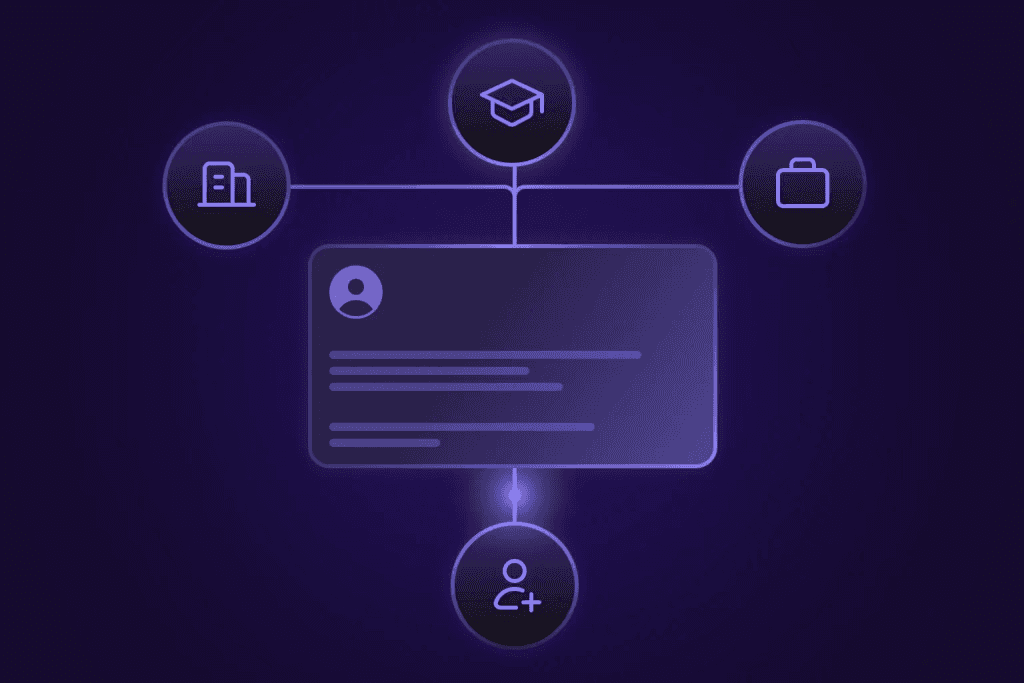
Lead enrichment tools are designed to take a raw lead, a name, an email, a company domain, and fill it out: verified contacts, job titles, firmographic context, behavioral signals. Most do this part well. What they don't account for is that the data starts aging the moment they start enrichment.
B2B contact data decays faster than most teams expect. One-time enrichment gets you accuracy at capture, but six months into a sales cycle, a meaningful share of your contacts will have changed jobs, titles, or companies, and nothing in your CRM reflects that.
This guide covers both sides of that problem: a direct comparison of the top lead enrichment tools in 2026, and the architectural shift, building enrichment as a continuous system rather than a one-time event, that makes the data hold up over time.
What Is Lead Enrichment?
Lead enrichment is the process of appending additional data to an incomplete prospect record, taking a raw lead (a name, email, or company domain) and filling it out with verified contact details, firmographic context, and behavioral signals.
The enrichment process typically runs in five steps:
Capture, a lead enters your system via form fill, import, or CRM record creation
Match, the enrichment tool identifies the lead against its database by email, domain, or LinkedIn URL
Append, verified data fields are added to the record (title, employer, phone, company size, etc.)
Validate, the tool checks field accuracy and flags uncertain matches rather than auto-populating bad data
Integrate, the enriched record syncs back to your CRM, routing tool, or outbound platform
The goal is to give your sales or marketing team enough context to prioritize, personalize, and reach the right person, without manual research. What most buyers don't plan for is what happens to that record after step five.
Why Enriched Lead Data Goes Out of Date Faster Than You Think
The moment you enrich a lead, the clock starts running.
According to Landbase, B2B contact data decays at roughly 2% per month, about 22% annually under normal conditions. In high-turnover industries, that rate can hit 60-70% in a single year. Around 25-30% of people change jobs every year, which means nearly a third of any contact list you build today will have wrong employer data within twelve months. Companies lose an average of $12.9 million annually from poor data quality.
The problem isn't that enrichment tools get the data wrong on day one. They usually don't. The problem is what happens at day 45, day 90, day 180, when the lead sits in your CRM exactly as it was, and reality has moved on without it.
One prospect on a sales call with us described it precisely: "Job changes from six months ago were not taken into account. So that was an issue." Another customer running a GTM data infrastructure platform put it this way: "I get the data somewhere between 30 to probably 45 days later in terms of when someone changes a job, sometimes it's sooner depending on coverage. If they're in SF, it's within a few days. But if someone in the Midwest switches jobs, I get the data 30 to 60 days later."
Independent testing by Amplemarket found Apollo bounce rates ranging from 5-10% in community reports to higher in controlled tests, a meaningful deliverability drag that compounds across large outbound campaigns. One Crustdata customer summed up how their team handles it: "We have Apollo for like low quality, lots of data. We don't really trust it."
Batch-refresh tools, those that update their databases quarterly or twice a year, create a lag between what's in your system and what's actually true. If your champion changes jobs mid-deal and your CRM still shows them as active at the old company, you won't know until a rep calls a number that goes nowhere.
This is a case of the enrichment working but failing to capture the recent movement.
What Data Do Lead Enrichment Tools Actually Add?
Most lead enrichment tools append data across four categories. Not all tools cover all four equally, understanding the distinction shapes which tool fits your workflow.
Contact: Verified personal and professional contact details
Example fields: Business email, direct dial, mobile, profile URL, job title, seniority
Firmographic: Company-level attributes for context and targeting
Example fields: Company size, revenue estimate, industry, HQ location, founded year, company type
Technographic: Technology stack the company currently uses
Example fields: CRM in use, marketing automation platform, cloud provider, dev tools
Intent & Signal: Behavioral and event-based indicators of buying readiness
Example fields: Recent funding round, hiring for specific roles, LinkedIn post activity, job changes, web traffic trends
Apollo and ZoomInfo cover contact and firmographic data at scale; Clay's strength is aggregating technographic and intent signals across 100+ sources. Crustdata covers all four with real-time enrichment and push-based monitoring via its Watcher API. Coverage and freshness tend to diverge most on the last two categories, which is where the tool choice actually matters.
The Best Lead Enrichment Tools in 2026
Not all enrichment tools are built for the same workflow. Some are designed for sales reps clicking a Chrome extension. Others are built for RevOps teams running CRM hygiene at scale. A growing set, such as Crustdata, are designed for engineers and builders who need enrichment embedded directly in their own systems via API.
Apollo.io
Apollo combines one of the largest B2B contact databases (275M+ contacts, 65M+ companies) with built-in outbound sequencing. For teams that want to prospect and enrich from a single platform, it's the most accessible starting point, free tier available, $59–$149/user/month on paid plans.
The trade-off is data freshness. Amplemarket's independent platform testing found Apollo bounce rates in the 20-30% range in controlled conditions; community reports typically cite 5-10%. Either figure will compound across large scale outbound campaigns.
Strengths: Largest database at accessible pricing; built-in outreach sequences; strong Chrome extension; free tier available
Limitations: Bounce rates higher than enterprise alternatives; data refreshed on a batch cycle; limited API filtering depth compared to the UI
Best for: Individual SDRs and small sales teams that need volume-based outbound without requiring programmatic API control
Clay
Clay's core advantage is flexibility. It aggregates 100+ data sources through a waterfall model. If your primary enrichment source doesn't match a record, it automatically falls through to the next source. For teams that need maximum coverage across diverse prospect lists, this is the most configurable approach available.
The limitation is cost predictability. Clay charges credits per enrichment step, not per contact. A 10-step workflow across 500 contacts can consume 5,000-25,000 credits. Per Amplemarket's testing, actual costs run 2-3x projected for complex workflows.
Some buyers also want to own the enrichment process without routing data through a third-party platform: "We just don't want to send that data to Clay, we want to own the full waterfall enrichment." Pricing starts at $149/month.
Strengths: Most flexible multi-source waterfall; 100+ data provider integrations; AI research agent capabilities; no-code builder for non-technical teams
Limitations: Credit costs unpredictable at scale; data flows through Clay's platform rather than directly to yours
Best for: RevOps and growth teams that need maximum enrichment flexibility and can absorb variable credit costs
ZoomInfo
ZoomInfo operates one of the most comprehensive B2B databases available, 500M+ contacts with intent data, technographics, org charts, and buyer signals layered on top. For enterprise sales and marketing teams that need depth and breadth from a single vendor, it remains the default.
The entry point is steep. Plans typically start at $15,000/year, and the full platform adds further cost. Data freshness is better than legacy databases but still batch-oriented.
Strengths: Largest proprietary database; intent data built in; strong CRM integrations; broad technographic coverage
Limitations: $15K+/year baseline; batch-refreshed rather than live data; expensive for teams that don't use the full platform
Best for: Enterprise sales and marketing teams with budget for a full B2B intelligence platform
Cognism
Cognism's differentiator is its Diamond Data tier, phone numbers manually verified by a human agent. For teams doing high-volume cold calling in EMEA, this matters: Cognism is the only major provider with consistent GDPR-compliant, phone-verified contact coverage across European markets.
Coverage outside EMEA and the US narrows considerably, and pricing is enterprise-oriented (typically $15,000+/year).
Strengths: Phone-verified direct dials (Diamond Data); strongest GDPR/CCPA compliance; best EMEA coverage in the market
Limitations: Weaker outside EMEA and US; pricing comparable to ZoomInfo; limited API depth for programmatic workflows
Best for: EMEA-focused sales teams where phone-verified mobile numbers are a primary outreach channel
Clearbit / Breeze Intelligence
Clearbit built a strong reputation for real-time enrichment and visitor identification, knowing who's on your site before they fill a form. After HubSpot's acquisition in 2023, it's been rebranded as Breeze Intelligence and is now deeply embedded in the HubSpot ecosystem.
For HubSpot-native teams, the integration is direct with no additional sync configuration needed. For teams on other CRMs or building their own infrastructure, its standalone utility has narrowed considerably post-acquisition.
Strengths: Real-time enrichment at form fill; strong visitor identification; native HubSpot sync; 100+ firmographic and technographic attributes
Limitations: Now primarily a HubSpot product; limited value for non-HubSpot stacks
Best for: Marketing and RevOps teams running their full GTM stack on HubSpot
Lusha
Lusha is the lowest-friction option on this list. The Chrome extension surfaces contact data, direct dials, emails, LinkedIn details, directly in the browser while a rep is already on a LinkedIn profile or company website. Setup takes minutes, with no API required and no workflow to configure.
The trade-off is depth and programmatic access. Lusha is built for individual reps doing one-off lookups, not for teams running bulk enrichment or embedding enrichment into automated workflows.
Strengths: Fastest setup; Chrome extension; simple pricing from $29/month; 500M+ contact database
Limitations: Limited bulk enrichment capability; minimal programmatic API; designed for individual rep use, not team-scale automation
Best for: Individual SDRs and AEs who need quick contact lookups without workflow overhead
Crustdata
Crustdata is built for teams that want to embed enrichment directly into their own systems, not access data through a vendor's UI. The platform covers 250+ live company datapoints and 90+ people datapoints, pulled from 15+ sources, returned as structured JSON via APIs. The Company Enrichment API and People Enrichment API support real-time enrichment.
The platform is oriented toward builders: GTM engineers, RevOps teams, and product teams building internal sales tools or AI agent pipelines. Crustdata's API exposes 95+ company search filters and 60+ people search filters with nested boolean logic, significantly more filtering depth than most enrichment tools expose programmatically.
Strengths: Real-time enrichment API (250+ company datapoints, 90+ people datapoints); Watcher API for continuous monitoring via webhooks; 95+ company filters and 60+ people filters; structured JSON output for automation and AI agents; credit-based consumption model
Limitations: No sales rep UI, requires technical integration; not the right fit for individual reps who want a Chrome extension
Best for: RevOps engineers, GTM builders, and product teams embedding enrichment into automated workflows, AI SDRs, or internal tooling, particularly teams that need records to update when reality changes
Comparison Table
Provider | Database Size | Real-Time Enrichment | API Depth | Continuous Monitoring | Best For |
Apollo.io | 275M+ contacts | No (batch) | Limited | No | High-volume outbound, SDR teams |
Clay | 100+ aggregated sources | Partial (waterfall) | Moderate | No | Flexible multi-source enrichment |
ZoomInfo | 500M+ contacts | No (batch) | Moderate | No | Enterprise B2B intelligence |
Cognism | 400M+ contacts | No (batch) | Limited | No | EMEA phone-verified outreach |
Clearbit/Breeze | HubSpot-native | Yes (form fill) | HubSpot only | No | HubSpot-native GTM stacks |
Lusha | 500M+ contacts | No | Minimal | No | Individual rep lookups |
Crustdata | 60M+ companies, 1B+ people | Yes | High (95+ filters) | Yes (Watcher API) | Builders, RevOps, AI SDR pipelines |
Real-Time vs. Batch Enrichment: Which Does Your Workflow Actually Need?
Most enrichment tools run on a batch model: you upload a list, the tool processes it overnight or over a few hours, and the enriched records come back the next morning. For many use cases, that's fine. For others, it's the wrong architecture entirely.
When batch enrichment works:
Quarterly CRM hygiene scrubs across your full account database
Large-scale TAM analysis where you're scoring thousands of companies against your ICP
Historical data warehouse loads into Snowflake or BigQuery
Regular list refreshes for accounts that aren't in active pipeline
When you need real-time enrichment:
An inbound lead fills your form and needs to be routed to the right sales rep before they close the tab
An AI SDR is executing an outreach workflow and needs structured contact data now, not tomorrow morning
A signal fires, a funding announcement, a job change, and you want to trigger a sequence within hours, not after the next batch job runs
You're building an internal tool that looks up company or contact data on demand
The choice between them is a workflow architecture decision. If your lead routing depends on enrichment completing before a rep is assigned, batch doesn't work. If your AI agent needs a structured profile to personalize an email, batch doesn't work.
This is why understanding real-time vs batch enrichment matters before you pick a tool, because most enrichment tools are optimized for batch, and swapping the architecture later is more work than choosing correctly upfront.
How to Build Enrichment as a Continuous System
One-time enrichment captures what's true on day one. By the time it matters, several months into a sales cycle, that record may no longer reflect where the person works, what their title is, or whether the company has changed shape.
The teams that get the most from lead data aren't running bigger batch jobs, they're building enrichment as an ongoing process: initial data at capture, signal monitoring in the background, and automatic updates when something changes.
Step 1: Enrich at capture
When a lead enters your system, form fill, CRM import, inbound email, trigger a real-time API call immediately. Don't wait for the overnight batch. Enriching at the moment of capture means the rep sees a complete record from the first touchpoint, and routing logic (territory, segment, score) runs on accurate data.
Step 2: Set signal watchers on high-priority accounts
For companies and contacts that matter, open pipeline, key accounts, high-fit prospects, set up watchers that monitor for changes: job title updates, new funding announcements, hiring spikes for specific roles, LinkedIn post activity. These are the signals that indicate the right moment to reach out, or warn you that a relationship is at risk.
Step 3: React when a watcher fires
This is where most teams lose value. They get the signal, a champion changed jobs, a target company just raised a Series B, but nothing automated happens next. As one founder described it: "Rather than me getting a notification on Slack, hey, turn this sequence on for this person; you're going to have to actually go and manually add them." That manual step is where the timing window closes.
When a watcher fires, the webhook hits your system and triggers the next action automatically: update the CRM record, enroll the contact in a sequence, create a Slack alert for the rep, open a new opportunity.
Here's a minimal example using Crustdata's Watcher API to monitor a contact for a job change:
curl --request POST
'https://api.crustdata.com/watcher/create/'
--header 'Authorization: Token YOUR_API_TOKEN'
--header 'Content-Type: application/json'
--data '{
"watcher_type": "people",
"entity_identifier": {
"linkedin_profile_url": "https://linkedin.com/in/jane-smith"
},
"events": ["job_change", "promotion"],
"webhook_url": "https://your-system.com/webhooks/crustdata"
}'
curl --request POST
'https://api.crustdata.com/watcher/create/'
--header 'Authorization: Token YOUR_API_TOKEN'
--header 'Content-Type: application/json'
--data '{
"watcher_type": "people",
"entity_identifier": {
"linkedin_profile_url": "https://linkedin.com/in/jane-smith"
},
"events": ["job_change", "promotion"],
"webhook_url": "https://your-system.com/webhooks/crustdata"
}'
curl --request POST
'https://api.crustdata.com/watcher/create/'
--header 'Authorization: Token YOUR_API_TOKEN'
--header 'Content-Type: application/json'
--data '{
"watcher_type": "people",
"entity_identifier": {
"linkedin_profile_url": "https://linkedin.com/in/jane-smith"
},
"events": ["job_change", "promotion"],
"webhook_url": "https://your-system.com/webhooks/crustdata"
}'
When the watcher detects a job change or promotion, it pushes a structured JSON payload to your webhook endpoint with the updated role, new employer, and enriched profile data, ready to route into whatever action your system takes next.
Step 4: Re-enrich cold accounts on a schedule
For accounts not in active pipeline, quarterly batch re-enrichment is sufficient. Real-time monitoring is most valuable where a deal or relationship is at stake. For the long tail of your TAM, scheduled batch enrichment keeps costs manageable while still catching material changes over time.
How to Choose a Lead Enrichment Tool for Your Use Case
The right tool depends on who's using it, how, and what happens to the data after enrichment.
Individual sales rep doing manual outbound
Best fit: Lusha or Apollo
Why: Chrome extension works where reps already are; low setup friction; no workflow to configure
RevOps team running CRM hygiene and routing
Best fit: Clay or ZoomInfo
Why: Workflow depth, CRM integrations, waterfall coverage for diverse record sets
Marketing team running ABM campaigns
Best fit: Cognism or 6sense
Why: Account-level intent signals and buying stage data alongside contact enrichment
Team focused on EMEA outreach
Best fit: Cognism
Why: Phone-verified direct dials and GDPR-compliant data collection across European markets
Builder or GTM engineer embedding enrichment in a product or workflow
Best fit: Crustdata
Why: Real-time API with 95+ company filters and 60+ people filters, structured JSON output, Watcher webhooks for continuous monitoring, designed for programmatic use, not a sales rep UI
If your team sits between RevOps and engineering, running automated workflows but not building full products, Clay and Crustdata are both worth evaluating. Clay needs less technical setup but routes enrichment data through its own platform. Crustdata takes more integration work upfront in exchange for direct API control and the continuous monitoring layer that Clay doesn't provide.
FAQ
What is lead enrichment?
Lead enrichment is the process of appending verified data to an incomplete prospect record, adding contact details, company firmographics, technographic signals, and behavioral indicators to a raw lead so sales and marketing teams can prioritize, personalize, and reach the right person without manual research.
How often should you re-enrich your leads?
For active pipeline contacts, enrich at capture and monitor continuously for changes. For your broader CRM or prospect list, quarterly re-enrichment catches the majority of job changes and company updates. In high-turnover industries, recruiting, early-stage tech, consulting, monthly re-enrichment is worth the cost given how quickly contacts move.
What's the difference between real-time and batch lead enrichment?
Real-time enrichment runs an API call the moment a lead enters your system and returns enriched data within seconds. Batch enrichment processes a list of records in bulk, typically overnight or over a few hours. Real-time is required for inbound routing and AI agent workflows. Batch is sufficient for periodic CRM hygiene and TAM analysis.
Which lead enrichment tool has the most accurate data?
Accuracy varies by geography and use case. Amplemarket's independent testing found the lowest email bounce rates in their own platform (<3%), with Apollo ranging significantly higher. Cognism is the benchmark for phone-verified accuracy in EMEA. For API-based enrichment, Crustdata's real-time enrichment mode pulls from 15+ sources at the time of the request rather than serving a cached record.
Can I enrich leads programmatically via API without a sales UI?
Yes. Crustdata's People Enrichment API and Company Enrichment API are REST endpoints designed for programmatic use, no UI required. Apollo and ZoomInfo expose APIs, but with more limited filtering depth than their UI counterparts. Clay offers API access but routes calls through its own platform infrastructure.
Conclusion
The raw lead was never the problem. A name and an email have always been the starting point, the question is what happens to that record over the next six months of pipeline activity.
Most enrichment tools answer that question once, on day one, and move on. That's enough if your sales cycle is short and your data stays fresh. It's not enough if your buyers change jobs, raise funding, or go quiet, and you don't find out until a rep is calling a number that's been disconnected since February.
The teams consistently reaching the right person at the right time have stopped optimizing for database size. They're using enrichment as a system: real-time at capture, continuously monitored, automatically updated when something changes.
If you're evaluating lead enrichment tools, start with the workflow question, not the database size question. How does data enter your system? When does it need to be enriched? What should happen when a contact's reality changes? The answers point to the right tool faster than any feature comparison will.
To see how Crustdata's real-time enrichment and Watcher monitoring work in practice, book a demo or explore the full API documentation.

Products
Popular Use Cases
Competitor Comparisons
95 Third Street, 2nd Floor, San Francisco,
California 94103, United States of America
© 2026 Crustdata Inc.
Products
Popular Use Cases
Competitor Comparisons
95 Third Street, 2nd Floor, San Francisco,
California 94103, United States of America
© 2026 CrustData Inc.
Products
Popular Use Cases
Competitor Comparisons
95 Third Street, 2nd Floor, San Francisco,
California 94103, United States of America
© 2026 Crustdata Inc.
🎉 We hit $10M ARR!
$600k to $10m in 1.5 years. Our entire GTM is powered by our own APIs.
🎉 We hit $10M ARR in 1.5 years!
