Competitor Monitoring: Tools, Techniques and Best Practices
Published
Mar 21, 2026
Written by
Chris P.
Reviewed by
Nithish A.
Read time
7
minutes
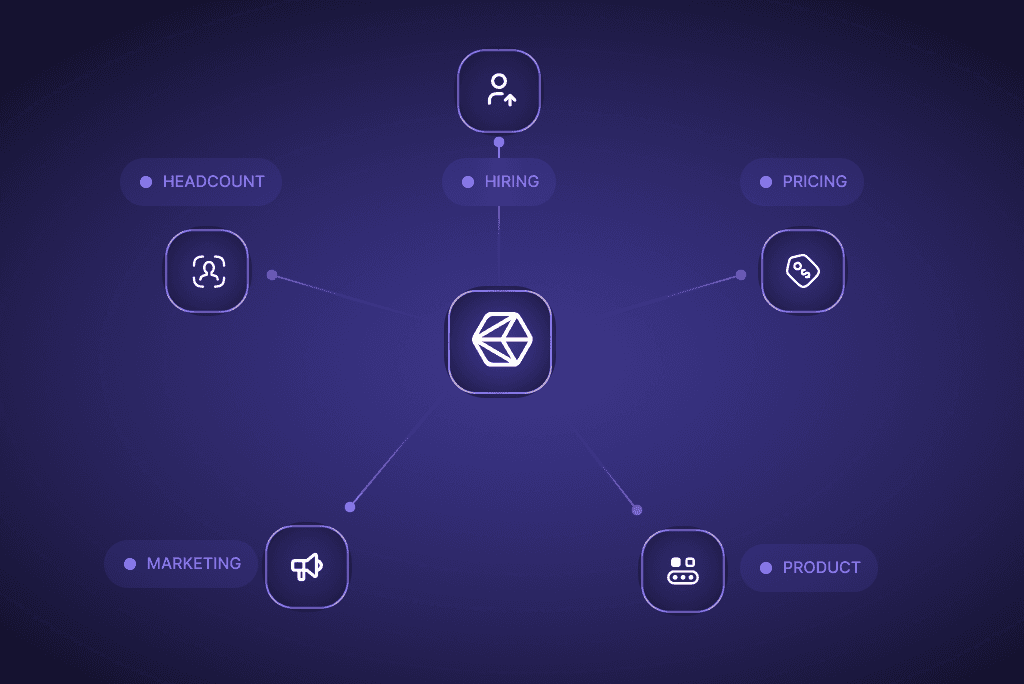
Most teams track competitors the same way they did five years ago: someone bookmarks a few websites, checks LinkedIn once a week, and pastes screenshots into a Slack channel. Information ends up scattered across bookmarks, Slack threads, and someone's memory, and by the time anyone asks "what is our competitor doing?" the answer is already two weeks old.
A 2025 Crayon State of Competitive Intelligence report found that 57% of companies say competitive insights directly influenced their revenue, but only 24% rated their CI programs as "mature." Most programs never really have an impact because they know competitors matter but never build a system that routes signals to the people who act on them.
One reviewer testing Crayon described receiving 40 to 60 daily alerts across five competitors, with only two or three per week worth acting on, what they called a "guilt trip dashboard."
In this blog, we write about a framework for choosing the right competitor monitoring tool and building a system organized by signal type, covering what to monitor, which tools fit each signal, and who on your team should own what.
What Is Competitor Monitoring?
Competitor monitoring is the ongoing process of tracking what your competitors do across their product, marketing, hiring, pricing, and public communications. It differs from competitor analysis, which is a one-time assessment. Monitoring is continuous. Effective competitor tracking requires both the right tools and a clear process for routing signals to the teams that act on them.
The teams that benefit most are product marketing, sales, customer success, and executive leadership. A competitor monitoring system only works when information flows to the relevant teams automatically, without someone manually compiling a report every Friday that nobody reads until Wednesday.
Competitor Monitoring Tools at a Glance
Signal Type | Tool Category | Examples |
Website and product changes | Website change detection | Visualping, Kompyte, Crayon |
SEO & Website Traffic | SEO tools | Semrush, SimilarWeb, Ahrefs |
Social media activity | Social monitoring | Brandwatch, Sprout Social, Rival IQ |
Social post engagement signals | Social post engagement tools | Crustdata (reactor and commenter enrichment) |
Hiring and headcount | Job posting and Firmographic data providers | Crustdata, PDL, Revelio Labs |
Pricing changes | Price monitoring | Prisync, CompetitorMonitor |
Funding and M&A | Company data and news | Crustdata, Crunchbase |
News and press | News aggregation | Contify, Google Alerts, Feedly, Crustdata |
Multi-channel CI platforms | All-in-one CI | Crayon, Klue, AlphaSense |
What Should You Actually Monitor?
Not everything a competitor does matters. Monitoring becomes useful when you focus on the signals that connect to decisions your team makes regularly. No single competitor monitoring tool covers all of them, which is why the best programs combine competitive monitoring tools by signal type. Here are six signal categories worth tracking, with the tools and who it’s useful for.
Website and Product Changes
Track competitor homepages, pricing pages, feature pages, and changelog or release notes. Changes to these pages often signal new positioning, feature launches, or pricing adjustments before formal announcements. An AI browser agent can also help automate monitoring and data collection across competitor websites, making it easier to identify important updates in real time. Businesses can also use AI-powered tools to quickly create landing pages, test messaging variations, and adapt digital experiences based on competitor insights. An AI website builder can further simplify website creation and optimization while supporting faster experimentation and deployment.
Tools like Visualping ($100/month, claims 85% of Fortune 500 as users) and Kompyte automate website change detection. They capture screenshots at set intervals and flag visual or text differences. Start with the five pages per competitor that sales and product marketing care about most: homepage, pricing, product features, integrations, and careers.
Signal owner: Product marketing
Social Media and Content Activity
Competitors reveal strategy through what they publish. A new blog series on a topic you own tells you they are entering your territory. A surge of LinkedIn posts from their leadership about a specific use case tells you they are investing in that narrative.
Track competitor company social accounts, two to three key executive profiles per competitor, and their blog. Engagement patterns matter as much as the content itself, a post from your competitor's CEO that gets 500 reactions from people in your target accounts is a stronger signal than a post that gets 2,000 reactions from random connections.
Tools like Brandwatch, Sprout Social, and Rival IQ handle social monitoring well. While they can track what competitors have posted, they cannot track who engages with the content.
Signal owner: Marketing
Post Engagement Signals
No traditional competitor monitoring tool covers this signal category, which makes it worth paying attention to.
When five of your enterprise customers react to a competitor's product launch post on LinkedIn, that is a churn risk signal..
At Crustdata, we had an enterprise customer who built this exact workflow. Their core use case was tracking when partner executives engaged with competitor content to catch relationship risks before they triggered churn. In one case, detecting early engagement signals let their team initiate executive outreach before a partner relationship deteriorated further.
Signal owner: Customer success and sales
Hiring and Headcount Signals
Competitor tracking through job postings reveals where a company is investing before earnings calls or product announcements do. Ten new engineering roles tagged "AI/ML" tells you about product direction. A VP of Sales hire in EMEA tells you about geographic expansion.
Crustdata's Company Enrichment API returns headcount by function, growth rates over 6 and 12 months, and job openings by department from a single call:
curl 'https://api.crustdata.com/screener/company?company_domain=competitor.com&fields=headcount,job_openings' \
--header 'Authorization: Token $authToken'
This returns employee count, 6-month and 12-month growth percentages, and job openings by department, engineering, sales, marketing, support, with changes over time.
{
  "company_id": 689478,
  "company_name": "Zip",
  "company_website_domain": "ziphq.com",
  "industries": ["Computer Software", "Software Development"],
  "headcount": {
    "headcount": 785,
    "headcount_by_role_absolute": {
      "Engineering": 152,
      "Sales": 129,
      "_more_departments": true
    },
    "growth_rates": {
      "six_months_percent": 26.81,
      "yoy_percent": 48.1
    },
    "growth_by_role_six_months_percent": {
      "engineering": 32.17,
      "sales": 20.56,
      "operations": 32.14,
      "human_resource": 41.92,
      "quality_assurance": 0.0
    },
    "growth_by_role_yoy_percent": {
      "engineering": 56.7,
      "sales": 46.59,
      "operations": 111.4,
      "human_resource": 119.94,
      "quality_assurance": 198.02
    }
  },
  "job_openings": {
    "job_openings_count": 3,
    "job_openings_by_function_qoq_pct": {
      "engineering": -60.0,
      "marketing": 100.0,
      "sales": -33.0,
      "_more_departments": true
    }
  }
}
{
  "company_id": 689478,
  "company_name": "Zip",
  "company_website_domain": "ziphq.com",
  "industries": ["Computer Software", "Software Development"],
  "headcount": {
    "headcount": 785,
    "headcount_by_role_absolute": {
      "Engineering": 152,
      "Sales": 129,
      "_more_departments": true
    },
    "growth_rates": {
      "six_months_percent": 26.81,
      "yoy_percent": 48.1
    },
    "growth_by_role_six_months_percent": {
      "engineering": 32.17,
      "sales": 20.56,
      "operations": 32.14,
      "human_resource": 41.92,
      "quality_assurance": 0.0
    },
    "growth_by_role_yoy_percent": {
      "engineering": 56.7,
      "sales": 46.59,
      "operations": 111.4,
      "human_resource": 119.94,
      "quality_assurance": 198.02
    }
  },
  "job_openings": {
    "job_openings_count": 3,
    "job_openings_by_function_qoq_pct": {
      "engineering": -60.0,
      "marketing": 100.0,
      "sales": -33.0,
      "_more_departments": true
    }
  }
}
{
  "company_id": 689478,
  "company_name": "Zip",
  "company_website_domain": "ziphq.com",
  "industries": ["Computer Software", "Software Development"],
  "headcount": {
    "headcount": 785,
    "headcount_by_role_absolute": {
      "Engineering": 152,
      "Sales": 129,
      "_more_departments": true
    },
    "growth_rates": {
      "six_months_percent": 26.81,
      "yoy_percent": 48.1
    },
    "growth_by_role_six_months_percent": {
      "engineering": 32.17,
      "sales": 20.56,
      "operations": 32.14,
      "human_resource": 41.92,
      "quality_assurance": 0.0
    },
    "growth_by_role_yoy_percent": {
      "engineering": 56.7,
      "sales": 46.59,
      "operations": 111.4,
      "human_resource": 119.94,
      "quality_assurance": 198.02
    }
  },
  "job_openings": {
    "job_openings_count": 3,
    "job_openings_by_function_qoq_pct": {
      "engineering": -60.0,
      "marketing": 100.0,
      "sales": -33.0,
      "_more_departments": true
    }
  }
}
Signal owner: Product and strategy
Pricing and Positioning Changes
The impact of pricing changes are felt harder and faster than most other signals a competitor monitoring tool can detect. A competitor dropping prices on their mid-tier plan by 20% or introducing a new free tier directly affects your win rates. According to a Gartner survey, 67% of B2B buyers say pricing is a top-three factor in vendor selection.
For e-commerce and retail, dedicated price monitoring tools like Prisync ($99 to $799/month) and CompetitorMonitor track thousands of SKUs automatically. For B2B SaaS, pricing is harder to track because it is often gated behind "talk to sales" pages, website change detection tools (Visualping, Kompyte) applied to pricing pages, combined with sales team intel from competitive deals, are your best options.
Signal owner: Sales and product marketing
Funding, M&A, and News
Funding rounds, acquisitions, and leadership changes affect competitive dynamics on a longer timeline. A competitor raising a $50M Series C is going to invest that money somewhere, usually in the areas where they are hiring most aggressively. An acquisition of a complementary tool signals vertical integration.
Track these through company enrichment data or news monitoring tools like Contify, Google Alerts, and Feedly. Crustdata also provides company news in our Company Enrichment API.
Signal owner: Strategy and executive leadership
How to Choose the Right Competitor Monitoring Tools
The SERP for "competitor monitoring tool" and "competitor tracking software" is full of listicles naming 10 to 20 tools. When you’re making the actual purchase decision, ensure you know all the signals that matter to you and which teams will act on those signals.
All-in-One CI Platforms vs. Specialized Tools vs. Data APIs
All-in-one CI platforms like Crayon and Klue are the most visible competitor tracking software options, aggregating multiple signal types into a single dashboard. They are built for product marketing teams that need to compile battlecards, track messaging changes, and distribute competitive intel to sales.
According to G2, Crayon and Klue are the two most widely reviewed CI platforms, with Crayon having over 600 reviews and Klue over 500. Both do well at website change detection, news aggregation, and sales enablement workflows out of the box.
The tradeoff is signal depth and flexibility. Crayon users on G2 report that daily alert volumes can overwhelm teams without dedicated CI staff; one reviewer documented 40 to 60 alerts per day with only two to three per week being strategically actionable.
Contify's analysis notes that Crayon restricts historical data to roughly three months and charges extra for access, while adding new competitors requires vendor involvement and additional fees. Klue's web crawler focuses mainly on news and press release sites, which Kompyte's comparison flags as limited source diversity with no real-time delivery.
If your needs are mostly product marketing and sales enablement (battlecards, messaging tracking, win/loss context), a CI platform is a reasonable starting point. If you also need data-layer signals like headcount trends, LinkedIn engagement, funding events, and job openings by function, you need specialized B2B data providers alongside or instead of a CI platform.
For teams building CI into their own products or internal tools, Crustdata's APIs provide the data layer (company enrichment, people enrichment, post monitoring, and webhook-based alerts) that you build your own monitoring workflows on top of.
Seven Best Practices for Effective Competitor Monitoring
1. Define Your Competitive Set Before Choosing Tools
Most teams monitor too many competitors and track too few signals per competitor. Pick three to five direct competitors and one to two emerging challengers. Monitor them deeply rather than watching fifteen companies with surface-level coverage.
A useful framework: direct competitors (similar product, same buyer), adjacent competitors (different product, same buyer), and aspirational competitors (where you want to be in two years). Weight your monitoring toward direct competitors, those are the ones your sales team encounters in the majority of competitive deals.
2. Assign Signal Types to Teams
Website and messaging changes go to product marketing. Hiring signals go to product and strategy, while pricing changes go to sales and product marketing. LinkedIn engagement signals belong with customer success and sales.
Without clear ownership, competitor tracking data piles up in a dashboard nobody checks. When a signal has a specific recipient and a defined action, "CS reviews customer-engagement-with-competitor alerts every Monday", it gets used.
3. Automate Collection, Not Analysis
According to SCIP research, CI professionals spend 76% of their time gathering and analyzing data but only 24% putting insights into action. Webhook alerts for website changes, API-driven headcount tracking on a weekly schedule, and automated LinkedIn post pulls should all run without anyone touching them. The analysis benefits from human judgment. An automated alert tells you a competitor added "AI-powered" to their homepage. A product marketer tells you whether that represents a real product capability or a positioning play.
4. Build a Competitor Intelligence Feed, Not a Report
Weekly or monthly competitive reports go out of date before they are read. Build a continuous feed instead: a Slack channel or internal tool where signals post as they happen.
Use webhook-based monitoring (Crustdata's Watcher API, Visualping alerts, Crayon digests) piped into a shared Slack channel, where product marketing adds context when something significant appears.
5. Connect Monitoring to Battlecards
Competitive intelligence is only useful if it reaches the person on the next sales call. A Salesmotion analysis found that 68% of deals involve direct competition, yet reps rate their competitive readiness at just 3.8 out of 10. The connection between monitoring and sales enablement is the battlecard, and when a signal fires, new feature, pricing change, messaging shift, the battlecard should be updated within 48 hours.
Build a simple SOP: signal fires in Slack, product marketing tags it as "battlecard update needed," and the card is revised before the next sales team sync. The 48-hour window matters because sales reps will hear about the change from prospects before they see it internally if you wait longer.
6. Monitor Engagement, Not Just Activity
Every CI tool tracks what competitors publish. Few track who in your world engages with it, and that is where the actionable signal lives. When three of your enterprise customers react to a competitor's product launch post, that is a churn risk signal your CS team should see immediately.
Traditional CI tools do not track this. You need a data layer that can pull LinkedIn post reactors and commenters at scale, enrich them with company and title data, and cross-reference against your CRM. This is the specific gap Crustdata's LinkedIn Posts API fills, you can retrieve up to 5,000 reactors per post, each with full profile details, and run that list against your accounts.
7. Review and Prune Quarterly
Your competitive set changes over time, and tools or signal types that mattered six months ago may not matter today. Run a quarterly review of your competitive monitoring tools: which signals led to actions? Which tools are still being checked? Which new competitors started showing up in deals this quarter that were not on the radar last quarter?
CRM win/loss data is underrated here. If three deals last quarter listed a competitor you are not monitoring, that competitor belongs on the list. If a tool sends 200 alerts a month and produces zero battlecard updates or sales conversations, you should remove it.
Setting Up an Automated Competitor Monitoring Workflow
A practical four-step workflow you can deploy this week.
Step 1: Pick your monitoring stack. Choose competitor tracking software for each signal type you care about. At minimum: website change detection (Visualping or Crayon, starting at $10/month for Visualping's basic plan), SEO tracking (Semrush or Ahrefs), and company and people data (Crustdata for headcount, LinkedIn engagement, and funding signals).
Step 2: Configure alerts and webhooks. Set up push notifications for every signal type. Crustdata's Watcher API pushes notifications when a competitor posts on LinkedIn, a tracked person changes jobs, or a competitor's headcount crosses a threshold you define. Visualping sends email or Slack alerts when a tracked page changes. Pipe everything into a single #competitive-intel Slack channel.
Step 3: Build cross-reference automations. The highest-value monitoring cross-references competitor signals against your own data. When a competitor publishes a LinkedIn post, pull the reactor list via Crustdata's API and compare it against your CRM contacts. When a competitor's engineering headcount grows 20% in a quarter, flag it for your product team. These cross-references turn raw signals into business context.
Step 4: Assign owners and cadence. Product marketing owns the competitive feed and updates battlecards within 48 hours of a material signal. Sales leadership reviews the feed weekly. CS reviews customer engagement signals every Monday.
Conclusion
A competitor monitoring tool works when its signals reach the right people fast enough to act on. The tools matter less than the workflow: who sees what, how quickly they see it, and whether anything actually changes as a result.
The biggest gap in most monitoring setups is engagement tracking. Knowing what competitors publish is the easy part. Knowing which of your customers and prospects are engaging with it is the signal that changes outcomes, turning a social media post into a churn prevention conversation or a deal acceleration play.
Start with three competitors, five signal types, and one shared Slack channel. Build from there.
Frequently Asked Questions
What is competitor monitoring?
Competitor monitoring is the ongoing process of tracking competitor activity across product, marketing, pricing, hiring, and public communications. Unlike competitor analysis, which is a one-time assessment, monitoring is continuous and feeds real-time intelligence to the teams that need it.
How do I set up competitor monitoring without drowning in alerts?
Start narrow: three to five direct competitors, five pages per competitor for website monitoring, and one Slack channel for all signals. Assign each signal type to a specific team owner so alerts have a clear recipient. The teams that fail at monitoring usually track too many competitors with too little focus, not too few.
What is the difference between competitor monitoring and competitor analysis?
Competitor analysis is a point-in-time research project, you study a competitor's positioning, product, pricing, and strategy at a specific moment. Competitor monitoring is continuous tracking that catches changes as they happen. Analysis tells you where competitors stand today. Monitoring tells you when they move.
How do I track which of my customers engage with competitor content?
Pull your competitor's recent LinkedIn posts using a LinkedIn data API that returns reactor and commenter details, including name, title, company, and profile URL. Cross-reference that list against your CRM contacts. Crustdata's LinkedIn Posts API returns up to 5,000 reactors per post with full profile details, making this cross-reference possible at scale.
When should I buy a CI platform vs. build my own monitoring system?
Buy a CI platform (Crayon, Klue) if your primary need is battlecard management, messaging tracking, and distributing competitive intel to sales, and you have dedicated CI or product marketing staff to manage alert volume. Build on data APIs (Crustdata) if you are embedding CI signals into your own product, building an internal monitoring tool, or need signal types that CI platforms do not cover, LinkedIn engagement data, headcount trends, or webhook-based automated workflows.

Products
Popular Use Cases
Competitor Comparisons
Use Cases
95 Third Street, 2nd Floor, San Francisco,
California 94103, United States of America
© 2026 Crustdata Inc.
Products
Popular Use Cases
Competitor Comparisons
Use Cases
95 Third Street, 2nd Floor, San Francisco,
California 94103, United States of America
© 2025 CrustData Inc.
Products
Popular Use Cases
Competitor Comparisons
Use Cases
95 Third Street, 2nd Floor, San Francisco,
California 94103, United States of America
© 2026 Crustdata Inc.