How to Find Old Job Postings and Use the Data for B2B Sales
Discover how to find old job postings and learn how you can uncover expired listings, track hiring trends, and use job data for smarter decisions.
Published
Written by
Chris P.
Reviewed by
Nithish A.
Read time
7
minutes

Job boards remove listings once a role is filled or a listing expires, typically within 30 days. The most reliable way to find old job postings is through a data provider that captures and stores listings before they disappear. Manual methods, such as web archives, work for one-off lookups but do not scale.
If you are looking for how to find expired job postings for a specific company or how job posting data can improve B2B sales prospecting, you are in the right place. This guide covers both, plus how to turn job posting data into actionable sales and market intelligence.
Key Takeaways
Most job postings disappear within 30 days, but providers that continuously crawl public sources preserve that data long after it leaves the original job board
Historical job data reveals company priorities, technology decisions, and hiring patterns that current listings cannot show
Real-time job monitoring tells you what a company is hiring for right now, which is where the outbound window actually opens
The method you need depends on your use case: historical data for research and investment analysis, real-time alerts for outbound sales and recruiting workflows
Why Old Job Postings Disappear
Job postings disappear from public job boards because most platforms remove listings automatically once a role is filled, a hiring budget is cut, or the posting window expires. The result is the same in every case: the data is gone from public search, and there is no way to retrieve it from the job board itself.
The most common reasons a listing gets taken down:
The role was filled, and the employer closed the posting
Hiring was paused due to budget cuts or shifting priorities
The listing hit its platform expiry window, typically 30 days on most job boards
The company restructured, merged, or went through a layoff that cancelled open roles
Once a posting is removed, the only way to access it is through a provider that captured it before it disappeared.
6 Ways to Find Old Job Postings
The most reliable way to find old job postings is through a job data provider that captures and stores listings before job boards remove them. Manual methods work for verifying a single posting, but fall apart at any meaningful volume.
Two criteria worth clarifying are scalability and data quality. Scalability refers to how well each method handles bulk research across many companies or time periods, and data quality refers to whether the output is structured and queryable or raw and inconsistent. Here is how each method compares:
Method | Best For | Scalability | Data Quality | Free Option |
Job data providers | Bulk research, sales prospecting, investment analysis | High | Structured, searchable | Limited free tiers |
Internet Archive | Verifying a specific past posting existed | Low | Unstructured static records | Yes |
Cached search results | Quick spot checks on recently expired listings | Low | Incomplete, disappears fast | Yes |
Company career pages | Finding roles still accessible on a company site | Low | Clean but rarely archived | Yes |
Job board date filters | Recently expired listings on active platforms | Medium | Structured but limited window | Yes |
Advanced Google search | Fragments of expired listings still indexed | Low | Inconsistent | Yes |
1. Job Data Providers
Job data providers are the only way to get clean, timestamped, searchable historical data at scale. They continuously crawl public job boards and company career pages, capturing listings before they are removed and storing them in structured databases. Here is what you can typically query by:
Company name or domain: Pull all historical listings for a specific company across a defined time period
Date range: Filter by when a role was posted or removed to track hiring patterns over time
Job title or keyword: Surface all roles matching a specific function, seniority level, or technology across multiple companies
Location: Filter by city, country, or region to track geographic hiring patterns
Job category or department: Identify companies scaling specific functions such as sales, engineering, or operations
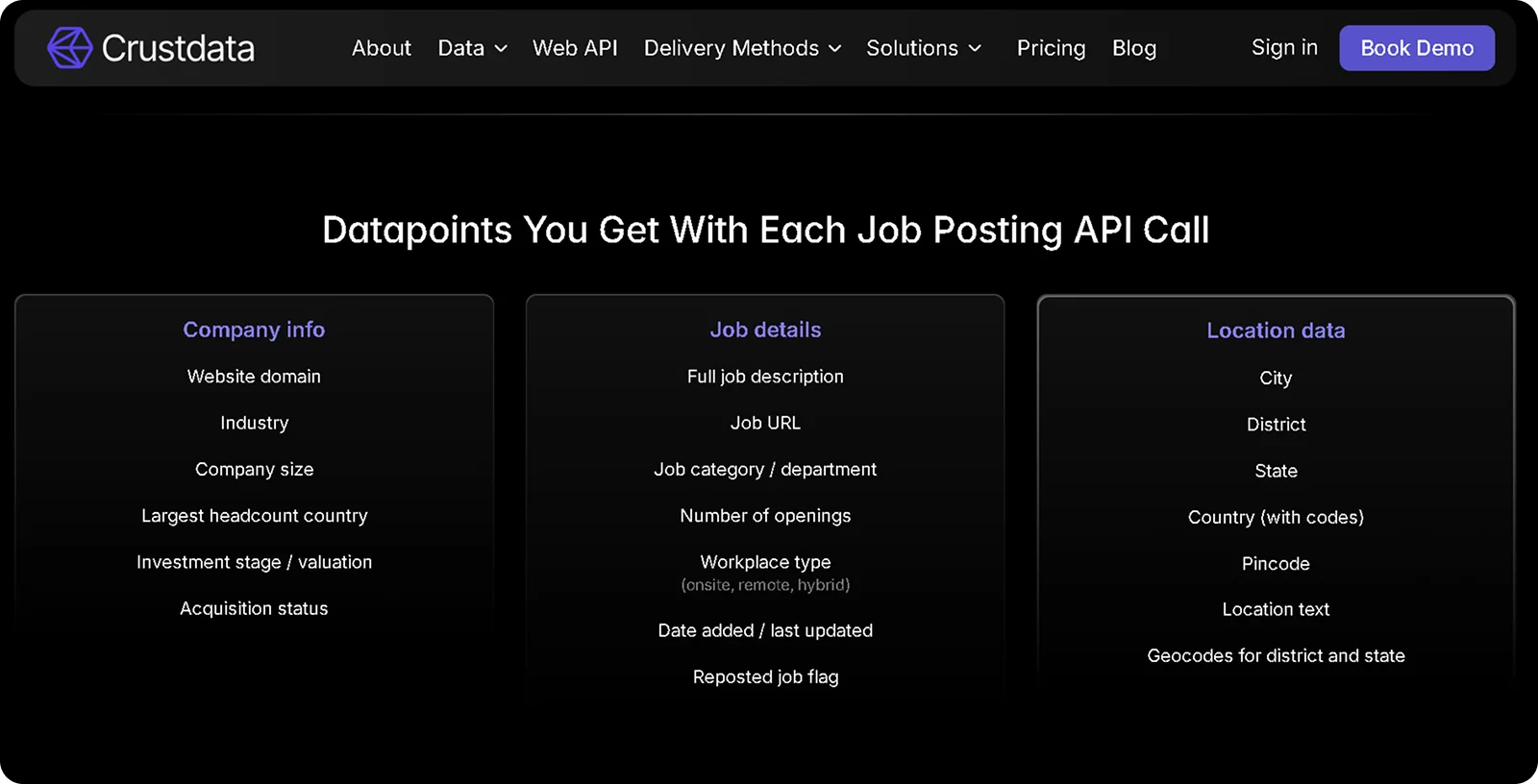
For example, Crustdata offers a job posting data API that delivers structured, real-time job data with 30+ datapoints per listing, including full job descriptions, job category, workplace type, and company context such as funding stage, headcount, and acquisition status.
The platform also tracks historical job volume trends, showing how many openings a company has had over time, which makes it useful for spotting hiring spikes tied to funding events or product launches.
Other providers specialize in historical expired listings. Coresignal, for instance, stores job posting records covering both active and expired listings sourced from Indeed, Glassdoor, Wellfound, and other major boards.
2. Internet Archive (Wayback Machine)
The Wayback Machine archives saved copies of websites over time. If a company's career page was crawled before a listing expired, you may find a dated copy containing the full posting.
To use it, go to web.archive.org, enter the company's careers page URL, such as companyname.com/careers, and browse the calendar to select a date. Click through to see which roles were live at that time.
Limitation: Coverage depends entirely on whether the page was crawled. Many career pages are not captured consistently, and pages behind login walls or ATS systems will not appear.
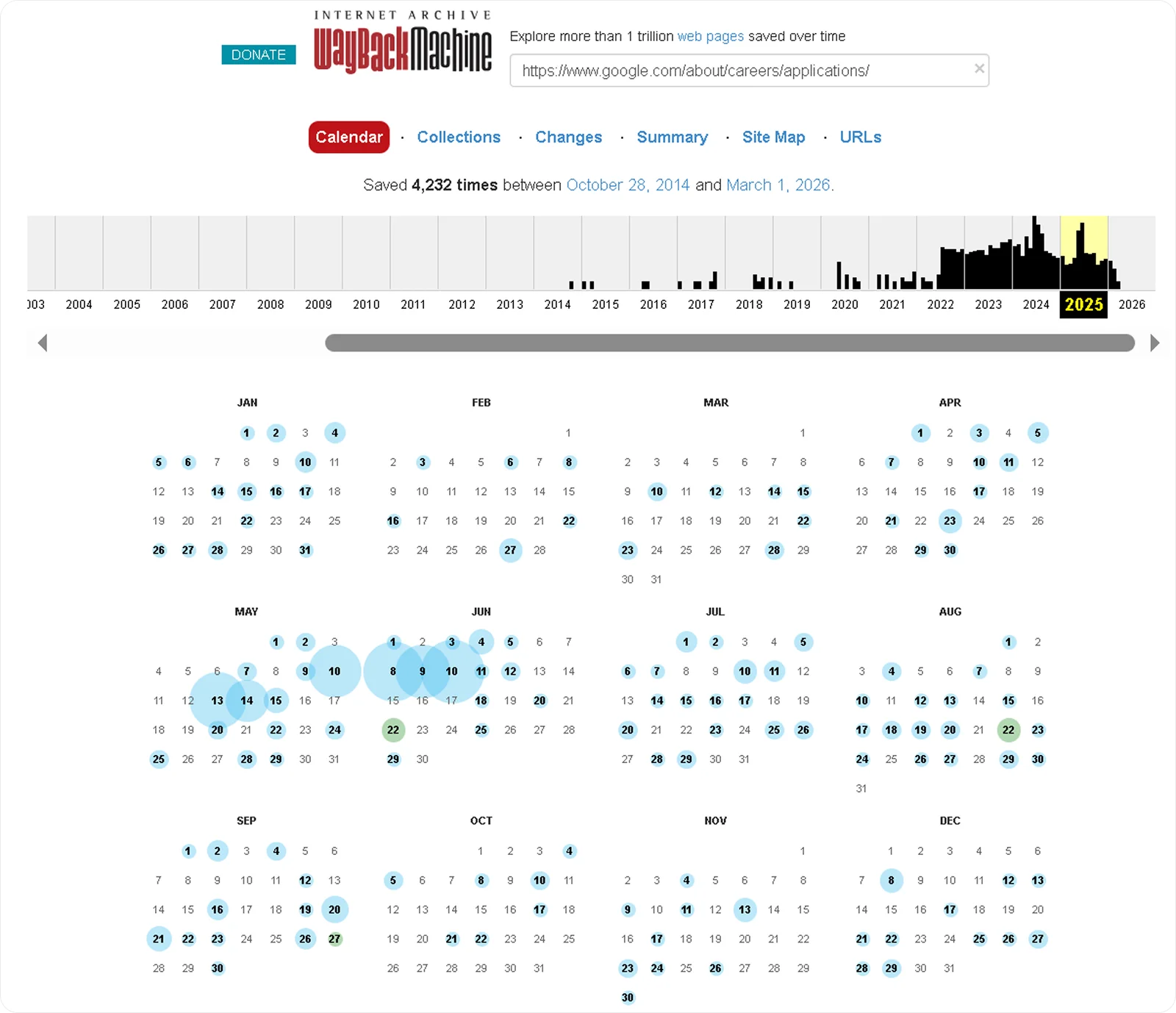
Note: This is from Google's careers page on the Wayback Machine. Smaller company career pages may have fewer or no archived copies.
3. Cached Search Results
Google sometimes indexes job postings before they are removed. Searching site:companyname.com "job title" or "company name" "role title" 2023 can surface cached or indexed fragments of expired listings.
Limitation: Cached pages disappear within days of the original being removed. This works only for very recently expired postings and returns incomplete results in most cases.
4. Company Career Page Archives
Some companies keep a visible archive of past openings under sections like "closed positions" or "past roles." This is worth checking on the careers page directly before trying other methods.
Limitation: Most companies remove expired listings immediately to keep career pages current. Do not rely on this as a primary method.
5. Job Board Date Filters
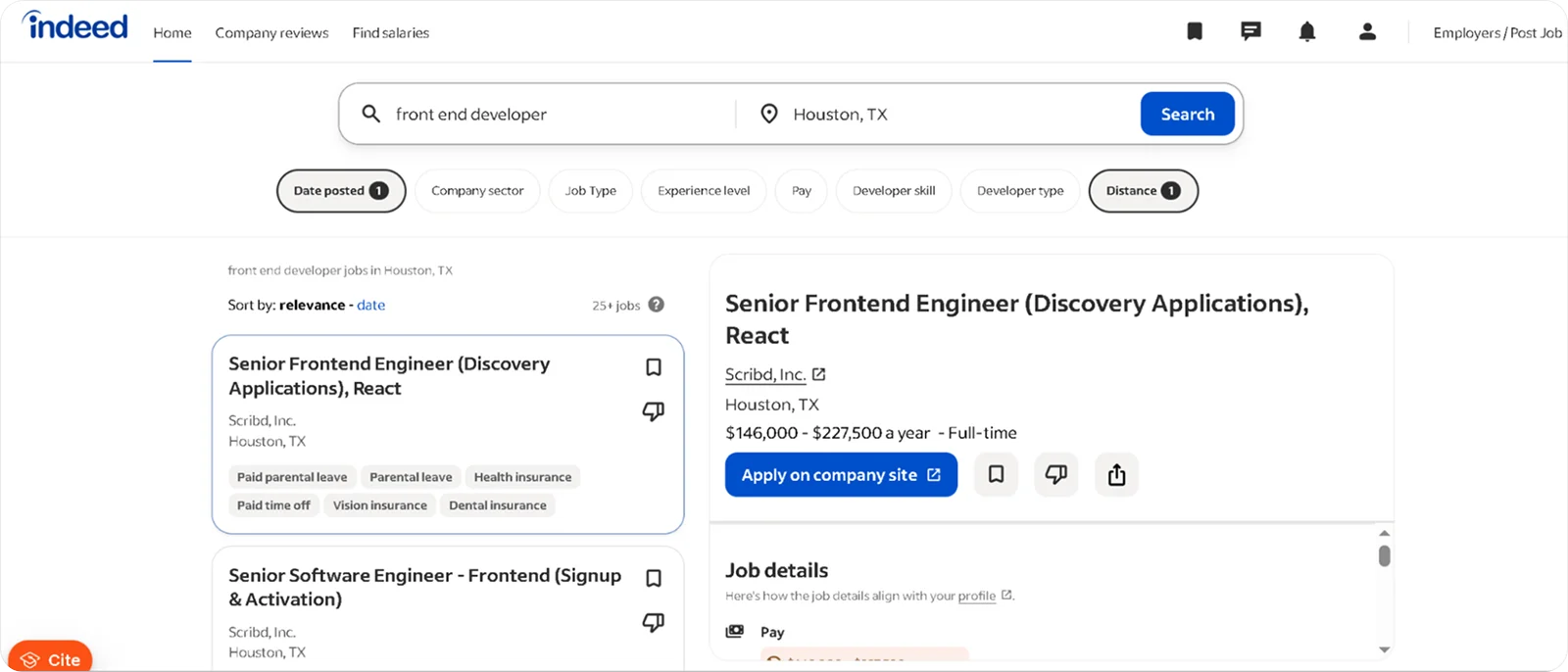
Job boards let you filter search results by posting date, which can surface listings that are close to expiry or recently removed from active search. The window varies by platform:
Indeed: Filters date up to 14 days. Use the "Date Posted" filter and select "Last 14 days" or a specific date range
Glassdoor: Filters by "Last 24 hours," "Last 3 days," "Last 7 days," and "Last 30 days"
Monster: Allows filtering by date posted, with options ranging from 24 hours to 30 days
ZipRecruiter: Offers date filters from 24 hours up to 30 days
Limitation: This only catches listings close to or just past their expiry window. Once a platform fully purges a listing, no date filter will surface it.
6. Advanced Google Search
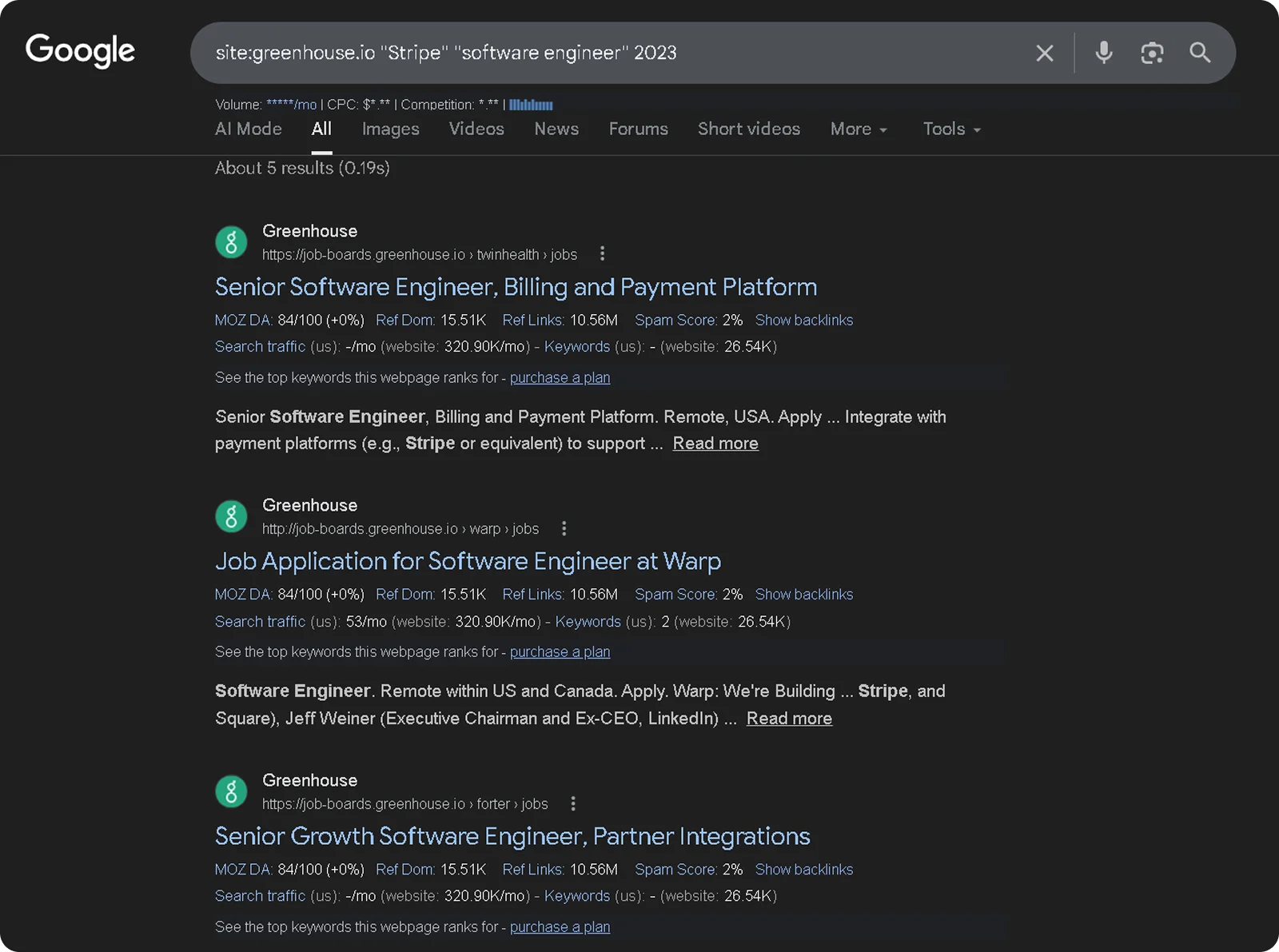
Google's search operators can surface expired job listings still in its index. Useful queries include:
site:greenhouse.io "company name" "job title" for roles posted via Greenhouse ATS
"company name" "we are hiring" "job title" 2022..2023 to narrow by year range
cache:companyname.com/careers to retrieve Google's most recent cached version of a career page
Limitation: Results are inconsistent and deteriorate quickly as Google drops cached versions of removed pages.
What to Look for in Job Posting Data
The most useful signals in a job posting are the ones that reveal company direction, not just the open role. Here is what to focus on when analyzing job posting data, whether historical or real-time:
Job title and seniority level: A company hiring a VP of Sales signals strategic intent and budget commitment. Ten entry-level SDR hires in the same quarter signal volume growth. The seniority mix across a batch of postings tells you more than any single listing.
Required technologies: Tools listed in job descriptions reveal the company's current stack and its direction. A company that listed Salesforce in every sales role three years ago but now lists HubSpot has made a deliberate platform shift, and that shift is a sales signal for competing or adjacent tools.
Location of the posting: A company that has only ever hired in San Francisco suddenly posting roles in London and Singapore is expanding geographically. That expansion usually comes with new vendor relationships, new infrastructure needs, and new buying decisions.
Reposted or open for a long time: A role that has been reposted multiple times signals either high turnover in that function or difficulty filling a strategic position. Both are worth knowing before you reach out.
Date range relative to other company events: A hiring spike that aligns with a funding announcement or a product launch is not a coincidence. Correlating posting dates with funding data and headcount changes gives you a much richer picture of what actually triggered the growth.
How Teams Use Job Posting Data
Job posting data means different things depending on what you are trying to do with it. These use cases apply whether you are working with historical listings to spot past patterns or monitoring live postings to act on signals as they emerge.
Identifying Companies Scaling Specific Departments
A company that posted three sales roles in January and twelve in March is not just hiring. It is signaling a GTM push that usually comes with new tool evaluations and new budget. Filtering by job title, category, and number of openings lets you catch that inflection point before decisions are locked in.
For SDR teams, a sudden hiring spike at a company that has been flat for six months is a stronger signal than a single open role. Pair that with a recent funding announcement and you have a warm account most competitors have not identified yet.
For recruiters, a company posting ten SDR roles simultaneously is likely struggling to fill them fast enough. That is an opening to pitch sourcing support before they expand their agency roster. For investors, a rapid build-out in engineering after a Series A signals execution speed, not just headcount growth.
Tracking Companies Entering New Markets
A company that has only ever hired in New York posting roles in London and Singapore is making a geographic bet. That move usually comes with new infrastructure needs, new compliance requirements, and new vendor evaluations in those markets.
Sales teams can reach those companies before they have established local vendor relationships. The conversation shifts from "why should we switch?" to "who should we work with?" and that is a materially easier conversation to have.
For investors, geographic expansion hiring is one of the more reliable signals that a company is actively deploying its last round, which is useful for tracking portfolio momentum before it becomes public
Finding Companies Hiring for Remote-First Roles
The workplace type filter does more than identify remote jobs. It identifies companies making a structural decision about how they build teams, which has downstream implications for the tools they buy, the candidates they compete for, and the markets they can access.
A company that shifts from hybrid to fully remote is expanding its hiring pool globally, which often means new HR tech, new payroll infrastructure, and new collaboration tools. For sales teams targeting those categories, the remote-first hiring signal is an earlier and more specific trigger than a general "company is growing" alert.
Catching Early Team Formation Signals
A posting for a "Founding Product Designer" or "First Sales Hire" is live for a matter of days on most job boards before it fills or disappears. For investors, it surfaces startups assembling their first teams before a funding round is public, which is the earliest possible signal of company formation.
For sales teams, a company hiring its first dedicated function is making foundational software decisions. The CRM a first sales hire picks, the data tool a first marketer chooses, and the development environment a first engineering team adopts are all decisions that are significantly harder to displace later.
Reaching those companies during the hiring phase is not just good timing. It is the difference between being the default and fighting an incumbent.
How Crustdata's Job Listing API Powers Real-Time Job Intelligence
Most job data tools show you what companies hired for in the past. Crustdata shows you what is happening right now, and alerts you the moment it matters.
The Job Listing API delivers structured job data with 30+ datapoints per listing, including full job descriptions, job category, number of openings, workplace type, and company context such as funding stage, headcount, and acquisition status, all returned in a single API call.
ith 35 search filters, you can query by job title, category, location, workplace type, department, and company attributes without any post-processing on your end.
With Crustdata, your team can:
Query real-time job listings with 30+ datapoints per listing including full descriptions, job category, openings count, workplace type, and company context in a single API call
Filter across 35 search parameters including job title, location, workplace type, department, and company attributes to surface exactly the companies you need
Monitor target companies for new job postings via the Watcher API, which sends webhook alerts the moment a relevant role goes live rather than requiring scheduled polling
Track historical job volume trends at the company level to spot hiring spikes that correlate with funding rounds or product launches
Surface roles posted directly on company career pages that never appear on major job boards via the Web Search API
Here is what a basic API call looks like to pull job openings and recent news for a specific company:
curl 'https://api.crustdata.com/screener/company?company_domain=hubspot.com&fields=job_openings,news_articles' \
--header 'Authorization: Token $token' \
--header 'Accept: application/json'
This returns structured job data alongside company news in a single response, giving you the hiring signal and the broader company context in one call.
json
{
"job_openings": {
"job_openings_title": [
"Senior Account Executive",
"Enterprise Sales Manager",
"Product Marketing Manager"
],
"job_openings_count": 47,
"job_openings_count_mom_pct": 12.5,
"job_openings_count_qoq_pct": 8.3,
"job_openings_sales_qoq_pct": 22.1,
"job_openings_engineering_qoq_pct": 5.4
},
"news_articles": [
{
"title": "HubSpot Expands AI Features Across CRM Platform",
"article_link": "https://techcrunch.com/...",
"publisher_name": "TechCrunch",
"date_published": "2026-02-18",
"one_line_description": "HubSpot announces new AI-powered tools for sales and marketing automation."
}
]
}
Ready to see how real-time job signals can sharpen your outreach, recruiting, or investment workflow?
Book a demo to get started.
Frequently Asked Questions
Can you find deleted job postings on job boards?
Not directly. Once a posting is taken down, the only way to access it is through a third-party provider that captures listings before they disappear. Revelio Labs, for instance, stores over 4.1 billion current and historic job postings from 6.6 million companies, queryable by company, date range, and keyword.
What is the difference between active and expired job postings?
Active job postings are currently live on a job board and accepting applications. Expired postings have been removed, either because the role was filled, hiring was paused, or the listing hit its platform time limit. The data inside an expired posting, including the job description, required skills, and posting date, is only accessible through providers that captured it before removal.
How do you do market intelligence in recruitment?
Recruitment market intelligence means using external data to understand hiring trends, talent availability, and competitor activity before making sourcing decisions. Job posting data is one of the most reliable inputs: it shows which roles companies are filling, how fast specific functions are growing, and which skills and technologies teams are being built around.
Combining historical posting data with real-time signals gives recruiters a fuller picture of where the market is moving, not just where it has been.
How do I find a deleted job posting on Indeed?
Indeed does not maintain an archive of removed listings. Once a posting expires or is taken down, it is no longer accessible through the platform directly. Your best options are checking Google's cached results if the listing was removed recently, or using a job data provider that crawls and stores Indeed listings before they disappear.
How do I find job records for a previous employer?
Start with the company's career page and check if they maintain an archive of past roles. If not, the Wayback Machine at web.archive.org may have captured snapshots of the page when the listing was live. For structured historical records across multiple companies, a job data provider is the most reliable source.


Products
Popular Use Cases
Competitor Comparisons
95 Third Street, 2nd Floor, San Francisco,
California 94103, United States of America
© 2026 Crustdata Inc.
Products
Popular Use Cases
Competitor Comparisons
95 Third Street, 2nd Floor, San Francisco,
California 94103, United States of America
© 2026 CrustData Inc.
Products
Popular Use Cases
Competitor Comparisons
95 Third Street, 2nd Floor, San Francisco,
California 94103, United States of America
© 2026 Crustdata Inc.
🎉 We hit $10M ARR!
$600k to $10m in 1.5 years. Our entire GTM is powered by our own APIs.
🎉 We hit $10M ARR in 1.5 years!
