How to Build Customer Success Intelligence Workflows with Claude
Build customer success intelligence workflows that detect champion departures, refresh account context before renewals, and surface expansion signals from headcount, funding, and web traffic data.
Published
Written by
Manmohit Grewal
Reviewed by
Nithish
Read time
7
minutes
When a customer champion leaves, there is a 51% chance that account churns within the next 12 months. CS platforms track product usage, support tickets, and NPS, but I like to call these lagging indicators, although usually, NPS, churn rate etc are called lagging indicators in CS.
The reason is that there are signals that predict churn faster. Your champion accepting a new role, a reorganization that shifts budget authority, or a funding round that changes expansion appetite are all publicly available signals that most CS teams either catch late or miss entirely. These are leading indicators in customer success, in my opinion, of course.
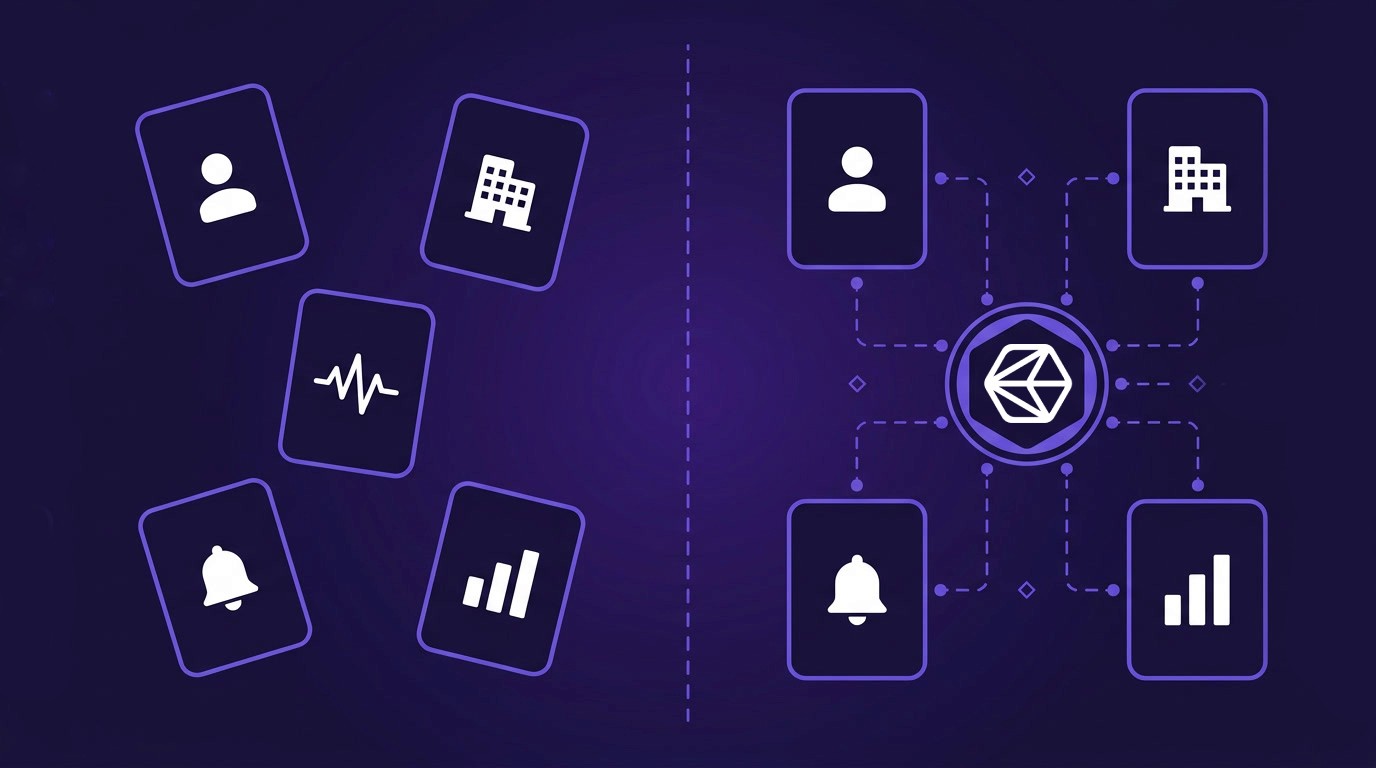
This article shows how to build four customer success intelligence workflows based on what we've heard on our sales calls, that catch those signals before they show up as engagement drops, starting with contact data accuracy (because every other workflow depends on it), then champion departure alerts, pre-renewal account intelligence, and expansion signal detection from headcount growth, funding events, and web traffic changes.
You can build these workflows with a Claude Code agent with Crustdata's MCP server configured (the low-code path) or through direct API calls for teams that prefer to write the orchestration themselves. Both paths hit the same data.
The post-sale signals that predict churn before the renewal conversation
CS platforms are built around behavioral telemetry including login frequency, feature adoption, support ticket sentiment, and NPS responses. These signals measure engagement, but they trail the events that actually cause churn. By the time product usage drops, the underlying cause happened weeks or months earlier.
The signals that predict account risk fastest tend to fall into three groups.
Champion and stakeholder departures
When a champion leaves a customer account, the relationship that held the deal together leaves with them. Their replacement probably won't have the same product familiarity, and they may prefer a competitor or deprioritize the category entirely.
One enterprise cybersecurity company tracks six to seven persona levels per account (from the VP level through two reporting layers) because the risk extends well beyond a single champion. CS teams that act on a champion change within 48 hours are 33% more likely to retain the account, but manual monitoring through social feeds cannot consistently hit that window across hundreds of accounts.
Teams we spoke with described the same pattern: the departure only surfaces during a renewal conversation, weeks or months after the person left.
Org chart and reporting line changes
A champion's departure is the most visible signal, but subtler org chart movements carry risk too. A new VP above your sponsor could consolidate vendors, and a reorganization that moves your buyer's team under a cost center with different priorities changes the budget dynamics entirely.
One CS platform builder asked specifically for "hierarchical data on what position and where do they line that tree" so their CSMs could map the decision-making structure around each account. Another described customers asking whether "a big reorg" or "a new C-suite coming in" represented an expansion opportunity or a renewal risk they should get ahead of.
Company-level growth and contraction signals
Funding rounds, layoffs, executive social activity, hiring velocity, and web traffic shifts all change the context around a customer account. A customer that just raised a Series C is probably ready to expand. A customer whose web traffic dropped 40% in a quarter is likely contracting. And a surge in open engineering job postings suggests the team is growing past its current contract size. These signals are publicly available but scattered across news sources, job boards, and social feeds, and few CS platforms aggregate them into the account record.
Start by verifying your contact data is up to date
Before setting up champion alerts or account refreshes, verify that the contacts in your CRM are still at the companies listed. Four separate teams we spoke with described contact data decay as their primary data quality problem.
Why this is the first workflow
A CS platform builder found that their enrichment provider still listed founding-team members as employees months after they had left, which meant every alert and org chart built on that data started with wrong inputs. Other teams described the same problem in different forms, from enrichment tools requiring manual re-verification of employment to social network data flowing into CRMs inaccurately.
If your contact data is wrong, every downstream workflow inherits the error. Champion departure alerts fire on people who left months ago, and the headcount numbers you compare against contract seats won't reflect the actual team size.
How to run a contact verification pass
With a Claude Code agent with Crustdata's MCP server installed, the process is a single prompt:
Here is my customer contact list [paste CSV or file path with name,
company, and profile URL columns]. For each contact, verify whether
they still work at the listed company. Flag any contacts whose
employer has changed, and include their new employer and title
Here is my customer contact list [paste CSV or file path with name,
company, and profile URL columns]. For each contact, verify whether
they still work at the listed company. Flag any contacts whose
employer has changed, and include their new employer and title
Here is my customer contact list [paste CSV or file path with name,
company, and profile URL columns]. For each contact, verify whether
they still work at the listed company. Flag any contacts whose
employer has changed, and include their new employer and title
The MCP server checks each contact against Crustdata's people database, which aggregates data from multiple sources and updates continuously. Contacts whose employer no longer matches get flagged with their new company and title, so your team can decide whether to update the record, remove the contact, or follow up.
Run this before any other workflow. For teams with clean data, once a quarter is sufficient. For teams that have not validated contacts in more than six months, run it now.
Get alerted when champions and stakeholders change jobs
Account enrichment tells you who works where when you ask. Continuous monitoring tells you the moment something changes, which is what makes it more useful for catching departures before the renewal conversation.
Identify who to watch
Most teams start with the primary buyer, the day-to-day power user, and the executive sponsor per account. One cybersecurity company takes it further, tracking six to seven persona levels at each account (from the VP level through two reporting layers) because departures at any level shift account dynamics. For a mid-market book of 50 accounts with three to five key contacts each, that means 150 to 250 people to monitor.
Export the contacts you want to watch from your CRM, including their profile URLs. These are the people whose departure would put the account at risk.
Set up monitoring
With Claude Code and Crustdata's MCP server:
Create a people watcher for these contacts: [list of profile URLs].
Set the webhook URL to https://your-app.com/webhooks/champion-change.
Monitor for employer_change events. Set frequency to daily
Create a people watcher for these contacts: [list of profile URLs].
Set the webhook URL to https://your-app.com/webhooks/champion-change.
Monitor for employer_change events. Set frequency to daily
Create a people watcher for these contacts: [list of profile URLs].
Set the webhook URL to https://your-app.com/webhooks/champion-change.
Monitor for employer_change events. Set frequency to daily
The Crustdata Watcher checks each contact daily and fires a webhook when any of them change employers, get promoted, update their headline, or post publicly. You choose which event types to monitor. For teams using the API directly, the equivalent is a POST to the Watcher endpoint with the person profile updates event type. (Full API setup is in the technical section below.)
Route the alert to the right response
Different changes warrant different responses, and the routing destination depends on your stack. The teams we spoke with described three distinct patterns.
The cybersecurity company routes alerts into their CRM and ABM campaign workflows. When a champion leaves a customer account, the CSM gets a high-priority task to identify a replacement contact within 48 hours. When a new senior executive joins a customer account, they create a new contact record and add them to a nurture sequence.
A revenue recovery platform uses the same alert for a different purpose. When a closed-lost contact who gave positive feedback changes jobs, the team gets a notification with the original deal feedback attached, so they can re-engage at the new company with the right context.
CS platform builders route alerts directly into their product. One company whose customers manage 50,000 to 100,000 accounts surfaces champion departures and new executive joins as in-app signals, so CSMs can assess whether each change is a renewal risk or an expansion opportunity.
What matters in each case is that the alert reaches someone who can act on it, inside the tool they already use, with enough context to skip the research step.
Keep the watch list up to date
As accounts add new stakeholders from the enrichment workflow or as contacts leave, update the watcher. A quarterly refresh ensures the monitored list matches reality. The contact verification workflow feeds directly into this one, because verifying that contacts are still employed also surfaces new contacts who should be watched.
Refresh account intelligence before every renewal
Champion monitoring is event-driven, triggered when someone changes jobs. Account intelligence refreshes are periodic, timed to your renewal or QBR cadence.
What to pull for each account
Before a QBR or renewal conversation, a CSM needs to know what changed at the account since the last touchpoint.
Org chart changes. Who joined in a leadership role? Who left? Did the reporting structure around your sponsor shift? One CS platform builder asked for "hierarchical data on what position and where do they line that tree" so CSMs could map the decision-making structure and spot gaps in their coverage. Another company using a third-party org-design tool described being "not too happy with it" because the data underneath was always out of date.
Company-level context. Has the company raised funding? Are they hiring aggressively or contracting? What is their web traffic doing? A funding announcement could mean loosened budgets, while a drop in hiring velocity or web traffic might signal a shift in priorities.
Stakeholder mapping. Who at the account, beyond your existing contacts, holds a title and seniority that suggests they could influence the renewal? Compare the enrichment results against your CRM's contact list to find executives you have not met, recent hires above your champion, or peers in adjacent departments.
With Claude Code and Crustdata's MCP server:
Enrich the company at domain "acme-corp.com" and include headcount,
funding_and_investment, job_openings, news_articles, web_traffic,
and decision_makers fields
Enrich the company at domain "acme-corp.com" and include headcount,
funding_and_investment, job_openings, news_articles, web_traffic,
and decision_makers fields
Enrich the company at domain "acme-corp.com" and include headcount,
funding_and_investment, job_openings, news_articles, web_traffic,
and decision_makers fields
Then:
Search for people currently employed at acme-corp.com with seniority
VP, Director, or CXO. Return their title, department, and time in role
Search for people currently employed at acme-corp.com with seniority
VP, Director, or CXO. Return their title, department, and time in role
Search for people currently employed at acme-corp.com with seniority
VP, Director, or CXO. Return their title, department, and time in role
The first prompt returns company-level context including headcount by function, funding history, recent news, web traffic trends, and open roles. The second returns the stakeholder map. Two queries, and your CSM walks into the renewal meeting knowing what changed since the last one.
When to run it
Teams we spoke with described two distinct cadences. Champion departures need near-real-time detection (the watcher workflow handles this). Account-level signals like headcount trends and funding events can lag by a month because expansion conversations happen on quarterly cycles. Match the enrichment cadence to how your team acts on the data.
For teams with more than 100 customer accounts, run the enrichment as a monthly batch against your full customer list. The output per account is a structured account intelligence brief your CSM can review before any renewal or QBR.
Detect expansion opportunities from company growth signals
While champion departure alerts protect existing revenue, company growth signals surface expansion opportunities. When a customer's team grows beyond their contract size, raises funding, or sees a surge in web traffic, those are triggers for expansion conversations, and the data is available through the same enrichment APIs.
Department headcount vs. contract seats
One cybersecurity company described this workflow precisely: "If we identify the developer persona and we get to know that company X instead of 1,000 developers has moved to 1,400 developers, so we know we need to start going and having a conversation for a 30% at least more upsells." Their product was priced by developer seat count, so engineering headcount growth directly mapped to contract expansion.
The key is tracking department-level headcount because total company growth does not necessarily mean the department you serve expanded. A company that grew from 500 to 700 total employees while keeping their engineering team at 200 is not an expansion signal for a developer-tool product. The enrichment API returns headcount broken down by function, so you can compare the relevant department against the contracted seat count.
Funding events as budget signals
A customer that raises a new round often has loosened budget constraints within one to two quarters. That funding event is a trigger for an expansion conversation because the budget objection that previously blocked expansion may no longer apply. Set up a company funding watcher to get alerted when any customer account announces a round:
Create a company watcher for these domains: [customer domain list].
Monitor for funding milestones. Set the webhook URL to
https://your-app.com/webhooks/expansion-signals.
Create a company watcher for these domains: [customer domain list].
Monitor for funding milestones. Set the webhook URL to
https://your-app.com/webhooks/expansion-signals.
Create a company watcher for these domains: [customer domain list].
Monitor for funding milestones. Set the webhook URL to
https://your-app.com/webhooks/expansion-signals.
Web traffic, hiring velocity, and social activity
Beyond headcount and funding, three other signals are worth monitoring on a monthly cadence.
Web traffic changes. A sustained increase in web traffic tends to track with business growth that eventually requires more product capacity. A sustained decrease is worth investigating before the renewal conversation, because it usually points to contraction.
Hiring velocity. A surge in open job postings in the department you serve suggests the team is growing and may need additional licenses or seats. The enrichment API returns open job postings, which you can compare against a previous month's baseline to detect changes.
Executive social activity. Leadership posts about new initiatives, product launches, or expansion plans often preview changes that will affect your contract. The Watcher API can monitor specific executives for public posting activity, giving your CSM early visibility into strategic shifts at the account.
Combine these signals into a monthly expansion review. Pull company enrichment data for every customer account, compare headcount and hiring against contract seats, flag funding events, and surface web traffic trends. Accounts where multiple signals point upward are your highest-priority expansion conversations.
For teams building their own pipelines
The workflows above use Claude Code and Crustdata's MCP server, which handles API calls and data parsing behind natural-language prompts. For teams that want to build the orchestration directly, either because you are integrating into an existing platform (like the CS platform builders we spoke with) or because you need more control over cadence and routing, here is the API path for each workflow.
All endpoints use token-based authentication (Authorization: Token $api_token). Full documentation is at Crustdata's API reference.
Enrich a customer account
The Company Enrichment API returns headcount by function, funding history, web traffic, job openings, news, and leadership data in a single call.
import requests

response = requests.get(
    "https://api.crustdata.com/screener/company",
    params={
        "company_domain": "acme-corp.com",
        "fields": "headcount,funding_and_investment,job_openings,"
                  "news_articles,web_traffic,decision_makers"
    },
    headers={"Authorization": "Token YOUR_API_TOKEN"}
)
company = response.json()
import requests

response = requests.get(
    "https://api.crustdata.com/screener/company",
    params={
        "company_domain": "acme-corp.com",
        "fields": "headcount,funding_and_investment,job_openings,"
                  "news_articles,web_traffic,decision_makers"
    },
    headers={"Authorization": "Token YOUR_API_TOKEN"}
)
company = response.json()
import requests

response = requests.get(
    "https://api.crustdata.com/screener/company",
    params={
        "company_domain": "acme-corp.com",
        "fields": "headcount,funding_and_investment,job_openings,"
                  "news_articles,web_traffic,decision_makers"
    },
    headers={"Authorization": "Token YOUR_API_TOKEN"}
)
company = response.json()
The response includes employee_metrics.latest_count, headcount broken down by function, crunchbase_total_investment_usd, last_funding_round_type, news_articles, web_traffic, job_openings, and decision_makers with titles and seniority. One call per account gives your system the full company-level context.
To enrich multiple accounts in a batch (up to 25 per request), pass comma-separated domains in the company_domain parameter. For companies not yet in the database or when you need the freshest possible data, add enrich_realtime=true (5 credits per company instead of 1).
Set up a champion change watcher
The Watcher API monitors contacts for employer changes and fires a webhook when a change is detected.
response = requests.post(
    "https://api.crustdata.com/watcher/watches",
    json={
        "event_type_slug": "person-profile-updates",
        "event_filters": [
            {
                "filter_type": "PROFILE_URL",
                "type": "in",
                "value": [
                    "https://www.example.com/in/champion-1/",
                    "https://www.example.com/in/champion-2/"
                ]
            },
            {
                "filter_type": "FIELDS_TO_TRACK",
                "type": "in",
                "value": ["employer_change", "headline"]
            }
        ],
        "notification_endpoint": "https://your-app.com/webhooks/champion-change",
        "frequency": 1,
        "expiration_date": "2027-01-01"
    },
    headers={
        "Authorization": "Token YOUR_API_TOKEN",
        "Content-Type": "application/json"
    }
)
response = requests.post(
    "https://api.crustdata.com/watcher/watches",
    json={
        "event_type_slug": "person-profile-updates",
        "event_filters": [
            {
                "filter_type": "PROFILE_URL",
                "type": "in",
                "value": [
                    "https://www.example.com/in/champion-1/",
                    "https://www.example.com/in/champion-2/"
                ]
            },
            {
                "filter_type": "FIELDS_TO_TRACK",
                "type": "in",
                "value": ["employer_change", "headline"]
            }
        ],
        "notification_endpoint": "https://your-app.com/webhooks/champion-change",
        "frequency": 1,
        "expiration_date": "2027-01-01"
    },
    headers={
        "Authorization": "Token YOUR_API_TOKEN",
        "Content-Type": "application/json"
    }
)
response = requests.post(
    "https://api.crustdata.com/watcher/watches",
    json={
        "event_type_slug": "person-profile-updates",
        "event_filters": [
            {
                "filter_type": "PROFILE_URL",
                "type": "in",
                "value": [
                    "https://www.example.com/in/champion-1/",
                    "https://www.example.com/in/champion-2/"
                ]
            },
            {
                "filter_type": "FIELDS_TO_TRACK",
                "type": "in",
                "value": ["employer_change", "headline"]
            }
        ],
        "notification_endpoint": "https://your-app.com/webhooks/champion-change",
        "frequency": 1,
        "expiration_date": "2027-01-01"
    },
    headers={
        "Authorization": "Token YOUR_API_TOKEN",
        "Content-Type": "application/json"
    }
)
The frequency parameter sets how often the watcher checks (minimum 1 day). The webhook payload includes the person's updated profile data, so your handler can compare the new employer against your customer domain list and route accordingly.
For funding event monitoring on customer accounts, use the company-watch-funding-milestones event type with COMPANY_DOMAIN as the filter. For headcount growth alerts, use the company-headcount-growth slug. Each watcher type fires independently, so you can set different webhook endpoints for champion changes, funding events, and growth signals.
Detect headcount growth as an expansion trigger
Run a monthly batch enrichment across your customer list and compare department headcount against contracted seats.
for customer in customer_list:
    response = requests.get(
        "https://api.crustdata.com/screener/company",
        params={
            "company_domain": customer["domain"],
            "fields": "headcount"
        },
        headers={"Authorization": "Token YOUR_API_TOKEN"}
    )
    data = response.json()

    current_headcount = data["employee_metrics"]["latest_count"]
    growth_6m = data["employee_metrics"]["growth_6m_percent"]
    contracted_seats = customer["contracted_seats"]

    if current_headcount > contracted_seats * 1.2 or growth_6m > 20:
        flag_expansion_opportunity(
            account=customer["name"],
            current_headcount=current_headcount,
            contracted_seats=contracted_seats,
            growth_rate=growth_6m
        )
for customer in customer_list:
    response = requests.get(
        "https://api.crustdata.com/screener/company",
        params={
            "company_domain": customer["domain"],
            "fields": "headcount"
        },
        headers={"Authorization": "Token YOUR_API_TOKEN"}
    )
    data = response.json()

    current_headcount = data["employee_metrics"]["latest_count"]
    growth_6m = data["employee_metrics"]["growth_6m_percent"]
    contracted_seats = customer["contracted_seats"]

    if current_headcount > contracted_seats * 1.2 or growth_6m > 20:
        flag_expansion_opportunity(
            account=customer["name"],
            current_headcount=current_headcount,
            contracted_seats=contracted_seats,
            growth_rate=growth_6m
        )
for customer in customer_list:
    response = requests.get(
        "https://api.crustdata.com/screener/company",
        params={
            "company_domain": customer["domain"],
            "fields": "headcount"
        },
        headers={"Authorization": "Token YOUR_API_TOKEN"}
    )
    data = response.json()

    current_headcount = data["employee_metrics"]["latest_count"]
    growth_6m = data["employee_metrics"]["growth_6m_percent"]
    contracted_seats = customer["contracted_seats"]

    if current_headcount > contracted_seats * 1.2 or growth_6m > 20:
        flag_expansion_opportunity(
            account=customer["name"],
            current_headcount=current_headcount,
            contracted_seats=contracted_seats,
            growth_rate=growth_6m
        )
The enrichment response also includes headcount broken down by function and region. For seat-based pricing tied to a specific department (like the cybersecurity company tracking engineering headcount against developer seat contracts), filter the function-level breakdown to the relevant department before comparing against contracted seats.
What changes when CSMs have external signals
All four workflows follow the same pattern: pull external data about customer accounts, turn it into something a CSM can act on, and get it into the tool where they already work.
Contact verification takes the least effort and immediately shows you how much of your data has decayed, so start there. Once the contact list is clean, add champion monitoring. Pre-renewal enrichment works well as a monthly batch, and expansion signal detection fits once your team has a process for acting on what it surfaces.
These workflows feed each other. Clean contacts become the watcher list, watcher alerts trigger deeper account enrichment, and that enrichment surfaces the growth signals that start expansion conversations.
Book a demo to walk through the architecture with Crustdata's team, explore the customer success solution page for more on champion monitoring and account intelligence.



Products
Popular Use Cases
Competitor Comparisons
95 Third Street, 2nd Floor, San Francisco,
California 94103, United States of America
© 2026 Crustdata Inc.
Products
Popular Use Cases
Competitor Comparisons
95 Third Street, 2nd Floor, San Francisco,
California 94103, United States of America
© 2026 CrustData Inc.
Products
Popular Use Cases
Competitor Comparisons
95 Third Street, 2nd Floor, San Francisco,
California 94103, United States of America
© 2026 Crustdata Inc.
🎉 We hit $10M ARR!
$600k to $10m in 1.5 years. Our entire GTM is powered by our own APIs.
🎉 We hit $10M ARR in 1.5 years!
