How to Build a Recruiting Search That Normalizes Skills, Languages, Universities, and Ambiguous Company Entities
Learn how to build candidate search that handles 10 spellings of Python, duplicate universities, and ambiguous company names. Covers Claude + MCP and direct API paths.
Published
Written by
Chris Pisarski
Reviewed by
Manmohit Grewal
Read time
7
minutes
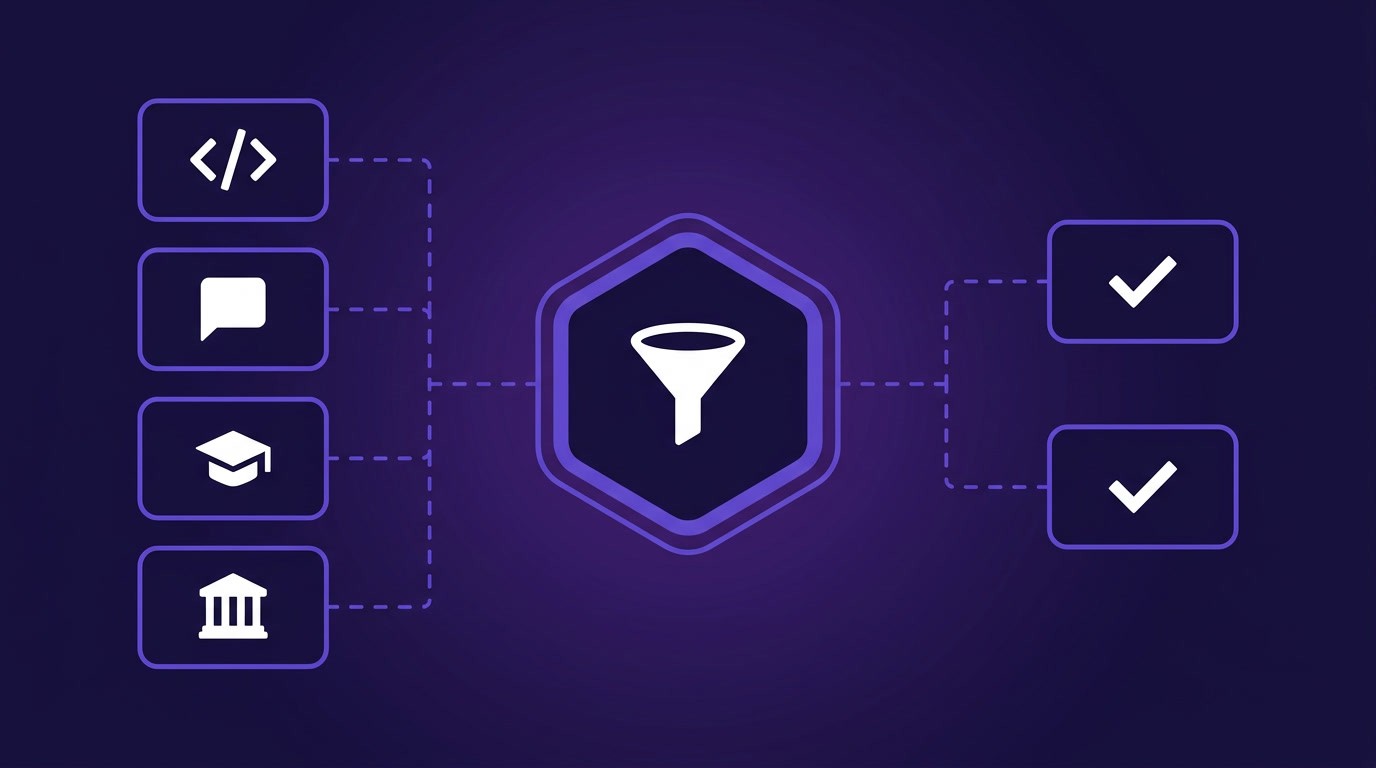
How to Build a Recruiting Search That Normalizes Skills, Languages, Universities, and Ambiguous Company Entities
Any recruiter or engineer building recruiting workflows on top of a people data API has run into normalization problems. People data APIs store field values exactly as candidates typed them, which means "Python" and "Python3" are two different filter values, "University of Texas at Austin" appears as five different strings, and "Nike" returns the sportswear company, a subsidiary in another country, and unrelated entities in Brazil. Normalization is one piece of the wider build we cover in how to build a custom candidate search engine.
For recruiters, this means searches miss people who match. One agency building an internal sourcing platform wanted their recruiters to search across 400 companies without typing 10 variations of each name. For the engineers building that search, it means duplicating every filter condition inside OR blocks, one per variant, with payloads that grow with every field.
This guide covers four normalization problems that break recruiting search, and two ways to solve them. The code examples use Crustdata's People Search API, but the patterns apply to any people data source with similar filter logic. If you have engineers, you can build the normalization logic directly against the API. If you don't, you can configure an MCP server in Claude Desktop and let the AI agent handle variant expansion, company disambiguation, and taxonomy mapping through natural language queries, with no code required.
Why Recruiting Search Normalization Matters
The root cause is that skills, languages, education institutions, and employer names are all self-reported. There's no canonical value enforced at the source, so the same concept appears in whatever form each candidate typed it.
This creates two problems. First, searches miss candidates who match because the filter catches only one spelling variant. Second, autocomplete dropdowns surface dozens of near-identical values, making it hard to select the right one. Both problems compound when a team merges internal ATS data with an external people data source, because now two taxonomies describe the same fields in different ways.
The normalization problem shows up in four fields more than any other, specifically skills, languages, education institutions, and company names, and each one requires a different approach.
Skills: When "Python" Is Stored Ten Different Ways
Skills fields in most people data APIs are case-sensitive and don't support fuzzy matching out of the box. An engineering lead at a recruiting platform noted that a skill like Python can be represented in at least 10 ways: "Python", "python", "PYTHON", "Python3", "Python 3", "Python (Programming Language)", "python programming", "Python/Django", "Python Developer", and others. Searching for one variant returns only candidates who listed that exact string.
Direct API path
The workaround is to build OR-filter conditions that cover all known variants. In a people search API with nested boolean logic, this means duplicating the skills filter inside an OR block:
{
 "op": "or",
 "conditions": [
 {"filter_type": "skills", "type": "(.) ", "value": "Python"},
 {"filter_type": "skills", "type": "(.) ", "value": "python"},
 {"filter_type": "skills", "type": "(.) ", "value": "Python3"},
 {"filter_type": "skills", "type": "(.) ", "value": "Python programming"}
 ]
}
{
 "op": "or",
 "conditions": [
 {"filter_type": "skills", "type": "(.) ", "value": "Python"},
 {"filter_type": "skills", "type": "(.) ", "value": "python"},
 {"filter_type": "skills", "type": "(.) ", "value": "Python3"},
 {"filter_type": "skills", "type": "(.) ", "value": "Python programming"}
 ]
}
{
 "op": "or",
 "conditions": [
 {"filter_type": "skills", "type": "(.) ", "value": "Python"},
 {"filter_type": "skills", "type": "(.) ", "value": "python"},
 {"filter_type": "skills", "type": "(.) ", "value": "Python3"},
 {"filter_type": "skills", "type": "(.) ", "value": "Python programming"}
 ]
}
The (.) operator enables fuzzy text search, allowing typos and flexible word order. This catches more variants than an exact-match in operator. For teams that want broader coverage, substring matching catches more, since filtering on "python" as a substring picks up "Python/Django" and "Python Developer" without explicitly listing them.
A more durable approach is to build and maintain a skills synonym map on the client side. When a recruiter types "Python", the application expands it to all known variants before sending the API request.
Some teams go further by extracting skills from experience descriptions using text analysis, catching candidates who used Python but never listed it as a named skill. A candidate matching product we spoke with runs keyword extraction against every experience summary, then matches extracted terms against a reference skills database. This approach catches candidates even when the skills array is empty.
Languages: When "Portuguese" Returns Thirty Different Values
Language fields follow the same pattern as skills. "Portuguese" appears in dozens of forms across candidate profiles: "Portuguese", "Brazilian Portuguese", "Português", "Portuguese (Brazil)", "Portuguese, European", and others. One recruiting platform ran into this directly when searching for one variant missed candidates who listed a different form of the same language.
Direct API path
The fastest workaround is a substring filter. If the people search API supports a contains or substring operator on the language field, filtering on the first four characters of a language name (e.g., "Port") catches all Portuguese variants in a single query, regardless of how the candidate described their proficiency.
If the API doesn't support substring matching on language fields, the fallback is the same OR-filter pattern used for skills, with the fuzzy (.) operator applied to each known variant:
{
 "op": "or",
 "conditions": [
 {"filter_type": "languages", "type": "(.) ", "value": "Portuguese"},
 {"filter_type": "languages", "type": "(.) ", "value": "Brazilian Portuguese"},
 {"filter_type": "languages", "type": "(.) ", "value": "Português"}
 ]
}
{
 "op": "or",
 "conditions": [
 {"filter_type": "languages", "type": "(.) ", "value": "Portuguese"},
 {"filter_type": "languages", "type": "(.) ", "value": "Brazilian Portuguese"},
 {"filter_type": "languages", "type": "(.) ", "value": "Português"}
 ]
}
{
 "op": "or",
 "conditions": [
 {"filter_type": "languages", "type": "(.) ", "value": "Portuguese"},
 {"filter_type": "languages", "type": "(.) ", "value": "Brazilian Portuguese"},
 {"filter_type": "languages", "type": "(.) ", "value": "Português"}
 ]
}
The fuzzy operator helps catch close matches, but it won't collapse "Portuguese" and "Brazilian Portuguese" into a single value automatically. For complete coverage, prefetch all language values that contain your target substring, then include every variant in the OR-filter. The pattern works for any language with localization variants: "Chinese" vs "Mandarin" vs "Simplified Chinese", or "Spanish" vs "Castilian" vs "Spanish (Latin America)".
For a more permanent solution, prefetch all language values from the autocomplete endpoint, build a canonical mapping (Portuguese -> [all 15 variants]), and store it locally. When a recruiter selects "Portuguese", the application automatically includes all mapped variants in the OR-filter condition. This mapping is a one-time build that covers all future searches.
Universities: One School, Five Spellings
Education institutions suffer from localization-driven duplication. "University of Texas at Austin" might appear as "UT Austin", "The University of Texas at Austin", "University of Texas, Austin", and a local-language variant. A team ingesting profiles from a bulk data provider found over a hundred different spellings for major universities, creating a data-cleaning problem they had to solve before their search worked properly.
Direct API path
The autocomplete endpoint for schools helps here. Querying it with a partial name returns all known variants:
curl 'https://api.crustdata.com/screener/linkedin_filter/autocomplete?filter_type=school&query=university+of+texas&count=20' \
 --header 'Authorization: Token $authToken'
curl 'https://api.crustdata.com/screener/linkedin_filter/autocomplete?filter_type=school&query=university+of+texas&count=20' \
 --header 'Authorization: Token $authToken'
curl 'https://api.crustdata.com/screener/linkedin_filter/autocomplete?filter_type=school&query=university+of+texas&count=20' \
 --header 'Authorization: Token $authToken'
The response returns all stored variants. Include them in an OR-filter condition for the education field, and the search catches graduates regardless of which form they used.
Companies: Why Searching "Nike" Returns the Wrong Entity
Company name disambiguation is the hardest normalization problem in recruiting search. Unlike skills or languages, where the issue is spelling variation, company names involve genuinely different entities.
Searching for "Nike" can return employees of Nike Inc. (the sportswear company), Nike Group (a subsidiary in a different country), and unrelated companies in Brazil or Eastern Europe that share the name. The same issue applies to common names like "Delta", "Amazon", or "Apex".
A sourcing platform team told us they couldn't reliably tell whether a user searching for "Nike" wanted the global sportswear company or a regional entity. Employee count and location could help disambiguate, but only if that data was available before the search ran.
Direct API path: the two-step disambiguation pattern
The solution is a two-step process. First, resolve the company name to its canonical identifier using a company identification endpoint. Then use that identifier, not the raw name, for all downstream people searches.
Step 1: Identify the company
Call the Company Identification endpoint with the raw name. This is a free call that consumes no credits:
curl -X POST 'https://api.crustdata.com/screener/identify' \
 --header 'Authorization: Token $authToken' \
 --header 'Content-Type: application/json' \
 --data '{
 "query_company_name": "Nike",
 "count": 5
 }'
curl -X POST 'https://api.crustdata.com/screener/identify' \
 --header 'Authorization: Token $authToken' \
 --header 'Content-Type: application/json' \
 --data '{
 "query_company_name": "Nike",
 "count": 5
 }'
curl -X POST 'https://api.crustdata.com/screener/identify' \
 --header 'Authorization: Token $authToken' \
 --header 'Content-Type: application/json' \
 --data '{
 "query_company_name": "Nike",
 "count": 5
 }'
The response returns an array of possible matches, each with a canonical company URL, employee count, revenue estimate, and domain. The best match appears first.
Step 2: Let the user pick (or pick automatically)
If you are building a product, surface the top matches in a dropdown so the recruiter can confirm which entity they mean. If you are automating, pick the match with the highest employee count or the one whose domain matches a known pattern.
Step 3: Search by canonical identifier
Once you have the right company, use its canonical URL in the people search filter instead of the raw company name. This eliminates false matches from entities with similar names:
{
 "op": "and",
 "conditions": [
 {"filter_type": "current_company_url", "type": "=", "value": "https://company-url-from-step-1"},
 {"filter_type": "title", "type": "(.) ", "value": "software engineer"}
 ]
}
{
 "op": "and",
 "conditions": [
 {"filter_type": "current_company_url", "type": "=", "value": "https://company-url-from-step-1"},
 {"filter_type": "title", "type": "(.) ", "value": "software engineer"}
 ]
}
{
 "op": "and",
 "conditions": [
 {"filter_type": "current_company_url", "type": "=", "value": "https://company-url-from-step-1"},
 {"filter_type": "title", "type": "(.) ", "value": "software engineer"}
 ]
}
This two-step pattern costs nothing extra, since the identification endpoint is free. When one team we spoke with learned the identification call was free, they committed to integrating it into their search flow that week.
The Claude + MCP Path: A Normalization Skill
The direct API patterns above work for engineers building search into a product. If you don't have engineers, or you want to search without writing code, you can use Claude Desktop or Claude Web with the Crustdata MCP server connected.
Claude with MCP can call the same endpoints, but it won't apply normalization logic on its own. It will pass your query through as-is, which means you get the same variant problems. To fix this, you configure a skill that tells Claude how to handle normalization before every search.
Here's a normalization skill you can paste into your Claude Desktop project instructions. Modify it to fit your workflow:
When searching for people using the Crustdata MCP server, apply these
normalization steps before running any people search:

SKILLS
Do not search for a skill as a single value. Think about how the same
skill might be listed by different candidates: version numbers (Python
vs Python3 vs Python 3), framework combinations (Python/Django,
Python/Flask), descriptor forms (Python Developer, Python Programming),
and common abbreviations. Include all plausible variants as separate
conditions in an OR block, using the fuzzy (.) operator for each one.

LANGUAGES
Do not search for a language as a single value. Include the base name,
common regional variants (Portuguese, Brazilian Portuguese, European
Portuguese), and the native-language spelling (Português). Place each
variant as a separate condition in an OR block using the fuzzy (.)
operator.

UNIVERSITIES
Before filtering by university, call the autocomplete endpoint with
filter_type=school and the university name the user provided. Use the
variants returned by the autocomplete endpoint in an OR condition for
the education field. Do not rely on the raw name the user typed.

COMPANIES
Before filtering by company name, call the Company Identification
endpoint with the company name. If multiple matches come back, present
the top results to the user and ask which entity they mean. Once
confirmed, use the canonical company URL in the search filter instead
of the raw company name. Never search by raw company name string
When searching for people using the Crustdata MCP server, apply these
normalization steps before running any people search:

SKILLS
Do not search for a skill as a single value. Think about how the same
skill might be listed by different candidates: version numbers (Python
vs Python3 vs Python 3), framework combinations (Python/Django,
Python/Flask), descriptor forms (Python Developer, Python Programming),
and common abbreviations. Include all plausible variants as separate
conditions in an OR block, using the fuzzy (.) operator for each one.

LANGUAGES
Do not search for a language as a single value. Include the base name,
common regional variants (Portuguese, Brazilian Portuguese, European
Portuguese), and the native-language spelling (Português). Place each
variant as a separate condition in an OR block using the fuzzy (.)
operator.

UNIVERSITIES
Before filtering by university, call the autocomplete endpoint with
filter_type=school and the university name the user provided. Use the
variants returned by the autocomplete endpoint in an OR condition for
the education field. Do not rely on the raw name the user typed.

COMPANIES
Before filtering by company name, call the Company Identification
endpoint with the company name. If multiple matches come back, present
the top results to the user and ask which entity they mean. Once
confirmed, use the canonical company URL in the search filter instead
of the raw company name. Never search by raw company name string
When searching for people using the Crustdata MCP server, apply these
normalization steps before running any people search:

SKILLS
Do not search for a skill as a single value. Think about how the same
skill might be listed by different candidates: version numbers (Python
vs Python3 vs Python 3), framework combinations (Python/Django,
Python/Flask), descriptor forms (Python Developer, Python Programming),
and common abbreviations. Include all plausible variants as separate
conditions in an OR block, using the fuzzy (.) operator for each one.

LANGUAGES
Do not search for a language as a single value. Include the base name,
common regional variants (Portuguese, Brazilian Portuguese, European
Portuguese), and the native-language spelling (Português). Place each
variant as a separate condition in an OR block using the fuzzy (.)
operator.

UNIVERSITIES
Before filtering by university, call the autocomplete endpoint with
filter_type=school and the university name the user provided. Use the
variants returned by the autocomplete endpoint in an OR condition for
the education field. Do not rely on the raw name the user typed.

COMPANIES
Before filtering by company name, call the Company Identification
endpoint with the company name. If multiple matches come back, present
the top results to the user and ask which entity they mean. Once
confirmed, use the canonical company URL in the search filter instead
of the raw company name. Never search by raw company name string
With this skill configured, a recruiter types "find senior Python developers in Austin" and Claude automatically expands to cover skill variants, or asks "which Nike do you mean?" when the company name is ambiguous. The normalization logic runs every time without the recruiter thinking about it.
Merging Internal Data with a Vendor's Taxonomy
If you already have an internal ATS or candidate database, adding an external people data API creates a second taxonomy. Your internal system might classify industries, languages, and job titles differently from the vendor. Exposing both through a single filter drawer means building a mapping layer between the two.
The practical approach is to ingest the vendor's canonical value lists (via autocomplete API calls or a taxonomy artifact like a JSON file or S3 bucket) and map your internal ATS fields onto them. When a recruiter selects "Software Engineering" as an industry, the application translates that into the matching value in both the internal database query and the external API call.
An engineering team we spoke with, building unified search across internal talent data and an external people data source, requested a published taxonomy feed so they could build mappers from their internal data pipeline into the vendor's schema. This mapping is a one-time integration cost. Once built, every search query benefits from it, and when the vendor ships canonical taxonomies for fields like languages and skills, the mapping simplifies further.
For teams on the MCP path, this mapping happens inside the agent's tool configuration. The MCP server translates natural language queries into the correct filter values for the connected data source, so the recruiter never deals with taxonomy alignment directly.
Choosing Your Path: MCP vs Direct API
Both approaches solve the same normalization problems and hit the same underlying data. The difference is who handles the orchestration.
Dimension | Claude + MCP (non-technical) | Direct API (technical) |
|---|---|---|
Who it is for | Recruiters, ops leads, agency owners | Engineers, technical leads building products |
Setup time | Configure MCP server in Claude Desktop, roughly 15 minutes | Write code against REST API endpoints |
Normalization handling | Configure a normalization skill (provided above), agent follows it on every search | You build OR-filters, synonym maps, disambiguation logic, and taxonomy mappings |
Customization | Limited to what the MCP server and agent expose | Full control over every filter condition and matching rule |
Best for | Teams without engineers, ad-hoc searches, low-volume workflows | Products serving many recruiters, internal platforms, high-volume pipelines |
A Claude Desktop or Claude Web user with Crustdata's MCP server and the normalization skill configured can search, disambiguate, and normalize without writing code. An engineer building a recruiting SaaS product or a high-volume internal tool will want the direct API for full control over the normalization logic.
If you're not sure which path fits, start with the MCP path. You can configure it in under 15 minutes and immediately test whether the normalization coverage meets your needs. If you outgrow it, the direct API uses the same endpoints, so the transition is incremental rather than a rewrite.
What Comes Next
Skills, languages, universities, and company names are the four fields that break recruiting search most often. The workarounds covered here, OR-filter expansion, substring matching, autocomplete-driven synonym maps, and the two-step company disambiguation pattern, keep search results complete while upstream data remains non-canonical.
As people data vendors ship canonical taxonomies for skills, languages, and education institutions, many of these workarounds collapse into simpler lookups. Company disambiguation, though, will always require a resolution step, because the ambiguity is inherent to the real world, not to the data.
You can start testing these patterns today. Sign up for Crustdata's free tier (100 credits included on signup) and try the Company Identification endpoint, which costs nothing, and the People Search API with nested boolean filters. Or configure the Crustdata MCP server in Claude Desktop and search by natural language immediately.



Products
Popular Use Cases
Competitor Comparisons
95 Third Street, 2nd Floor, San Francisco,
California 94103, United States of America
© 2026 Crustdata Inc.
Products
Popular Use Cases
Competitor Comparisons
95 Third Street, 2nd Floor, San Francisco,
California 94103, United States of America
© 2026 CrustData Inc.
Products
Popular Use Cases
Competitor Comparisons
95 Third Street, 2nd Floor, San Francisco,
California 94103, United States of America
© 2026 Crustdata Inc.
🎉 We hit $10M ARR!
$600k to $10m in 1.5 years. Our entire GTM is powered by our own APIs.
🎉 We hit $10M ARR in 1.5 years!
