How to Generate B2B Leads: The ICP-First Approach to Building Qualified Lists
Move beyond generic tactics. Learn how to translate your Ideal Customer Profile into searchable company data, build targeted B2B lead lists, and validate them before SDR handoff.
Published
Written by
Chris Pisarski
Reviewed by
Nithish
Read time
7
minutes
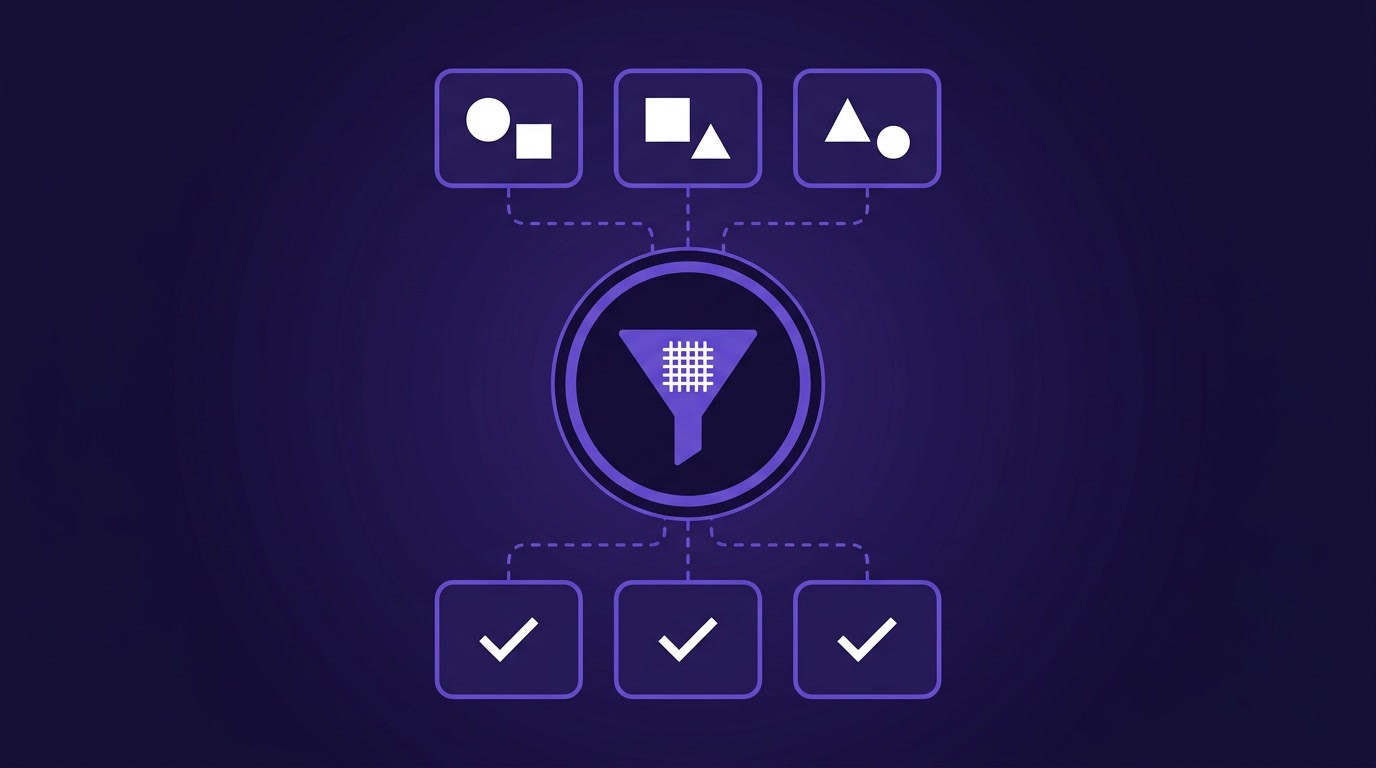
27% of sales time gets wasted chasing leads that don't fit, usually because those accounts never matched who the team actually sells to.
Most teams respond by working harder, adding more lists and more outreach without changing who they're targeting. The ones that get it right work differently: they get clear about which accounts matter and build everything around that clarity instead of a vague definition.
Whether your ICP actually informs your process or just sits in an onboarding doc is what separates consistent lead generation from constant scramble. This guide walks through how to make it do real work.
What is B2B Lead Generation?
B2B lead generation is finding people at companies that match your ideal customer profile and moving them into your sales process, targeting the right companies and the right people who can actually buy from you.
Why ICP is the Foundation of Lead Generation
The teams that nail lead generation run an ICP-driven process that happens to generate leads as a side effect. An ICP-centered approach means building 200 leads that have an 80% shot at converting, rather than chasing 1,000 marginal ones.
Your content pulls ICP companies toward you, your outreach reaches the right titles at the right companies, and your validation step kills non-ICP prospects before SDRs waste time on them.
Most lead generation guides throw 30 tactics at you: Apollo, ZoomInfo, LinkedIn, cold email, webinars, referrals, whatever. These channels all work, but without ICP at the center you're executing tactics without executing a system.
Roughly half of your prospects probably aren't actually good fits, yet most teams chase them anyway because their ICP is too fuzzy to mean anything. "Mid-market SaaS" looks clear on paper, but when you try filtering companies you end up stuck on whether that means 50 or 500 people, $5 million or $50 million in revenue, and whether a company is actually SaaS or something adjacent that just resembles it.
Teams with strong, grounded ICPs see 68% higher win rates, largely because they're solving the right problem for the right customer, so the conversation is already half-won before they call.
How to Define Your ICP
Most ICP frameworks ask you to imagine your perfect customer, but that's backwards. Look at your actual best customers instead: the ones that signed fastest, expanded the most, and needed the least hand-holding to succeed.
Pull your last 10-20 closed deals. For each, write down the industry, company size, revenue range, who signed (title), what tech stack they use, and how they found you.
Then look for patterns. When 15 of your 20 are SaaS companies with 50-200 people who mostly use Salesforce and HubSpot, you're seeing something worth writing down. At this stage, observe the patterns without interpreting them.
Your sales team sees things the spreadsheet won't, so ask your reps directly which deals felt easy, which ones they dreaded, and which companies expanded versus which ones just sat there.
Pull your CS data too. The companies with the lowest churn and the ones that expand are better fits than the ones that just cost you time.
Put it all together and write down 5-10 attributes that describe your best customers, specific enough that you can actually search for them in a database. Something like: "B2B SaaS companies, 50-200 people, $5M-$30M revenue, in fintech or e-commerce, using Salesforce, with a Head of Sales or VP Sales."
That level of specificity is what lets your team actually execute against the ICP instead of leaving it as a wiki doc nobody reads.
Translating ICP to Searchable Data Filters
Most lead generation falls apart right here, because once the ICP is written down nobody knows what to do with it, and your sales team can't execute against a document that doesn't connect to any actual tool.
"Mid-market SaaS" makes sense as an ICP definition, but it doesn't work as a search query in any prospecting tool. You need to translate it into actual data filters your tools can understand.
The ICP-to-Filter Translation
Each ICP trait maps to a searchable dimension when you think of your profile in layers.
ICP Trait | Data Filter | Where to Find It |
|---|---|---|
"Mid-market" | Employee count 50–500 | Company database (headcount field) |
"B2B SaaS" | Industries: Software/SaaS, Company type: Private or VC-funded | Company database (industry, company_type fields) |
"In fintech or e-commerce" | Crunchbase categories contain "Fintech" OR "E-commerce" | Company database (categories field) |
"High-growth" | Headcount growth 20%+ YoY OR Series B+ funding | Company database (headcount_growth, last_funding_round fields) |
"Uses Salesforce" | Tech stack includes Salesforce | Company database (technographic data) |
Without this translation step, your ICP stays a document nobody can act on.
Real Example: Building a Fintech ICP List
Let's say your ICP is "fintech startups with Series B funding that are actively hiring." Here's how you'd translate that to an actual query:
Crunchbase categories includes "Fintech" + Last funding round is Series B or later + Raised capital after 2019 (so not stale) + Headcount growth of 50%+ in the last year + 30-200 current employees + HQ in US.
Running that query returns actual companies that match what you described, rather than fuzzy "might be fintech" results loosely related to the category.
The translation process is the same regardless of tool. Apollo, ZoomInfo, LinkedIn, company discovery APIs, they all have filters for size, industry, growth, funding. The only difference is which tool you're using.
Do the translation upfront, because if you skip it and search for "B2B SaaS" in Apollo's free text you'll get everything tangentially related to software, which defeats the whole point.
Building Your Lead List: Inbound Strategies
Inbound means they come to you through your content, your website, your reputation. It's slower but warmer than outbound because they're already interested by the time they contact you.
Write content your ICP actually reads. If your ICP is marketing ops managers at SaaS companies, write about marketing ops rather than general marketing, because they're searching for "how to automate workflows" or "how to measure ROI at scale" rather than "marketing 101."
SEO works the same way: rank for what your ICP actually searches for, like "supply chain visibility" if your ICP is logistics directors, rather than broad generic terms.
Use LinkedIn to share wins and interview customers, whatever your audience cares about. Host webinars on their actual problems and sponsor events they attend. The point is being visible to your ICP at the moment they're considering solutions. Brands are also increasingly investing in cloud video production to create scalable webinar recordings, customer interviews, and event content that can be distributed quickly across multiple digital channels.
Building Your Lead List: Outbound Strategies
Outbound is direct: you find companies that match your ICP, contact the right people, and move them into a conversation.
Use the data filters you built earlier to search for target companies, then find the right titles from your ICP definition. If your targets include VPs of Sales and Heads of Sales, search for those exact titles.
How you do this depends on your scale. An individual SDR can work with LinkedIn Sales Navigator, while teams building internal tools or running campaigns across thousands of accounts need APIs.
Email works if it reaches the right person with something relevant to say, and if your list comes from ICP filters, relevance is built in. Personalize by referencing their Series B, their new hire, whatever shows you actually looked. That same personalization can extend past the inbox, where a tool like Mutiny tailors the landing page each target account sees to match the outreach that brought them there.
Sequences beat one-off emails: three emails over two weeks where the first asks a question or offers something useful, the second adds social proof, and the third has a specific next step.
LinkedIn Sales Navigator lets you search and filter by title, company size, industry, all your ICP criteria. Build your list there, then send personalized connection requests.
For your best accounts, pick up the phone. A call or video meeting has higher friction but also higher intent, which is why it works best for your tier-one accounts.
Validating Your Lead List Before SDR Handoff
Most teams skip this step entirely, handing the list to SDRs and hoping for the best, and a few weeks later the team is bouncing emails, calling disconnected numbers, and talking to companies that never matched the ICP in the first place. Validating the list before handoff prevents all of this.
Sample 50 emails and run them through a verification tool (RocketReach, Hunter, Clearbit) to check bounce rates. You're aiming for less than 5% bad. If you're higher, your data is too old or needs enrichment.
Pick 30 random companies from your list and spend two minutes on each. Do they actually match your ICP? Check their website, LinkedIn, funding history. If 80%+ are real matches, you're in good shape. If 60% or fewer are, your filters need tweaking.
Run the full list through dedup to kill duplicates and anyone who's already in your CRM. Check that all the critical fields are there: email, phone, title, company name, size. If 20%+ of records are missing key fields, your data is incomplete.
Verify compliance as well: GDPR requires explicit consent (assume no by default), and CCPA means you need to document your basis for contacting them.
Finally, check how old the data is. Anything over 90 days is worth refreshing for your top accounts, since job changes, funding rounds, and hiring spikes can make contact data go out of date quickly.
Clean validation reduces bounces by up to 98% and improves response rates because your list is actually good.
Tools and Workflow Integration
Your tool choice depends on whether you're building once or building continuously, and whether you need engineering or not. Our comparison of B2B data APIs and prospecting tools covers the full landscape.
UI-first platforms (Apollo, ZoomInfo, LinkedIn Sales Navigator) are built for reps who log in, search, and save results, with Chrome extensions, dashboards, and one-click email built in. Use these if your team is under 10 people, you're doing manual prospecting, or your ICP changes constantly and you need flexibility. The downside is they don't scale well; searching for 10,000 companies means 10,000 manual searches.
API-native data layers (Crustdata, Clay, Clearbit APIs) are built for automation. You query, get structured data back, and pipe it into your systems. Use these if you're building an internal tool, running AI agents, or processing thousands of companies. They require engineering to set up, so they're not a point-and-click solution. Crustdata's People Discovery API is purpose-built for finding contacts at your target companies.
Real-time data versus batch data is a separate question. Real-time APIs fetch fresh data on-demand, which matters if your company just raised Series B and you're launching a "new Series B cohort" campaign today. Batch data (monthly refreshed datasets) is cheaper and fine if you're building an annual list.
Conclusion
Lead generation gets a lot simpler once your ICP actually informs every step of the process, from list building to outreach to validation.
Pull your last 10 (ideally more) closed deals and note what they have in common, then translate those traits into data filters and build your first filtered list. Each step takes a few hours, and the quality of the list improves with each pass.
Consistent lead generation comes from being clear on who you're trying to reach and building a process that stays true to that definition at every step.
If you're building internal tools or AI agents that need reliable data, Crustdata provides real-time filtering, enrichment, and refresh APIs that keep your data layer up to date. Request a demo to see how teams use APIs to build this at scale.



Products
Popular Use Cases
Competitor Comparisons
95 Third Street, 2nd Floor, San Francisco,
California 94103, United States of America
© 2026 Crustdata Inc.
Products
Popular Use Cases
Competitor Comparisons
95 Third Street, 2nd Floor, San Francisco,
California 94103, United States of America
© 2026 CrustData Inc.
Products
Popular Use Cases
Competitor Comparisons
95 Third Street, 2nd Floor, San Francisco,
California 94103, United States of America
© 2026 Crustdata Inc.
🎉 We hit $10M ARR!
$600k to $10m in 1.5 years. Our entire GTM is powered by our own APIs.
🎉 We hit $10M ARR in 1.5 years!
