Programmatic CRM Enrichment via API: Why It Matters and How to Set It Up
Set up programmatic CRM enrichment with three API patterns: on-ingest, batch, and event-driven. Working code examples included.
Published
Written by
Abhilash Chowdhary
Reviewed by
Manmohit Grewal
Read time
7
minutes
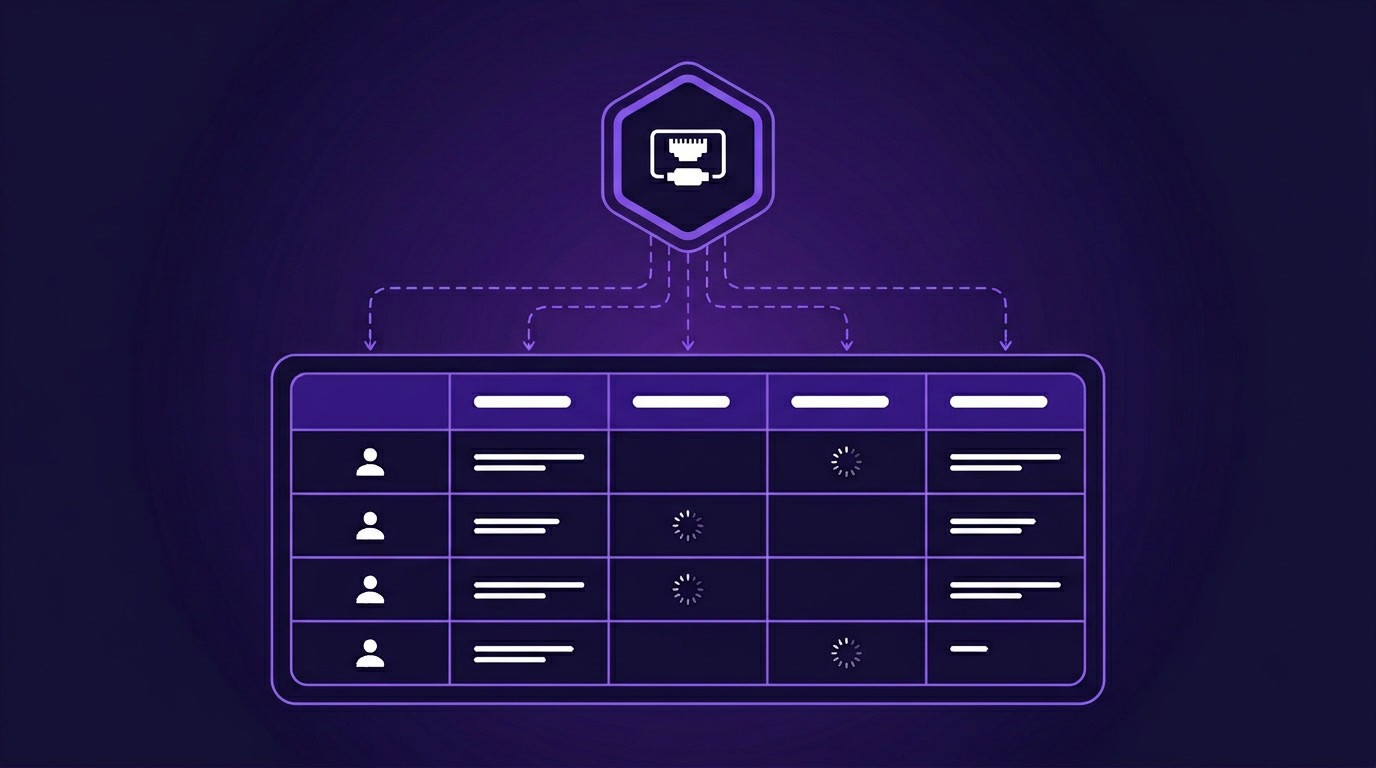
B2B contact and company data decays at roughly 25-30% per year. People change jobs, companies get acquired, headcounts shift. If your CRM enrichment runs on a quarterly refresh from a single vendor, a significant portion of your records are already out of date by the time reps open them.
One GTM data lead put it plainly: "I get the data somewhere between 30 to probably 45 days later in terms of when someone changes a job. Sometimes it's sooner depending on the coverage. If they're in SF, it's usually within a few days. But if someone in the Midwest switches from Epic Systems to some hospital, I get the data 30 days or 60 days later."
That lag kills deals quietly. A champion changes roles, your team finds out six weeks later, and by then a competitor has already booked the first meeting at the new company. Programmatic CRM enrichment via API fixes this by putting enrichment under your control: you decide when records get enriched, which fields get updated, and what signals trigger a refresh.
This guide covers three enrichment patterns you can set up with an enrichment API, on-ingest, scheduled batch, and event-driven, with working code for each.
What is programmatic CRM enrichment, and how is it different from platform-based tools?
Programmatic CRM enrichment means calling a data enrichment API directly from your own code or automation layer to append, verify, or update records in your CRM. You send an identifier, like a domain or a profile URL. The API returns structured data: firmographics, headcount, funding history, contact details. Your code writes those fields back to HubSpot, Salesforce, or whatever CRM you run.
Platform-based enrichment tools like Clay, Apollo's native enrichment, or HubSpot's built-in Breeze work differently. They bundle the enrichment source, the workflow logic, and the CRM sync into one product. You configure through a UI, pay per credit or per seat, and get the data they have access to.
At low volume, that is fine. At scale, it gets restrictive because you lose control over which data sources you query, how often you re-enrich, and what you pay per record.
With a CRM enrichment API, your enrichment pipeline is code you own. Swap providers when match rates drop. Run waterfall enrichment across multiple APIs. Trigger refreshes from real-time signals. Optimize credit usage by screening records before fully enriching them.
Why go programmatic: the platform ceiling
Most teams start with a platform, and for good reason. It is the fastest path to enriched records. But three problems surface as you scale.
Credit economics break down
A mid-sized SaaS company spending $800 per month on Clay's Pro plan ran out of credits by mid-month consistently. Clay credits bundle the enrichment cost with the platform cost, so you pay a markup on every API call that a direct integration would price at a fraction. Teams that switch to direct API access for enrichment often cut per-record costs by 40-60%, because they pay the data provider's price without the orchestration layer's margin.
Data freshness lags behind
Most enrichment platforms refresh their databases on a weekly or monthly cycle. Some update quarterly. One founder described Apollo's data this way: "We have Apollo for low quality, lots of data. We don't really trust it."
Another team found that People Data Labs bulk dumps had roughly half their records already outdated or irrelevant. If your enrichment source is a static database on a fixed refresh schedule, you inherit whatever lag that vendor carries.
Programmatic enrichment lets you call real-time enrichment endpoints that pull live data on demand, not from a pre-cached snapshot.
Vendor lock-in limits your data coverage
Single-provider enrichment means single-provider match rates. One practitioner reported on Cognism's blog that Apollo single-source bounce rates hit 32-38% on emails. Adding a second and third source in a waterfall dropped that to 10-14%.
With programmatic access, you can chain multiple enrichment APIs in sequence: try Provider A first, fall back to Provider B if the match is empty, then try Provider C. You control the waterfall logic instead of being locked into one vendor's coverage.
Pattern 1: On-ingest enrichment (real-time, single record)
On-ingest enrichment fires the moment a new lead or account enters your CRM. A form submission, a Zapier trigger, a CRM workflow fires an API call, and the record gets enriched before a rep ever sees it.
If your sales team's SLA is "respond within 5 minutes of form submission," this is the pattern that makes it possible. The record arrives with a company domain or email, you call the enrichment API, and you write firmographics, headcount, and funding data to the CRM record immediately.
How to set it up
Option A: Webhook trigger (no code)
In HubSpot, create a workflow triggered by "Contact is created." Add a webhook action that calls your CRM enrichment API. Map the response fields back to CRM properties. This takes roughly 20 minutes with Zapier or Make.
Option B: Direct API call with CRM write-back (code)
Here is the full round-trip: call the enrichment API, then write the result back to HubSpot. This example uses Crustdata's Company Enrichment API and HubSpot's CRM API.
import requests

CRUSTDATA_KEY = "your_crustdata_api_key"
HUBSPOT_KEY = "your_hubspot_api_key"

def enrich_and_update_hubspot(domain: str, hubspot_company_id: str):
    """Full round-trip: enrich via API, write back to HubSpot."""

    # Step 1: Call enrichment API
    enrich_resp = requests.get(
        "https://api.crustdata.com/screener/company",
        params={
            "company_domain": domain,
            "fields": "headcount,funding_and_investment,taxonomy"
        },
        headers={"Authorization": f"Token {CRUSTDATA_KEY}"}
    )
    enrich_resp.raise_for_status()
    company = enrich_resp.json()[0]  # first match

    # Step 2: Map API fields to HubSpot properties
    properties = {
        "numberofemployees": company.get("employee_metrics", {}).get("latest_count"),
        "industry": company.get("industries", [""])[0],
        "total_funding": company.get("crunchbase_total_investment_usd"),
        "last_funding_round": company.get("last_funding_round_type"),
        "last_funding_date": company.get("last_funding_date"),
        "annualrevenue": company.get("estimated_revenue_lower_bound_usd"),
    }
    # Remove None values so HubSpot doesn't overwrite with blanks
    properties = {k: v for k, v in properties.items() if v is not None}

    # Step 3: Write back to HubSpot
    hubspot_resp = requests.patch(
        f"https://api.hubapi.com/crm/v3/objects/companies/{hubspot_company_id}",
        json={"properties": properties},
        headers={"Authorization": f"Bearer {HUBSPOT_KEY}"}
    )
    hubspot_resp.raise_for_status()
    return hubspot_resp.json()

# Example: new lead comes in with domain "notion.so", HubSpot company ID "123456"
result = enrich_and_update_hubspot("notion.so", "123456")
import requests

CRUSTDATA_KEY = "your_crustdata_api_key"
HUBSPOT_KEY = "your_hubspot_api_key"

def enrich_and_update_hubspot(domain: str, hubspot_company_id: str):
    """Full round-trip: enrich via API, write back to HubSpot."""

    # Step 1: Call enrichment API
    enrich_resp = requests.get(
        "https://api.crustdata.com/screener/company",
        params={
            "company_domain": domain,
            "fields": "headcount,funding_and_investment,taxonomy"
        },
        headers={"Authorization": f"Token {CRUSTDATA_KEY}"}
    )
    enrich_resp.raise_for_status()
    company = enrich_resp.json()[0]  # first match

    # Step 2: Map API fields to HubSpot properties
    properties = {
        "numberofemployees": company.get("employee_metrics", {}).get("latest_count"),
        "industry": company.get("industries", [""])[0],
        "total_funding": company.get("crunchbase_total_investment_usd"),
        "last_funding_round": company.get("last_funding_round_type"),
        "last_funding_date": company.get("last_funding_date"),
        "annualrevenue": company.get("estimated_revenue_lower_bound_usd"),
    }
    # Remove None values so HubSpot doesn't overwrite with blanks
    properties = {k: v for k, v in properties.items() if v is not None}

    # Step 3: Write back to HubSpot
    hubspot_resp = requests.patch(
        f"https://api.hubapi.com/crm/v3/objects/companies/{hubspot_company_id}",
        json={"properties": properties},
        headers={"Authorization": f"Bearer {HUBSPOT_KEY}"}
    )
    hubspot_resp.raise_for_status()
    return hubspot_resp.json()

# Example: new lead comes in with domain "notion.so", HubSpot company ID "123456"
result = enrich_and_update_hubspot("notion.so", "123456")
import requests

CRUSTDATA_KEY = "your_crustdata_api_key"
HUBSPOT_KEY = "your_hubspot_api_key"

def enrich_and_update_hubspot(domain: str, hubspot_company_id: str):
    """Full round-trip: enrich via API, write back to HubSpot."""

    # Step 1: Call enrichment API
    enrich_resp = requests.get(
        "https://api.crustdata.com/screener/company",
        params={
            "company_domain": domain,
            "fields": "headcount,funding_and_investment,taxonomy"
        },
        headers={"Authorization": f"Token {CRUSTDATA_KEY}"}
    )
    enrich_resp.raise_for_status()
    company = enrich_resp.json()[0]  # first match

    # Step 2: Map API fields to HubSpot properties
    properties = {
        "numberofemployees": company.get("employee_metrics", {}).get("latest_count"),
        "industry": company.get("industries", [""])[0],
        "total_funding": company.get("crunchbase_total_investment_usd"),
        "last_funding_round": company.get("last_funding_round_type"),
        "last_funding_date": company.get("last_funding_date"),
        "annualrevenue": company.get("estimated_revenue_lower_bound_usd"),
    }
    # Remove None values so HubSpot doesn't overwrite with blanks
    properties = {k: v for k, v in properties.items() if v is not None}

    # Step 3: Write back to HubSpot
    hubspot_resp = requests.patch(
        f"https://api.hubapi.com/crm/v3/objects/companies/{hubspot_company_id}",
        json={"properties": properties},
        headers={"Authorization": f"Bearer {HUBSPOT_KEY}"}
    )
    hubspot_resp.raise_for_status()
    return hubspot_resp.json()

# Example: new lead comes in with domain "notion.so", HubSpot company ID "123456"
result = enrich_and_update_hubspot("notion.so", "123456")
The field mapping in Step 2 is important. Here is what maps where:
Enrichment API field | HubSpot property | Why it matters |
|---|---|---|
|
| Company size for segmentation |
|
| Routing and ICP scoring |
|
| Budget signal for enterprise reps |
|
| Stage qualification |
|
| Recency of funding activity |
|
| Revenue-based segmentation |
You will need to create the custom properties in HubSpot first (Settings > Properties > Create property). The standard properties like numberofemployees and industry already exist.
Each enrichment call costs 1 credit per company. If a company is not in the database, you can set enrich_realtime=true to trigger a live enrichment (5 credits, results within 10 minutes).
When to use this pattern
On-ingest is for inbound leads where speed matters. If enrichment happens overnight instead of on arrival, your reps are working with incomplete records during the window that matters most.
Pattern 2: Scheduled batch enrichment
Batch enrichment processes hundreds or thousands of existing CRM records on a schedule, typically weekly or monthly. This is the workhorse pattern for programmatic CRM enrichment at scale, keeping your database clean and backfilling records that entered without full data.
How to set it up
The full loop has three steps: query your CRM for stale records, enrich them via API, and write the results back. Here is the complete script for HubSpot:
import requests
import time

CRUSTDATA_KEY = "your_crustdata_api_key"
HUBSPOT_KEY = "your_hubspot_api_key"

# Step 1: Pull companies from HubSpot that need re-enrichment
# This query finds companies where "last_enriched" is older than 30 days
# or where "numberofemployees" is empty
def get_stale_companies() -> list[dict]:
    """Query HubSpot for companies missing data or last enriched 30+ days ago."""
    resp = requests.post(
        "https://api.hubapi.com/crm/v3/objects/companies/search",
        json={
            "filterGroups": [{
                "filters": [{
                    "propertyName": "numberofemployees",
                    "operator": "NOT_HAS_PROPERTY"
                }]
            }],
            "properties": ["domain", "name"],
            "limit": 100
        },
        headers={"Authorization": f"Bearer {HUBSPOT_KEY}"}
    )
    resp.raise_for_status()
    return resp.json().get("results", [])

# Step 2: Enrich in batches of 25 via Crustdata
def batch_enrich(domains: list[str]) -> list[dict]:
    """Enrich companies in batches of 25."""
    results = []
    for i in range(0, len(domains), 25):
        batch = domains[i:i+25]
        resp = requests.get(
            "https://api.crustdata.com/screener/company",
            params={
                "company_domain": ",".join(batch),
                "fields": "headcount,funding_and_investment,taxonomy"
            },
            headers={"Authorization": f"Token {CRUSTDATA_KEY}"}
        )
        resp.raise_for_status()
        results.extend(resp.json())
        time.sleep(1)  # respect rate limits (60 req/min)
    return results

# Step 3: Write enriched data back to HubSpot
def update_hubspot_company(company_id: str, enriched: dict):
    """Map enrichment fields and update HubSpot record."""
    properties = {
        "numberofemployees": enriched.get("employee_metrics", {}).get("latest_count"),
        "industry": enriched.get("industries", [""])[0],
        "total_funding": enriched.get("crunchbase_total_investment_usd"),
        "last_funding_round": enriched.get("last_funding_round_type"),
        "annualrevenue": enriched.get("estimated_revenue_lower_bound_usd"),
    }
    properties = {k: v for k, v in properties.items() if v is not None}
    requests.patch(
        f"https://api.hubapi.com/crm/v3/objects/companies/{company_id}",
        json={"properties": properties},
        headers={"Authorization": f"Bearer {HUBSPOT_KEY}"}
    )

# Run the full pipeline
stale = get_stale_companies()
domains = [c["properties"]["domain"] for c in stale if c["properties"].get("domain")]
enriched_records = batch_enrich(domains)

# Match enriched results back to HubSpot company IDs and update
domain_to_id = {c["properties"]["domain"]: c["id"] for c in stale if c["properties"].get("domain")}
for record in enriched_records:
    domain = record.get("company_website_domain")
    if domain in domain_to_id:
        update_hubspot_company(domain_to_id[domain], record)
        print(f"Updated {domain}")
import requests
import time

CRUSTDATA_KEY = "your_crustdata_api_key"
HUBSPOT_KEY = "your_hubspot_api_key"

# Step 1: Pull companies from HubSpot that need re-enrichment
# This query finds companies where "last_enriched" is older than 30 days
# or where "numberofemployees" is empty
def get_stale_companies() -> list[dict]:
    """Query HubSpot for companies missing data or last enriched 30+ days ago."""
    resp = requests.post(
        "https://api.hubapi.com/crm/v3/objects/companies/search",
        json={
            "filterGroups": [{
                "filters": [{
                    "propertyName": "numberofemployees",
                    "operator": "NOT_HAS_PROPERTY"
                }]
            }],
            "properties": ["domain", "name"],
            "limit": 100
        },
        headers={"Authorization": f"Bearer {HUBSPOT_KEY}"}
    )
    resp.raise_for_status()
    return resp.json().get("results", [])

# Step 2: Enrich in batches of 25 via Crustdata
def batch_enrich(domains: list[str]) -> list[dict]:
    """Enrich companies in batches of 25."""
    results = []
    for i in range(0, len(domains), 25):
        batch = domains[i:i+25]
        resp = requests.get(
            "https://api.crustdata.com/screener/company",
            params={
                "company_domain": ",".join(batch),
                "fields": "headcount,funding_and_investment,taxonomy"
            },
            headers={"Authorization": f"Token {CRUSTDATA_KEY}"}
        )
        resp.raise_for_status()
        results.extend(resp.json())
        time.sleep(1)  # respect rate limits (60 req/min)
    return results

# Step 3: Write enriched data back to HubSpot
def update_hubspot_company(company_id: str, enriched: dict):
    """Map enrichment fields and update HubSpot record."""
    properties = {
        "numberofemployees": enriched.get("employee_metrics", {}).get("latest_count"),
        "industry": enriched.get("industries", [""])[0],
        "total_funding": enriched.get("crunchbase_total_investment_usd"),
        "last_funding_round": enriched.get("last_funding_round_type"),
        "annualrevenue": enriched.get("estimated_revenue_lower_bound_usd"),
    }
    properties = {k: v for k, v in properties.items() if v is not None}
    requests.patch(
        f"https://api.hubapi.com/crm/v3/objects/companies/{company_id}",
        json={"properties": properties},
        headers={"Authorization": f"Bearer {HUBSPOT_KEY}"}
    )

# Run the full pipeline
stale = get_stale_companies()
domains = [c["properties"]["domain"] for c in stale if c["properties"].get("domain")]
enriched_records = batch_enrich(domains)

# Match enriched results back to HubSpot company IDs and update
domain_to_id = {c["properties"]["domain"]: c["id"] for c in stale if c["properties"].get("domain")}
for record in enriched_records:
    domain = record.get("company_website_domain")
    if domain in domain_to_id:
        update_hubspot_company(domain_to_id[domain], record)
        print(f"Updated {domain}")
import requests
import time

CRUSTDATA_KEY = "your_crustdata_api_key"
HUBSPOT_KEY = "your_hubspot_api_key"

# Step 1: Pull companies from HubSpot that need re-enrichment
# This query finds companies where "last_enriched" is older than 30 days
# or where "numberofemployees" is empty
def get_stale_companies() -> list[dict]:
    """Query HubSpot for companies missing data or last enriched 30+ days ago."""
    resp = requests.post(
        "https://api.hubapi.com/crm/v3/objects/companies/search",
        json={
            "filterGroups": [{
                "filters": [{
                    "propertyName": "numberofemployees",
                    "operator": "NOT_HAS_PROPERTY"
                }]
            }],
            "properties": ["domain", "name"],
            "limit": 100
        },
        headers={"Authorization": f"Bearer {HUBSPOT_KEY}"}
    )
    resp.raise_for_status()
    return resp.json().get("results", [])

# Step 2: Enrich in batches of 25 via Crustdata
def batch_enrich(domains: list[str]) -> list[dict]:
    """Enrich companies in batches of 25."""
    results = []
    for i in range(0, len(domains), 25):
        batch = domains[i:i+25]
        resp = requests.get(
            "https://api.crustdata.com/screener/company",
            params={
                "company_domain": ",".join(batch),
                "fields": "headcount,funding_and_investment,taxonomy"
            },
            headers={"Authorization": f"Token {CRUSTDATA_KEY}"}
        )
        resp.raise_for_status()
        results.extend(resp.json())
        time.sleep(1)  # respect rate limits (60 req/min)
    return results

# Step 3: Write enriched data back to HubSpot
def update_hubspot_company(company_id: str, enriched: dict):
    """Map enrichment fields and update HubSpot record."""
    properties = {
        "numberofemployees": enriched.get("employee_metrics", {}).get("latest_count"),
        "industry": enriched.get("industries", [""])[0],
        "total_funding": enriched.get("crunchbase_total_investment_usd"),
        "last_funding_round": enriched.get("last_funding_round_type"),
        "annualrevenue": enriched.get("estimated_revenue_lower_bound_usd"),
    }
    properties = {k: v for k, v in properties.items() if v is not None}
    requests.patch(
        f"https://api.hubapi.com/crm/v3/objects/companies/{company_id}",
        json={"properties": properties},
        headers={"Authorization": f"Bearer {HUBSPOT_KEY}"}
    )

# Run the full pipeline
stale = get_stale_companies()
domains = [c["properties"]["domain"] for c in stale if c["properties"].get("domain")]
enriched_records = batch_enrich(domains)

# Match enriched results back to HubSpot company IDs and update
domain_to_id = {c["properties"]["domain"]: c["id"] for c in stale if c["properties"].get("domain")}
for record in enriched_records:
    domain = record.get("company_website_domain")
    if domain in domain_to_id:
        update_hubspot_company(domain_to_id[domain], record)
        print(f"Updated {domain}")
You can run this script as a weekly cron job (0 6 * * 1 for every Monday at 6 AM) or trigger it from a workflow automation tool. The HubSpot search query in Step 1 is where you control scope: change the filter to target specific segments, like open-pipeline accounts or accounts in a specific territory.
Optimizing credit usage: screen before you enrich
If you have 50,000 records to re-enrich, spending credits on all of them is wasteful when most have not changed. Screen first, then enrich only the records that show meaningful movement.
With Crustdata's Company Discovery API, you can filter for companies that match specific growth or change criteria (headcount growth above 10% in the last 6 months, new funding round since last enrichment). This lets you target your batch enrichment budget on the records that actually need updating, instead of re-enriching 50,000 records where 45,000 have not changed.
When to use this pattern
Batch is the right choice for CRM data enrichment hygiene, outbound list building, and periodic audits. Run it weekly for high-priority segments (open pipeline accounts, target account lists) and monthly for the broader database.
Pattern 3: Event-driven enrichment (signal-triggered)
Most enrichment guides stop at the first two patterns. This third one is where things get interesting, because instead of enriching on a schedule, you enrich in response to a signal: a job change, a funding round, a headcount spike.
The mechanics are different. You set up a watcher for the signals you care about, and when something changes, a webhook delivers the event to your system. Your code re-enriches the affected record and updates the CRM in near real-time.
How to set it up
With Crustdata's Watcher API, you create watchers that monitor for specific events and push notifications via webhook. Here is the full setup: creating the watcher, receiving the webhook, and updating your CRM.
Step 1: Create a watcher for champion job changes
This is the use case that buyer calls raised most frequently. Your best champion at an account leaves. If you detect that within days rather than weeks, you can reach out at their new company while the relationship is fresh.
curl -X POST 'https://api.crustdata.com/screener/watcher' \
  --header 'Authorization: Token $YOUR_API_KEY' \
  --header 'Content-Type: application/json' \
  --data '{
    "watcher_type": "person",
    "person_urls": [
      "https://profile.com/in/champion-contact-1",
      "https://profile.com/in/champion-contact-2"
    ],
    "webhook_url": "https://your-server.com/enrichment-webhook",
    "events": ["job_change", "promotion"]
  }'
curl -X POST 'https://api.crustdata.com/screener/watcher' \
  --header 'Authorization: Token $YOUR_API_KEY' \
  --header 'Content-Type: application/json' \
  --data '{
    "watcher_type": "person",
    "person_urls": [
      "https://profile.com/in/champion-contact-1",
      "https://profile.com/in/champion-contact-2"
    ],
    "webhook_url": "https://your-server.com/enrichment-webhook",
    "events": ["job_change", "promotion"]
  }'
curl -X POST 'https://api.crustdata.com/screener/watcher' \
  --header 'Authorization: Token $YOUR_API_KEY' \
  --header 'Content-Type: application/json' \
  --data '{
    "watcher_type": "person",
    "person_urls": [
      "https://profile.com/in/champion-contact-1",
      "https://profile.com/in/champion-contact-2"
    ],
    "webhook_url": "https://your-server.com/enrichment-webhook",
    "events": ["job_change", "promotion"]
  }'
Step 2: Build the webhook handler
When a tracked person changes jobs, the webhook fires with the new employer, title, and profile data. Here is a minimal handler (using Flask) that re-enriches the new company and creates a HubSpot task for the account owner:
from flask import Flask, request, jsonify
import requests

app = Flask(__name__)
CRUSTDATA_KEY = "your_crustdata_api_key"
HUBSPOT_KEY = "your_hubspot_api_key"

@app.route("/enrichment-webhook", methods=["POST"])
def handle_job_change():
    event = request.json

    # Extract the new employer domain from the webhook payload
    new_company_domain = event.get("new_employer", {}).get("domain")
    person_name = event.get("person_name")
    new_title = event.get("new_title")

    if not new_company_domain:
        return jsonify({"status": "skipped, no domain"}), 200

    # Re-enrich the new company
    enrich_resp = requests.get(
        "https://api.crustdata.com/screener/company",
        params={
            "company_domain": new_company_domain,
            "fields": "headcount,funding_and_investment,taxonomy"
        },
        headers={"Authorization": f"Token {CRUSTDATA_KEY}"}
    )
    company_data = enrich_resp.json()[0] if enrich_resp.ok else {}

    # Create a task in HubSpot so the rep follows up
    task_body = {
        "properties": {
            "hs_task_subject": f"Champion moved: {person_name} is now {new_title} at {new_company_domain}",
            "hs_task_body": (
                f"Former champion {person_name} changed roles. "
                f"New company: {new_company_domain} "
                f"({company_data.get('employee_metrics', {}).get('latest_count', 'unknown')} employees). "
                f"Reach out while the relationship is fresh."
            ),
            "hs_task_status": "NOT_STARTED",
            "hs_task_priority": "HIGH"
        }
    }
    requests.post(
        "https://api.hubapi.com/crm/v3/objects/tasks",
        json=task_body,
        headers={"Authorization": f"Bearer {HUBSPOT_KEY}"}
    )

    return jsonify({"status": "processed"}), 200
from flask import Flask, request, jsonify
import requests

app = Flask(__name__)
CRUSTDATA_KEY = "your_crustdata_api_key"
HUBSPOT_KEY = "your_hubspot_api_key"

@app.route("/enrichment-webhook", methods=["POST"])
def handle_job_change():
    event = request.json

    # Extract the new employer domain from the webhook payload
    new_company_domain = event.get("new_employer", {}).get("domain")
    person_name = event.get("person_name")
    new_title = event.get("new_title")

    if not new_company_domain:
        return jsonify({"status": "skipped, no domain"}), 200

    # Re-enrich the new company
    enrich_resp = requests.get(
        "https://api.crustdata.com/screener/company",
        params={
            "company_domain": new_company_domain,
            "fields": "headcount,funding_and_investment,taxonomy"
        },
        headers={"Authorization": f"Token {CRUSTDATA_KEY}"}
    )
    company_data = enrich_resp.json()[0] if enrich_resp.ok else {}

    # Create a task in HubSpot so the rep follows up
    task_body = {
        "properties": {
            "hs_task_subject": f"Champion moved: {person_name} is now {new_title} at {new_company_domain}",
            "hs_task_body": (
                f"Former champion {person_name} changed roles. "
                f"New company: {new_company_domain} "
                f"({company_data.get('employee_metrics', {}).get('latest_count', 'unknown')} employees). "
                f"Reach out while the relationship is fresh."
            ),
            "hs_task_status": "NOT_STARTED",
            "hs_task_priority": "HIGH"
        }
    }
    requests.post(
        "https://api.hubapi.com/crm/v3/objects/tasks",
        json=task_body,
        headers={"Authorization": f"Bearer {HUBSPOT_KEY}"}
    )

    return jsonify({"status": "processed"}), 200
from flask import Flask, request, jsonify
import requests

app = Flask(__name__)
CRUSTDATA_KEY = "your_crustdata_api_key"
HUBSPOT_KEY = "your_hubspot_api_key"

@app.route("/enrichment-webhook", methods=["POST"])
def handle_job_change():
    event = request.json

    # Extract the new employer domain from the webhook payload
    new_company_domain = event.get("new_employer", {}).get("domain")
    person_name = event.get("person_name")
    new_title = event.get("new_title")

    if not new_company_domain:
        return jsonify({"status": "skipped, no domain"}), 200

    # Re-enrich the new company
    enrich_resp = requests.get(
        "https://api.crustdata.com/screener/company",
        params={
            "company_domain": new_company_domain,
            "fields": "headcount,funding_and_investment,taxonomy"
        },
        headers={"Authorization": f"Token {CRUSTDATA_KEY}"}
    )
    company_data = enrich_resp.json()[0] if enrich_resp.ok else {}

    # Create a task in HubSpot so the rep follows up
    task_body = {
        "properties": {
            "hs_task_subject": f"Champion moved: {person_name} is now {new_title} at {new_company_domain}",
            "hs_task_body": (
                f"Former champion {person_name} changed roles. "
                f"New company: {new_company_domain} "
                f"({company_data.get('employee_metrics', {}).get('latest_count', 'unknown')} employees). "
                f"Reach out while the relationship is fresh."
            ),
            "hs_task_status": "NOT_STARTED",
            "hs_task_priority": "HIGH"
        }
    }
    requests.post(
        "https://api.hubapi.com/crm/v3/objects/tasks",
        json=task_body,
        headers={"Authorization": f"Bearer {HUBSPOT_KEY}"}
    )

    return jsonify({"status": "processed"}), 200
The handler receives the job change event, enriches the new company so the rep has context, and creates a prioritized CRM task with the details. From there you can extend it: create a new company record in HubSpot if one does not exist, or update the contact record with the new title and employer.
You can also watch for company-level signals. When a target account raises a funding round, the webhook fires and your system re-enriches that company's record with updated headcount, new leadership hires, and expanded firmographic data. The watcher setup is the same pattern; swap watcher_type to "company" and the events to ["funding_round", "headcount_growth"].
When to use this pattern
Event-driven enrichment is for the records where timing matters most. Champion tracking, target account monitoring, competitive intelligence. You are not re-enriching your entire database here; you are watching a focused list and acting when something changes.
How the three patterns fit together
Each pattern handles a different slice of the enrichment problem:
Pattern | Trigger | Records affected | Frequency | Best for |
|---|---|---|---|---|
On-ingest | New record created | 1 at a time | Real-time | Inbound leads, speed-to-lead |
Scheduled batch | Cron job or scheduled workflow | Hundreds to thousands | Weekly/monthly | Database hygiene, outbound lists |
Event-driven | Signal fires (job change, funding) | Individual high-value records | When events occur | Champion tracking, account monitoring |
A complete enrichment pipeline uses all three. New records get enriched on ingest. The broader database gets refreshed on a weekly or monthly batch cycle. High-value records get re-enriched the moment a signal fires, through the Watcher API and webhooks.
You can also mix providers across patterns: one API for real-time single-record enrichment, another for batch firmographic data, a third for signal monitoring. That flexibility is the whole point of going programmatic instead of locking into a single platform.
FAQ
How much does programmatic CRM enrichment via API cost compared to platforms like Clay?
It depends on the provider, but direct API enrichment usually runs $0.01-0.05 per record. Platform tools like Clay charge per credit, and a single enrichment action can consume multiple credits. At 10,000+ records per month, programmatic enrichment typically costs 40-60% less because you skip the platform's orchestration markup.
Can I use multiple enrichment APIs in a waterfall?
Yes, and it is one of the strongest reasons to go programmatic. Your code queries Provider A first; if the match is empty or the field is missing, it falls back to Provider B, then C. You own the waterfall logic, so you can optimize for cost, coverage, or both.
How often should I re-enrich CRM records?
Weekly for active pipeline accounts and target account lists. Monthly for the broader database. In real-time for high-value contacts monitored via event-driven enrichment (job changes, funding signals). The right cadence depends on your data decay rate, which in B2B is 25-30% annually.
What CRM fields should an enrichment API update?
At minimum: company size (headcount), industry, funding stage, and last funding date for accounts; current title, current employer, and verified email for contacts. Beyond that, technographic data, web traffic trends, and hiring signals are valuable for scoring and prioritization.
What to do this week
If your CRM enrichment is still running on a quarterly platform refresh, start with Pattern 1. Set up a single webhook or API call that enriches new records on ingest. That alone removes the lag between lead capture and rep outreach.
Once that is running, add Pattern 2 with a weekly batch job on your highest-priority segments. Then set up Pattern 3 to watch your top 50-100 champion contacts for job changes.
Programmatic CRM enrichment via API takes hours to set up, not weeks. The code examples in this guide are production-ready starting points, not pseudocode.
Crustdata's Company Enrichment API, People Enrichment API, and Watcher API handle all three patterns with live data from 15+ sources, 250+ company datapoints, and push-based webhooks for signal monitoring. Book a demo to see it running on your data.



Products
Popular Use Cases
Competitor Comparisons
95 Third Street, 2nd Floor, San Francisco,
California 94103, United States of America
© 2026 Crustdata Inc.
Products
Popular Use Cases
Competitor Comparisons
95 Third Street, 2nd Floor, San Francisco,
California 94103, United States of America
© 2026 CrustData Inc.
Products
Popular Use Cases
Competitor Comparisons
95 Third Street, 2nd Floor, San Francisco,
California 94103, United States of America
© 2026 Crustdata Inc.
🎉 We hit $10M ARR!
$600k to $10m in 1.5 years. Our entire GTM is powered by our own APIs.
🎉 We hit $10M ARR in 1.5 years!
