Signup Enrichment for B2B Products: How to Identify, Qualify, and Route Users in Real Time
How product-led B2B companies turn an email-only signup into a scored, routed lead in under two seconds.
Published
Written by
Manmohit Grewal
Reviewed by
Abhilash Chowdhary
Read time
7
minutes
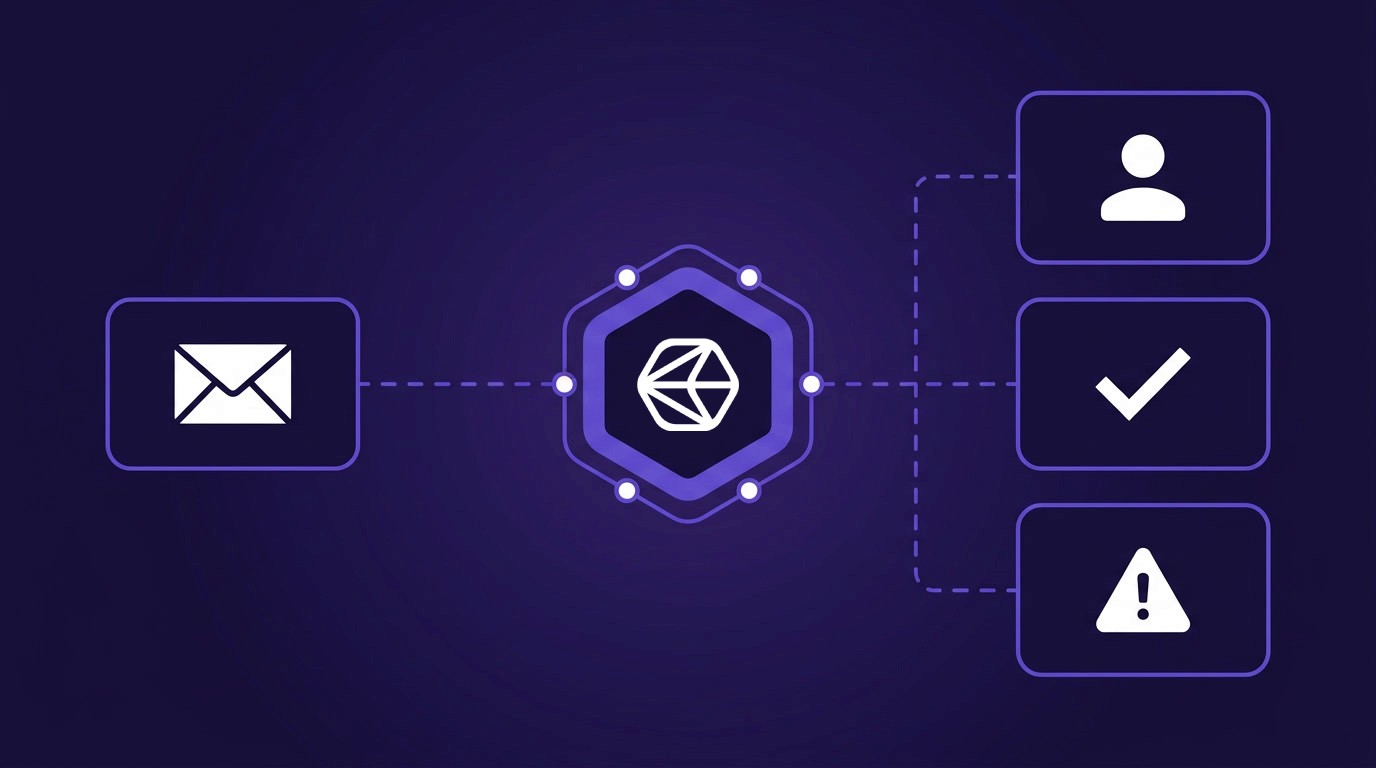
B2B products that accept self-serve signups collect an email, maybe a company name, and very little else. That sparse record then feeds a pipeline where sales cannot tell a solo developer from a Fortune 500 procurement lead. Signup enrichment solves the problem by turning that single email into a full firmographic and person record at the moment of entry, so scoring and routing can happen before the welcome email sends. Turning that thin record into a real identity is the focus of resolving user identity from sparse signup data.
This guide walks through the three jobs a signup enrichment pipeline has to do, identify, qualify, and route, and draws on buyer conversations with payments platforms, developer-infrastructure companies, CIAM vendors, fintech on-ramps, and PLG SaaS teams that have built a version of this in production. We cover what breaks at scale, what the latency budget looks like, and which parts you do not need to build from scratch.
What Signup Enrichment Is (and What It Isn't)
Signup enrichment triggers a real-time data lookup the moment a user arrives, whether that arrival is a signup, a waitlist entry, a contact-sales form, a demo request, or a free-tier activation. It is not a scheduled CRM sync, and it is not outbound prospecting. The trigger is the user arriving, the latency budget is measured in seconds, and the output has to be good enough to drive an immediate decision.
The distinction matters because the constraints are different from other enrichment patterns. CRM enrichment runs nightly on a known set of records. Outbound prospecting enriches lists you chose in advance. Signup enrichment has to resolve an arbitrary email or domain, fill in missing fields, score the result, and write back to the CRM while the user is still loading the dashboard.
The email-only constraint shapes every downstream design choice in the pipeline.
The Three Jobs of a Signup Enrichment Pipeline
A signup enrichment pipeline does three things in sequence, and each step has a different failure mode, coverage constraint, and set of providers worth using. Treating the three as one monolithic "enrichment step" is the most common reason teams end up with unreliable routing.
Identify, Resolve an Email or Domain to a Full Person and Company Record
The first job is to take sparse input and return a full record. A useful record covers firmographics (headcount, industry, funding stage, geography, and technology stack), person-level fields like title, seniority, tenure, and a social profile URL, along with product signals such as web traffic, job postings, and hiring patterns.
The hard case is minimal input. Many PLG forms capture only a name and a personal email, or a name, a job role, and a free-text company field. Asking for more kills conversion. A founder building a consumer-adjacent product summed up the friction in a call with our team: "Uploading the social URL would mean they have to go to the social app, get the URL, and then paste it into my app. Too much area for friction."
Coverage gaps show up at the edges. Teams we spoke with consistently flagged the same pattern: mainstream enrichment providers cover roughly 40% of emerging or long-tail companies, and the rest look blank even when the business is real. "A lot of these companies might be large public brands," one team noted, "but a lot of those companies would also be new companies." The same blind spot shows up around micro-merchants in emerging markets and independent operators in verticals that do not maintain public profiles. The identify step has to know when it is guessing and surface a confidence score, and the resolver behind it is where tools like the Crustdata People Enrichment API and Company Enrichment API fit.
Qualify, Score the Enriched Record Against an ICP
Once the record is filled in, the pipeline has to decide how much attention this signup deserves. A PLG lead score typically combines headcount band, funding stage, technology fit, security signals like SSO and SOC2, web traffic trend, and founder pedigree. The weights are different for every product, and the thresholds that produce a "send to AE" versus "send to self-serve onboarding" decision have to be tuned against historical conversion data.
A GTM engineer at a developer-infrastructure company described the core loop cleanly: "You get a lot of different signups and you want to basically enrich these signups. And then the ones that you think based on a certain lead score that are more qualified and are more eager, you want those to go to the business development team or the AE team."
The data dependency is unforgiving. When a single field is missing, the score changes. A colleague on the same call flagged the most load-bearing field: "Funding info is quite frequently missing or wrong. And that's one of our bigger indicators in terms of if we're interested in talking to a company." A waterfall that fills in the field from three providers with no confidence flag will produce a score that oscillates between AE-worthy and ignored every time the enrichment runs.
Route, Hand the Scored Lead to the Right Destination
An enterprise-sized account has to land in the AE or SDR queue in the CRM, while a solo developer or hobbyist belongs on a self-serve growth track with onboarding emails. A suspected fraud signup goes to a verification gate before anything else fires, and anything that crosses a high-value threshold gets a dedicated sales-assist track.
A growth lead at a PLG B2B SaaS company described how they want to run it in bulk across the existing user base: "If we can do like a bulk enrichment of the subset of records in CRM that we're interested in, i.e. essentially everyone with an active user or workspace, that would be great."
The real-time version is a full round-trip. On the developer-infrastructure call, the buyer walked through what happens when an inbound lead arrives. The pipeline enriches the record directly, tags the right rep, returns the company profile, and writes the CRM owner assignment back before the user sees a welcome screen.
Routing does not end at the first assignment. Job changes, funding rounds, and new hires at the signup's company are all reasons to re-route. The Crustdata Watcher API is one way to register webhooks for those ongoing signals.
What "Real Time" Actually Means at Signup
"Real time" gets used loosely. For signup enrichment, the latency budget depends on where the lookup sits in the user flow.
If the enrichment renders inside the product on first login, the ceiling is roughly two to three seconds, the same window a user tolerates for a page load. A trust-and-safety gate that blocks fraudulent signups needs sub-second response, because the decision has to happen before the user sees a confirmation screen. A routing decision that only affects what an AE sees the next morning can stretch to minutes, as long as the enrichment writes back before the first rep touches the record.
Caching matters more than the raw API latency. A partnerships lead at an authentication platform described how this plays out at scale: "If we're getting 500,000 signups, maybe 150,000 of those are actually unique, coming from unique new domains and require enrichment." Most of your signup volume is repeats from domains you have already enriched, which means a warm cache with a sensible decay window (90 days for company data, 30 for person data) cuts live lookups by two thirds or more.
When the latency budget cannot be met live, teams fall back to asynchronous enrichment. The pattern is to show the user a generic welcome screen, run the enrichment in the background, and update the badge or the AE routing once the data arrives. For high-volume free-tier signups where blocking the UI would hurt conversion, that asynchronous path is the right default.
The Signup Enrichment Stack Most B2B Teams Are Building
The architecture has a capture layer, an enrichment layer, a scoring and routing layer, and an observation layer. Most teams get the first three roughly right and skip the fourth, then wish they had not.
Form and Capture Layer
The capture layer decides what raw inputs you have to work with. Work email is the single most valuable field, because it carries the corporate domain and, once passed to a people enrichment API, returns the matched person along with their current company. A company-name free-text field is useful but messy, and developer-oriented products sometimes collect an SSO identity instead, which resolves cleanly without a lookup.
Authentication platforms sit at this layer for many products. The partnerships lead we spoke with described the pattern their customers build: "When they are getting those signups, they're not just seeing the basic signup info, but potentially firmographic data, things of that nature, right inside the user table and the user profiles." The auth layer becomes the enrichment entry point, and the enriched fields land on the user record itself.
The capture layer also sets the ceiling on what the rest of the pipeline can do. A VP of Sales at a mid-market B2B software company told us that roughly 70% of their inbound MQLs arrive as non-resolved personal emails from consumer-mail providers, which forces the identify step to rely on name-plus-email resolution rather than domain lookup. If your form is open to personal email, plan for that coverage pattern.
Enrichment Layer, Direct API vs Aggregator vs Waterfall
Most teams pick one of three architectures for this step. A single direct API call is the cleanest option and the easiest to debug, because every field traces back to one provider. An aggregator fronts multiple data sources behind one endpoint and resolves faster, but hides which source each field came from. A waterfall chains two to four providers with fallbacks when the primary misses, trading simplicity for hit rate.
Architecture | Latency | Traceability | Coverage | Best for |
|---|---|---|---|---|
Direct API | Low (single hop) | High (one provider per field) | Bounded by one provider | Well-covered ICPs, tight latency budgets |
Aggregator | Low to medium | Low (source-per-field hidden) | Broader than single provider | Teams that want one vendor contract and do not need per-field provenance |
Waterfall | Medium to high (multiple hops) | Medium (needs explicit logging) | Highest | Enriching emerging-startup ICPs, non-US firmographics, vertical coverage gaps |
One developer-infrastructure team we interviewed runs a waterfall through an orchestration layer, chaining three enrichment vendors with funding data pulled from whichever source returns it. The pattern works for the identify step but creates the qualify problem above, because no provider flags its own missing fields the same way. For a deeper look at provider chaining, see our best contact enrichment APIs roundup.
The tradeoff is coverage versus confidence. Waterfalls maximize hit rate at the cost of traceability, while single-provider calls are easier to debug and cache but leave coverage gaps. The middle path we see teams settle on is one primary provider plus a single fallback for the emerging-startup coverage case.
Scoring and Routing Layer
The scoring layer is often a workflow inside the CRM itself, sometimes a reverse-ETL job through a data-movement tool, sometimes a custom service. Rule-based scoring is easier to reason about and cheaper to run, though ML scoring is more accurate once you have a year of conversion data to train on.
One PLG SaaS team we interviewed runs a hybrid that is worth copying: a weekly reverse-ETL job enriches the full user base in bulk, and an ad-hoc call fires when someone submits the contact-sales form. The weekly job keeps the dashboard up to date, while the ad-hoc call handles the hot path. Teams building their own PLG motion can see our product-led growth teams page for how Crustdata plugs into this pattern.
The Observation Layer Most Teams Skip
The observation layer logs every decision the enrichment pipeline makes. That includes the provider that returned each field, the confidence score on the result, whether the lookup hit cache or went live, and the total latency for the call. Teams that skip this layer discover three months in that they cannot answer "why did this signup get routed to self-serve?" when a sales rep spots a missed enterprise deal.
Confidence over coverage is the right default at the qualify step. When the score depends on the field, missing-and-honest is safer than filled-and-wrong, and the observation layer is what lets the scoring logic treat "no data" as a real signal rather than a silent default.
Walk-Through: Building a Signup Enrichment Pipeline End-to-End
Here is the concrete round-trip, using Crustdata as the enrichment provider. The CRM write-back example targets a common REST-based CRM API, and the pattern is identical for any CRM you integrate with. The fields and endpoint paths shift accordingly.
1. Capture the Signup Event
The trigger is a webhook from your auth provider, a custom form, or a CRM form submission. Whichever you use, the downstream service has to receive a payload with at least one identifier, whether that is a work email, a domain, or a social profile URL.
POST /webhook/signup
{
  "email": "jane@acme.io",
  "company_name": "Acme",
  "signup_source": "free_trial",
  "timestamp": "2026-04-18T12:34:56Z"
}
POST /webhook/signup
{
  "email": "jane@acme.io",
  "company_name": "Acme",
  "signup_source": "free_trial",
  "timestamp": "2026-04-18T12:34:56Z"
}
POST /webhook/signup
{
  "email": "jane@acme.io",
  "company_name": "Acme",
  "signup_source": "free_trial",
  "timestamp": "2026-04-18T12:34:56Z"
}
Handle idempotency at this stage, because users double-click submit buttons and webhooks retry. Use the email plus a short hash of the timestamp as the idempotency key, and skip enrichment if you have processed the same signup in the last hour.
2. Derive the Identity Key
A business email (jane@acme.io) is usually the only identity key you need. Passing it to a people enrichment API returns the person record along with their current company, and from that record you already have the company domain, which you can re-use if you want to run a deeper company enrichment call for firmographics.
A personal email (jane@gmail.com) works too, as long as your enrichment provider supports reverse lookup on personal emails and resolves them back to the same professional-profile record. Crustdata's People Enrichment API does this, so the pipeline shape stays identical. The difference is that coverage and confidence run lower on personal emails, so plan for a fallback path when the lookup returns blank.
A social profile URL, if the form captures one, resolves fastest and most reliably and can replace the email-based lookup entirely.
3. Call the Enrichment API
Start with a single person enrichment call. The response returns the matched person plus their current company, so in most cases a second call is unnecessary. Using Crustdata:
POST https://api.crustdata.com/screener/person/enrich
Authorization: Token <CRUSTDATA_API_KEY>
Content-Type: application/json

{
  "email": "jane@acme.io",
  "realtime": true
}
POST https://api.crustdata.com/screener/person/enrich
Authorization: Token <CRUSTDATA_API_KEY>
Content-Type: application/json

{
  "email": "jane@acme.io",
  "realtime": true
}
POST https://api.crustdata.com/screener/person/enrich
Authorization: Token <CRUSTDATA_API_KEY>
Content-Type: application/json

{
  "email": "jane@acme.io",
  "realtime": true
}
Only call the company enrichment endpoint if you need deeper firmographics (funding history, tech stack detail, hiring trend, web traffic) beyond what the person response carries. Re-use the company_domain from the person response so the two calls stay consistent:
POST https://api.crustdata.com/screener/company/enrich
Authorization: Token <CRUSTDATA_API_KEY>
Content-Type: application/json

{
  "company_domain": "acme.io",
  "realtime": true
}
POST https://api.crustdata.com/screener/company/enrich
Authorization: Token <CRUSTDATA_API_KEY>
Content-Type: application/json

{
  "company_domain": "acme.io",
  "realtime": true
}
POST https://api.crustdata.com/screener/company/enrich
Authorization: Token <CRUSTDATA_API_KEY>
Content-Type: application/json

{
  "company_domain": "acme.io",
  "realtime": true
}
The realtime=true flag triggers a live lookup when the domain is not in cache, which matters for emerging-startup coverage. For high-volume free-tier signups where latency is tight, drop the flag and accept cached results, then run a background refresh on any miss.
4. Apply the Score
Example rule set for a B2B infrastructure product targeting mid-market:
def score_signup(person, company):
    score = 0
    if 50 <= company.headcount <= 5000:
        score += 30
    if company.funding_stage in ("series_a", "series_b", "series_c"):
        score += 25
    if "kubernetes" in company.tech_stack or "aws" in company.tech_stack:
        score += 20
    if person.seniority in ("director", "vp", "c_level"):
        score += 15
    if company.traffic_trend_90d > 0.15:
        score += 10
    return score

route = "ae_queue" if score_signup(person, company) >= 60 else "self_serve"
def score_signup(person, company):
    score = 0
    if 50 <= company.headcount <= 5000:
        score += 30
    if company.funding_stage in ("series_a", "series_b", "series_c"):
        score += 25
    if "kubernetes" in company.tech_stack or "aws" in company.tech_stack:
        score += 20
    if person.seniority in ("director", "vp", "c_level"):
        score += 15
    if company.traffic_trend_90d > 0.15:
        score += 10
    return score

route = "ae_queue" if score_signup(person, company) >= 60 else "self_serve"
def score_signup(person, company):
    score = 0
    if 50 <= company.headcount <= 5000:
        score += 30
    if company.funding_stage in ("series_a", "series_b", "series_c"):
        score += 25
    if "kubernetes" in company.tech_stack or "aws" in company.tech_stack:
        score += 20
    if person.seniority in ("director", "vp", "c_level"):
        score += 15
    if company.traffic_trend_90d > 0.15:
        score += 10
    return score

route = "ae_queue" if score_signup(person, company) >= 60 else "self_serve"
This is the smallest useful scoring function, and it is the right place to start. Resist the urge to add weights before you have conversion data from the first version.
5. Route and Write Back
Write the enriched fields and the score back to the CRM, then assign an owner:
PATCH https://api.your-crm.com/v3/contacts/<contact_id>
Authorization: Bearer <CRM_TOKEN>
Content-Type: application/json

{
  "properties": {
    "company_headcount": "200",
    "company_funding_stage": "series_b",
    "person_seniority": "vp",
    "plg_lead_score": "75",
    "routing_track": "ae_queue",
    "crm_owner_id": "<ae_owner_id>",
    "enrichment_provider": "crustdata",
    "enrichment_confidence": "0.92"
  }
}
PATCH https://api.your-crm.com/v3/contacts/<contact_id>
Authorization: Bearer <CRM_TOKEN>
Content-Type: application/json

{
  "properties": {
    "company_headcount": "200",
    "company_funding_stage": "series_b",
    "person_seniority": "vp",
    "plg_lead_score": "75",
    "routing_track": "ae_queue",
    "crm_owner_id": "<ae_owner_id>",
    "enrichment_provider": "crustdata",
    "enrichment_confidence": "0.92"
  }
}
PATCH https://api.your-crm.com/v3/contacts/<contact_id>
Authorization: Bearer <CRM_TOKEN>
Content-Type: application/json

{
  "properties": {
    "company_headcount": "200",
    "company_funding_stage": "series_b",
    "person_seniority": "vp",
    "plg_lead_score": "75",
    "routing_track": "ae_queue",
    "crm_owner_id": "<ae_owner_id>",
    "enrichment_provider": "crustdata",
    "enrichment_confidence": "0.92"
  }
}
Trigger a team-chat notification to the assigned AE with the company details. Register a Watcher webhook on the person record so that future job changes or funding rounds re-trigger the scoring logic without another manual refresh.
6. Log Everything
Log the provider, the cache state, the confidence scores, the total latency, and the final routing decision. Store logs for at least 90 days, since you will need them the first time a sales rep asks why an enterprise-sized signup got routed to the self-serve track.
7. Decay Strategy
Re-enrich company records after 90 days and person records after 30. Fresh signals (job changes, funding rounds) should trigger earlier via Watcher webhooks rather than waiting for the decay window.
Edge Cases Every B2B Team Hits
Personal and Free-Tier Emails
When the form captures a gmail.com or outlook.com address, domain lookup does not work. The cleaner path is a reverse lookup on the personal email itself, which resolves the email back to the person's professional profile record and carries their current company along for free. The Crustdata People Enrichment API supports this directly, and it removes the need for a separate name-plus-context search for most consumer-mail signups. Coverage and confidence run lower on personal-email lookups than on business-email lookups, so keep the fallback path in place for cases where the reverse lookup returns blank.
Emerging and Stealth Startups
Mainstream providers under-index on companies that have not yet shown up in funding databases or news coverage. One fintech on-ramp we interviewed saw coverage jump from 40% to roughly 70% when they added a web-search fallback that resolved brand-new domains by crawling the company website. A CIAM platform team ran into the same gap: "Not a unified layer of data. Different data providers provide different data." The fix is usually a cascaded call, where a primary API handles the main population and a web-search fallback fills the gap on brand-new domains.
Fraud and Trial Abuse
For products with a free-tier cost (compute, storage, outbound calls), a firmographic legitimacy check is a cheaper fraud gate than an identity-verification step. The check asks whether the claimed company actually exists at the claimed domain, whether the email pattern matches a real employee directory, and whether the domain's age looks legitimate for the stated company size. Teams dealing with merchant onboarding, trial abuse, or compliance-sensitive workflows apply this reasoning at scale.
Verticals Without Mainstream Professional Profiles
Some verticals do not live on mainstream professional networks. One vertical SaaS we spoke with serves operators in a care-services industry where most signups have no public social profile at all. For these ICPs, the identify step has to lean on government registry data, state licensing databases, or vertical-specific directories, which general-purpose B2B enrichment providers (including Crustdata) do not cover. Generic enrichment APIs will return near-empty records on these signups, and your score has to know the difference between "no data because new signup" and "no data because this vertical does not produce data."
Devtools and Embedded Enrichment
Some authentication platforms expose enriched user data back to their customers, meaning the enrichment powers every downstream product built on top rather than the auth vendor's own GTM. The constraint shifts accordingly: the enrichment needs to render fast inside the customer's dashboard, stay legally clear to resell, and remain consistent enough for the customer to build on. The Crustdata Person Enrichment API licensing terms are one of the few on the market that support this embedded pattern.
How Crustdata Fits
Crustdata is built specifically for the signup enrichment pattern rather than repurposed from a sales prospecting tool. Four pieces matter for this workflow.
Real-time Person and Company Enrichment APIs return 90+ datapoints per call, backed by a Chromium-powered pipeline that keeps social-profile and company-page data fresh. See the people API and the company API.
Watcher API registers webhooks for job changes, funding rounds, and hiring signals, so post-signup re-routing is event-driven instead of polled. See the Watcher docs.
Web Search API closes the emerging-startup coverage gap by resolving brand-new domains that have not yet landed in mainstream databases, the same pattern that lifted one fintech on-ramp from 40% to 70% coverage in our working sessions.
API-first pay-as-you-go pricing means scoring thousands of signups per day does not require a seat-based enterprise contract with a hard record cap.
For the full picture of how Crustdata supports product-led teams, see the product-led growth teams solution page and the data enrichment solution overview.
Build the First Version, Then Tune
A well-built signup enrichment pipeline changes the default path a new user takes. An email that used to land in a generic onboarding queue becomes a scored, routed, CRM-tagged lead before the welcome screen finishes loading, so the AE team sees the signups worth a call while the self-serve track keeps the rest moving without sales friction. The observation layer then tells you, over time, which part of the stack is earning its keep and which one needs tuning.
If you are building this pipeline from scratch, start with the identify step and a single scoring rule. Add the waterfall only when coverage data tells you to. The full API surface for the data layer lives in the Crustdata product-led growth teams page, and the team runs working sessions for engineers mapping out their first version.



Products
Popular Use Cases
Competitor Comparisons
95 Third Street, 2nd Floor, San Francisco,
California 94103, United States of America
© 2026 Crustdata Inc.
Products
Popular Use Cases
Competitor Comparisons
95 Third Street, 2nd Floor, San Francisco,
California 94103, United States of America
© 2026 CrustData Inc.
Products
Popular Use Cases
Competitor Comparisons
95 Third Street, 2nd Floor, San Francisco,
California 94103, United States of America
© 2026 Crustdata Inc.
🎉 We hit $10M ARR!
$600k to $10m in 1.5 years. Our entire GTM is powered by our own APIs.
🎉 We hit $10M ARR in 1.5 years!
