How to Build an Account Research Layer for SDRs and AEs
An operator's guide to the data fields, architecture, and tooling behind an account research layer that delivers structured pre-call briefs to SDRs and AEs automatically.
Published
Written by
Manmohit Grewal
Reviewed by
Chris Pisarski
Read time
7
minutes
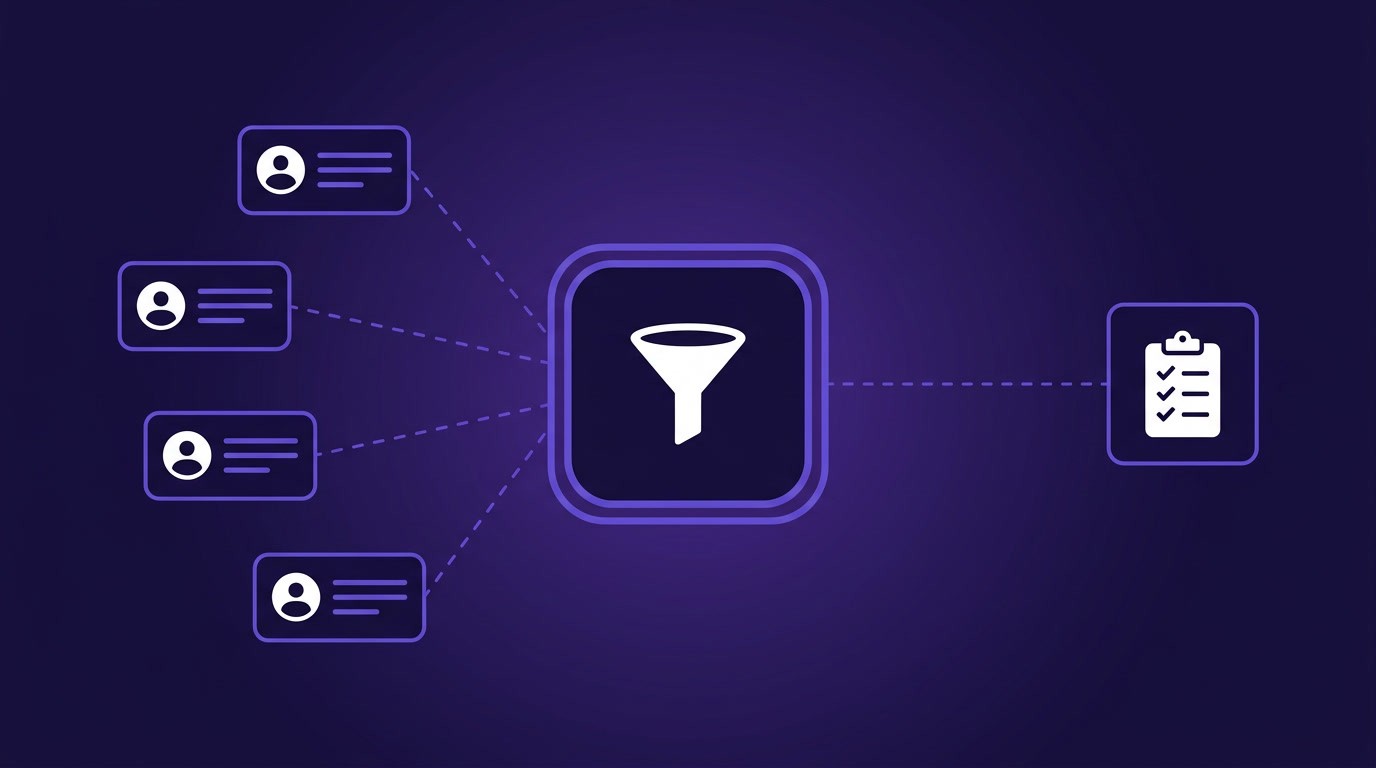
Sales reps spend only 30 percent of their time actually selling, according to Salesforce's State of Sales report, with the rest consumed by administrative tasks, data entry, and prospect research. At 10 to 15 minutes of manual research per prospect, a 50-account list burns 8 or more hours before a single call is made. The fix is architectural: move research from a manual per-account activity into a structured data layer that delivers account context automatically, before the rep ever opens a tab.
A talent-tech company targeting enterprise accounts found this firsthand. Their SDRs were spending the first 30 minutes of every call block manually researching prospects with AI chat tools, and the data came back wrong often enough to erode trust, with outdated headcounts, funding rounds that closed months ago listed as recent, and leadership changes that had not been indexed yet. The reps were putting in the effort, but the research had no infrastructure underneath it.
This guide covers what an account research layer should contain, how SDRs and AEs use it differently, how to audit whether your current stack qualifies as one, and how to start building one with real-time APIs.
What Is An Account Research Layer?
An account research layer is a data infrastructure layer that sits between raw external data sources and the systems reps work in (CRM, sequencer, Slack). It pulls structured company, people, and signal data from APIs, enriches and scores account records automatically, and delivers the result to reps as pre-call briefs or prioritized account queues without any manual lookup.
Buying a single enrichment or intent tool does not create a layer. A layer integrates multiple data sources, refreshes records on a schedule or in response to events, and routes the output to where reps already work. One buyer described what they were looking for as "another node and corpus of data that we should be leveraging when our reps are making calls to create account plans." That phrasing captures the concept well. The layer is a data node that feeds into the CRM and other tools reps already use.
What A Complete Account Research Brief Contains
A complete account research brief covers six data categories. If your reps are missing any of these, they are working with an incomplete picture, and the gap shows up in discovery calls that retread information the buyer assumed you already knew.
Firmographics
Employee count, headquarters location, industry classification, revenue range, and founding year. These are the ICP qualification fields that determine whether an account is worth working at all. One GTM leader at a talent-tech company told us their SDR team could not trust the employee counts from their existing data provider: "the number of employees is not really reliable, and we are getting up to 9,000 companies, so we are doubling the size of our target list with bad matches." Firmographic accuracy is the foundation of everything else in the brief.
Funding and Financial Signals
Last funding round (type, amount, date), total capital raised, known investors, and estimated revenue. A recent round changes the account's budget profile and often triggers hiring, expansion, and new tool evaluations. Buying signals like funding events are among the strongest outbound timing indicators because they reflect a concrete change in the company's resources and priorities.
Hiring Signals
Total open roles, growth in job postings over the last 30, 60, and 90 days, and specific role keywords. A company posting three SDR roles and a VP of Sales is building an outbound motion. A company posting data engineers and ML roles is investing in infrastructure. The hiring profile tells you what the company is prioritizing right now, and whether your product fits into that priority.
Headcount Growth
Three-month, six-month, and twelve-month headcount growth rates, with department-level breakdowns where available. Headcount growth is one of the most reliable proxies for company health and expansion stage. A company that grew engineering headcount 40% in six months but kept sales flat is likely pre-revenue or product-focused. A company that grew sales 30% while engineering stayed flat is scaling distribution. The growth pattern shapes how you position your product.
Tech Stack and Web Presence
Technologies detected on the company's website, monthly web traffic estimates and trends, and paid advertising signals. Tech stack data reveals what tools the company already uses (and whether your product integrates with or replaces any of them). Web traffic trends reveal growth trajectories that financial data alone does not capture, especially for private companies.
Leadership and People Signals
Recent executive hires, job title changes, and social post activity from key decision makers. Leadership changes are high-value triggers because a new CTO often re-evaluates the tech stack within 90 days, and a new VP of Sales typically rebuilds the outbound tooling. One GTM leader described the gap clearly: "the professional network is usually sometimes outdated. Like the other day, there's a new CEO being hired at a big tech company, but they haven't even updated their profile, but it was on Google News." If your research layer only watches profile updates, it misses changes that appear first through news, press releases, or job board postings.
Tracking job changes across your target accounts is one of the highest-ROI signal categories for outbound timing.
Where Each Category Comes From
Each of the six brief categories maps to a specific API capability. Understanding this mapping is what turns a list of data requirements into a buildable system.
Brief Category | API Source | Key Fields Returned |
|---|---|---|
Firmographics | Employee count, HQ location, industry, revenue estimate, founded year | |
Funding and financial signals | Last round type and amount, total raised, investor list, acquisition status | |
Hiring signals | Open roles by function, job posting growth (30/60/90 day), role keywords | |
Headcount growth | 3/6/12-month growth rates, department-level headcount series | |
Tech stack and web presence | Technologies detected, monthly visitors, traffic trends, paid ad signals | |
Leadership and people signals | Recent title changes, new exec hires, social post activity, job change alerts |
The Company Enrichment API covers four of the six categories in a single call, returning 250+ datapoints from 15+ sources per company. Hiring signals require the Job Listing API because open roles and posting velocity are tracked separately from the company profile. Leadership and people signals combine the People Search API for point-in-time lookups (who just joined as CTO?) with the Watcher API for ongoing alerts (notify me when any VP+ changes at this account). The Posts API adds social activity monitoring, showing what decision makers at target accounts are publishing and engaging with.
Why Manual Research Doesn't Work
The standard manual workflow looks the same across most sales teams. A rep opens the company's website, checks the professional network, pulls up a funding database, scans a review site, and searches recent news. Five or six tabs, 10 to 15 minutes per account, and the rep still walks away with a fraction of the available signal. A sales consultant quoted on a School of SDR breakdown put it bluntly: "If you find yourself investing more than two minutes researching a prospect, take a hard look at whether it's truly necessary." Both arguments assume research is a manual activity that has to trade off against selling time, which is the real issue.
Three specific failure modes make manual research unsustainable at scale.
Time cost compounds quickly. At 10 minutes per prospect, a 50-account target list consumes 8 hours of research before any outreach begins. Reps running high-velocity outbound cannot afford that time, while reps who skip research and call cold produce conversations that feel generic to the buyer.
Coverage is always incomplete. Even a thorough 15-minute manual research session typically covers three or four of the six data categories described above. Hiring signals require checking job boards. Headcount growth requires a provider that tracks employee counts over time, which most point solutions do not offer. Tech stack detection requires tooling that most reps do not have access to. A rep who spent 15 minutes on manual research still walks in with a partial view because no single session can cover all six data categories.
AI chat tools improve speed but degrade accuracy. Some teams have shifted to using ChatGPT, Perplexity, or Claude to batch-research prospect lists. But AI tools return outdated funding rounds, wrong titles, and hallucinated company details because they generate answers from training data rather than querying live structured databases. Structured API data that refreshes in real time solves the accuracy problem that AI chat tools introduce.
How SDRs And AEs Use An Account Research Layer Differently
An account research layer serves both roles, but the view each role needs is different.
SDRs need signal-prioritized queues and quick context cards. The SDR workflow is volume-oriented, built around working through a list, identifying the accounts with the strongest timing signals, and opening conversations. The research layer should show which accounts to call first (based on hiring spikes, funding events, or leadership changes) and deliver a two-paragraph summary with enough context to personalize the first 30 seconds of a cold call. SDRs should not need to open a single external tab before dialing.
One team we spoke with wanted their SDRs to access enriched data directly inside their CRM instead of doing manual per-account research with AI agents. The desired workflow was simple. The SDR opens the account record, the brief is already there, and the call happens immediately.
AEs need deep account intelligence for discovery calls and deal strategy. The AE workflow is depth-oriented, focused on understanding the full organizational context of an account before a discovery call, mapping the buying committee, identifying competitive tools already in the stack, and building a business case using the company's own growth trajectory. AEs need all six data categories in full, plus historical trends (how has headcount changed over the past year, what roles were posted and then filled, which executives arrived recently). An account research layer should deliver this as a structured brief that a rep can scan in three minutes instead of assembling from scratch over thirty.
Getting that brief in front of the rep is only half the job. Turning it into a strong discovery call is a coaching problem, which is where sales enablement platforms like Flockjay sit alongside the research layer, reviewing real call recordings and building a shared library of what good looks like.
Auditing Your Current Research Stack
Before building or buying anything new, evaluate what you already have. Five diagnostic questions will tell you whether your current stack functions as a research layer or is a collection of disconnected subscriptions.
1. Does your data refresh without someone manually triggering it? If enrichment only happens during territory planning or when a rep clicks "refresh" inside a tool, your data is out of date by default. B2B contact and company data decays at roughly 2.1 percent per month, which means a quarterly refresh leaves 6 percent of your records inaccurate before the quarter ends. A research layer refreshes automatically, either on a schedule or in response to specific change events.
2. Can your reps access research data without leaving the CRM? If reps need to log into a separate platform to see account context, usage drops. The research layer needs to write data back to the CRM (Salesforce, HubSpot, Attio, or whatever your team uses) so that the brief exists where your reps operate.
3. Does your stack cover all six data categories? Map your current tools against the six categories from the previous section: firmographics, funding, hiring signals, headcount growth, tech stack, and leadership changes. Most teams have strong coverage on firmographics and funding but gaps on hiring signals, headcount trends, and social activity. If three or more categories are missing or manually sourced, the layer is incomplete.
4. Can you prioritize accounts by signal strength instead of list order? A static list sorted alphabetically or by company size tells reps nothing about timing. A research layer scores accounts by signal recency and density, so a company that just raised a Series B, posted four SDR roles, and hired a new VP of Sales in the same month rises to the top of the queue, regardless of where it sits alphabetically.
5. When something changes at a target account, how long until your reps know? If the answer is "next quarter when we re-enrich" or "when someone checks manually," you have a latency problem. Push-based signal delivery through webhooks or real-time alerts closes this gap. Teams that learn about a leadership change within hours can open a deal before competitors who discover it three weeks later.
If you answered "no" to three or more of these questions, what you have is a set of data subscriptions that do not add up to a research layer. The next section covers how to build one. For a deeper look at the data enrichment options available, that page covers the full enrichment toolkit.
Building An Account Research Layer
The Architecture
A complete account research layer has five stages: detect signals, resolve company and person identity, enrich with structured data, score and prioritize, and act (route to CRM, Slack, or sequencer). Each stage requires specific API capabilities, and the stages need to run in sequence so that a signal event (like a funding round) triggers enrichment (pull the full company profile) which triggers scoring (does this account match ICP?) which triggers routing (write to CRM, alert the rep).
The complete build guide for internal sales tools covers each stage in full, with reference architecture diagrams, webhook handler code, and CRM write-back patterns. This section focuses on two quick-start approaches that a RevOps engineer or technical operator can get running in a day.
Generating Pre-Call Briefs with Claude Code
If your team uses Claude Code, you can set up a pre-call brief workflow using the Crustdata MCP server. This approach requires no custom code and produces structured briefs from a single natural-language prompt.
The workflow:
Connect Claude Code to the Crustdata MCP server
Prompt: "Pull the company profile for [domain], including headcount growth, recent funding, open roles, and recent leadership changes. Format as a pre-call brief with a two-sentence summary, key signals, and recommended talking points."
Claude Code queries the Company Enrichment API, People Search API, and Job Listing API through the MCP connection, then formats the result as a structured brief
The output covers all six data categories from a single prompt. The brief takes under a minute to generate and uses live API data, which avoids the accuracy problems that come with AI chat tools pulling from training data.
Direct API Approach
For teams that want to build the research layer into their own systems, a direct API call to the Company Enrichment endpoint returns the raw data you need.
import requests

response = requests.post(
    "https://api.crustdata.com/screener/company/enrich",
    headers={
        "Authorization": "Bearer YOUR_API_KEY",
        "Content-Type": "application/json"
    },
    json={
        "domain": "targetcompany.com",
        "fields": [
            "company_name", "headcount", "headcount_growth_6m",
            "total_funding", "last_funding_round", "last_funding_date",
            "open_jobs_count", "open_jobs_growth_30d",
            "technologies", "monthly_visitors",
            "founders", "cxos", "decision_makers"
        ]
    }
)

company = response.json()
import requests

response = requests.post(
    "https://api.crustdata.com/screener/company/enrich",
    headers={
        "Authorization": "Bearer YOUR_API_KEY",
        "Content-Type": "application/json"
    },
    json={
        "domain": "targetcompany.com",
        "fields": [
            "company_name", "headcount", "headcount_growth_6m",
            "total_funding", "last_funding_round", "last_funding_date",
            "open_jobs_count", "open_jobs_growth_30d",
            "technologies", "monthly_visitors",
            "founders", "cxos", "decision_makers"
        ]
    }
)

company = response.json()
import requests

response = requests.post(
    "https://api.crustdata.com/screener/company/enrich",
    headers={
        "Authorization": "Bearer YOUR_API_KEY",
        "Content-Type": "application/json"
    },
    json={
        "domain": "targetcompany.com",
        "fields": [
            "company_name", "headcount", "headcount_growth_6m",
            "total_funding", "last_funding_round", "last_funding_date",
            "open_jobs_count", "open_jobs_growth_30d",
            "technologies", "monthly_visitors",
            "founders", "cxos", "decision_makers"
        ]
    }
)

company = response.json()
This single call returns firmographics, funding data, hiring signals, headcount growth, tech stack, web traffic, and leadership information. You map these fields to the six brief categories and write the result to your CRM as a structured record or formatted note.
For ongoing monitoring, the Watcher API delivers push-based notifications when tracked accounts change. Set a watcher on a list of target companies and receive webhook payloads when a leadership change, funding event, or hiring spike occurs. This replaces manual re-enrichment with event-driven updates that keep account briefs up to date without any polling.
The Company Enrichment API documentation covers the full field list, batch enrichment, and response format.
What the Brief Looks Like
Once you map the API response to the six categories, the output your rep sees in the CRM should look something like this:
NovaTech Solutions (novatecsolutions.com)
Series B SaaS company (raised $42M, led by Accel, Feb 2026). 340 employees, up 28% over 6 months. HQ in Austin, TX. Revenue estimated at $15-25M.
Key Signals
Hiring 12 open roles including VP of Sales, 3 SDRs, and 2 Solutions Engineers. Job postings up 45% in 30 days.
New CTO (Sarah Chen) joined 6 weeks ago from a competitor. Previous CTO moved to advisory role.
Engineering headcount grew 35% in 6 months while sales stayed flat until this month's hiring push.
Tech stack includes Salesforce, Outreach, Snowflake, and dbt.
Recommended Talking Points
The VP of Sales hire plus 3 SDR postings indicate they are building outbound for the first time. Ask about their current prospecting data stack.
New CTO likely re-evaluating infrastructure tools. The Snowflake + dbt stack suggests a data-forward engineering team.
28% headcount growth with Series B funding means budget is available and the team is in build mode.
This brief takes a rep about 90 seconds to read and gives them enough context to personalize the first 30 seconds of a call. Without a research layer, assembling this same information manually would take 30 to 40 minutes across five or six tabs, and the rep would still likely miss the job posting velocity and the CTO change.
Choosing The Right Tools For Your Research Layer
Account research tools fall into four functional categories, and a complete research layer needs coverage across all of them.
Data providers and enrichment APIs supply the raw company and people data: firmographics, headcount, funding, tech stack, contact details, and social activity. ZoomInfo, Apollo, Clearbit (now Breeze), and Crustdata operate in this category. The key differentiators are data freshness (how often records update), field coverage (how many of the six brief categories are covered), and delivery flexibility (API, webhook, bulk dataset). Crustdata returns 250+ company datapoints from 15+ sources with real-time enrichment, which covers all six categories from a single provider.
Orchestration and workflow platforms connect data sources to downstream systems. Zapier and n8n are the most common choices. These tools let you chain API calls, apply transformation logic, and write results to your CRM or sequencer. If you are building a research layer from multiple point-solution APIs, an orchestration layer is how you stitch them together.
Alternatives you can connect MCPs of multiple tools in Claude and let Claude run your entire workflow.
Intent and signal platforms track buying behavior and highlight timing indicators. 6sense and Demandbase lead this category with anonymous web visit tracking and predictive scoring. These platforms answer "when to act" but typically do not provide the firmographic or people data that SDRs need for personalized outreach. They complement data providers rather than replacing them.
CRM as the delivery point. Salesforce, HubSpot, and Attio are where reps spend their time. The research layer's value is determined by whether its output actually reaches the CRM. If enriched data lives in a separate dashboard that reps do not check, the layer has a delivery gap regardless of how good the data is.
What Changes When You Have A Research Layer
The shift from manual research to a structured data layer changes the rep's daily workflow in a substantial way. Instead of spending the first hour of each morning opening tabs and assembling context, the rep opens the CRM and the briefs are already there. Accounts are sorted by signal strength, so the first call of the day goes to the company that just raised a round, posted four new sales roles, and hired a VP of Revenue last week. The rep scans a two-paragraph summary, sees the three recommended talking points, and dials.
For RevOps leaders, the research layer replaces a recurring question ("do our reps have the data they need?") with a system that answers itself. The audit framework from this guide tells you where your current stack has gaps. The architecture section gives you two paths to close them, and the complete internal sales tools build guide covers the full production implementation.
If your team is ready to build an account research layer on real-time company, people, and signal data, sign up for free or book a demo to see how the APIs work with your stack.



Products
Popular Use Cases
Competitor Comparisons
95 Third Street, 2nd Floor, San Francisco,
California 94103, United States of America
© 2026 Crustdata Inc.
Products
Popular Use Cases
Competitor Comparisons
95 Third Street, 2nd Floor, San Francisco,
California 94103, United States of America
© 2026 CrustData Inc.
Products
Popular Use Cases
Competitor Comparisons
95 Third Street, 2nd Floor, San Francisco,
California 94103, United States of America
© 2026 Crustdata Inc.
🎉 We hit $10M ARR!
$600k to $10m in 1.5 years. Our entire GTM is powered by our own APIs.
🎉 We hit $10M ARR in 1.5 years!
